A20733 B0 89
Servicing
3.2.6 Rinsing the printer with the draining/rinsing tool
This procedure involves two phases:
1) Manually rinsing the recuperation gutter.
2) Automatically rinsing the printer.
Manual rinsing of the recuperation gutter
With the printer running and the jet idle, make the
machine take in additive from the recuperation gutter
for 20 seconds
Stop the printer and unplug it from the mains.
Close the gutter and block the nozzle with a clean anti-
clogging protector.
Automatic rinsing of the printer
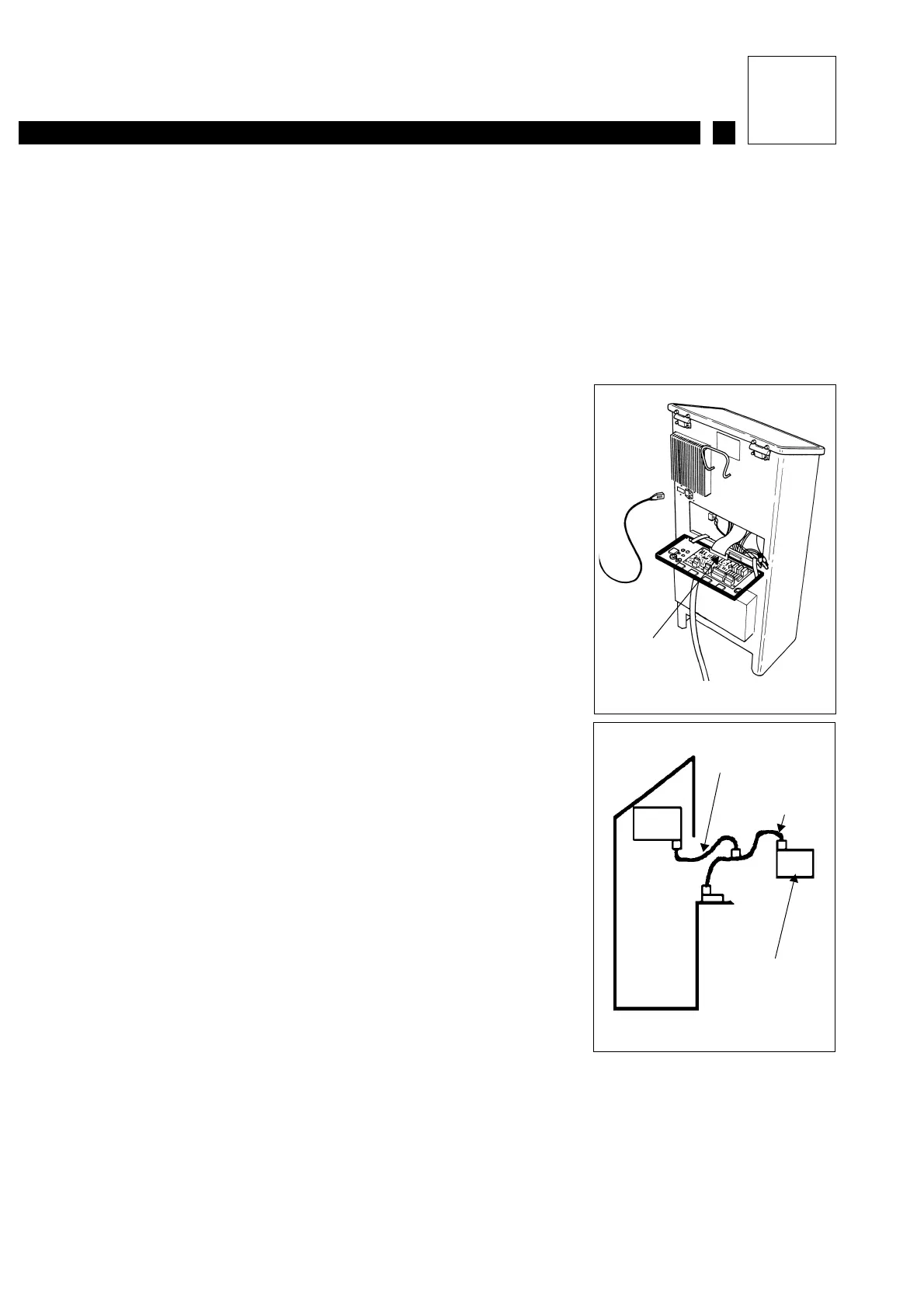
Disconnect the backplane ribbon cable from the
industrial interface board.
Connect the drain adapter ribbon cable between the
draining tool and the industrial interface board, then
connect the backplane ribbon cable to it (see diagram
opposite).
Disconnect the self-closing quick-action pressure
connector then fit the rinsing connector (see hydraulic
diagram)
Connect the quick-action connector from the drain tool
to the ink circuit pressure outlet and place the second
hose from the tool into an empty 5-liter tank.
Drain the ink tank, viscometer circuit (viscometer and
constant level tube) and the main filter (leave the filter
cartridge in place).
Place half a liter of additive in the ink tank, and two
liters of additive in the additive tank.
Immerse the free end of the rinsing connector in a
clean beaker containing cleaning solution, or in the
printer’s additive tank.
Backplane
ribbon cable
Backplane
ribbon cable
Drain adapter
ribbon cable
Drain tool



 To Next Page