(continued on next page)
Item Description
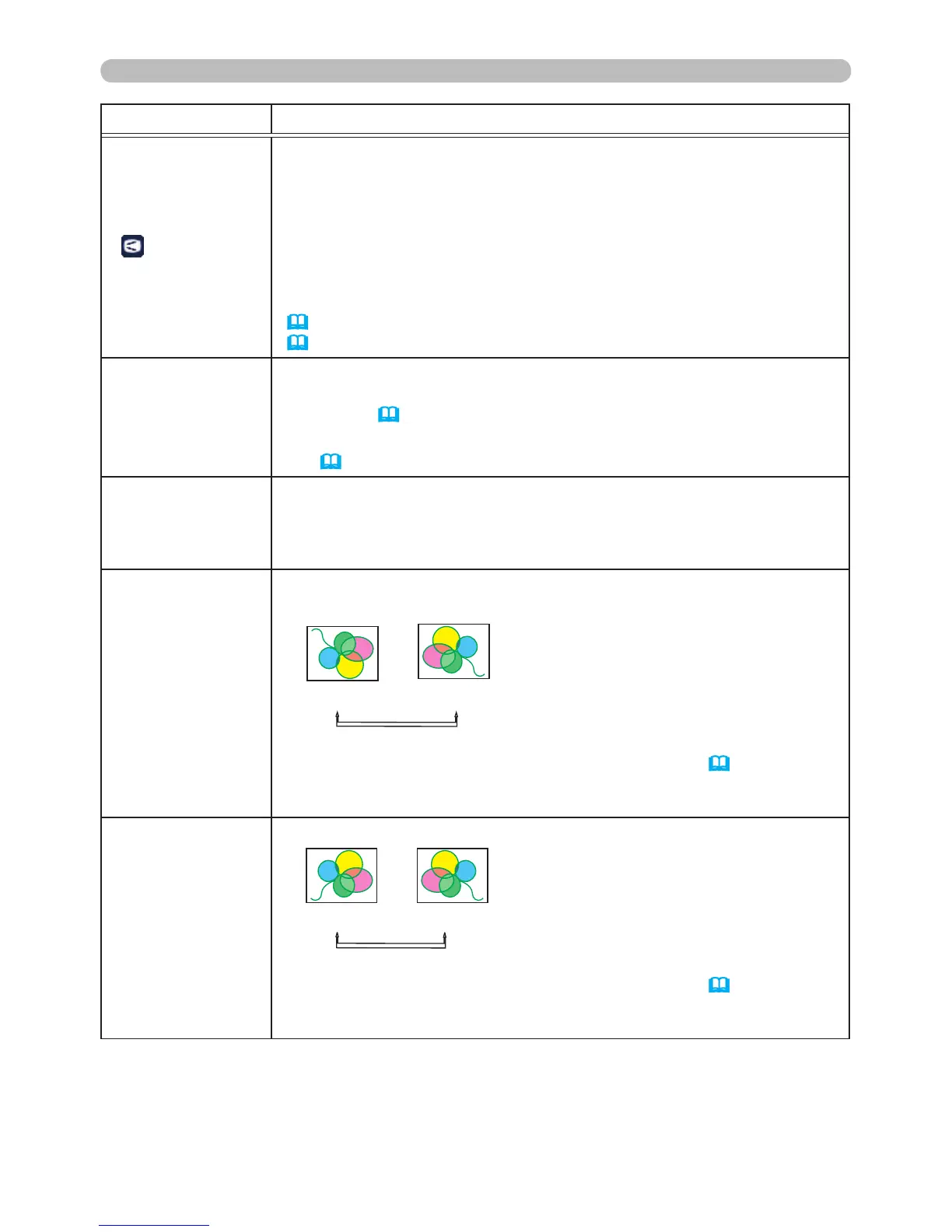
KEYSTONE
Using the ◄/► buttons corrects the vertical keystone distortion.
Shrink the right side of the image
ó
Shrink the left side of the
image.
• The adjustable range of this feature will vary based on the input.
For some inputs, this feature may not work well.
• When the horizontal lens shift is not set to the center, this feature
may not work well.
• This feature is unavailable when the TRANSITION DETECTOR
(
67) is ON or the screen is adjusted by CORNER CORRECTION
(
24).
CORNER
CORRECTION
Selecting this item displays the CORNER CORRECTION dialog.
For details, refer to CORNER CORRECTION in Correcting the
distortion (
24).
• This feature is unavailable when the TRANSITION DETECTOR is
ON (
67).
LOW POWER
Using the ▲/▼ buttons turns LOW POWER on and off.
ENABLE
ó
DISABLE
• When the ENABLE is selected, acoustic noise and screen
brightness are reduced.
CEILING
Using the ▲/▼ buttons switches the ceiling mode.
ENABLE
ó
DISABLE
If the TRANSITION DETECTOR is ON and the CEILING status
changes, the TRANSITION DETECTOR ON alarm (
67) will
display when projector is hard-powered off (AC power is turned off)
and back on.
REAR
Using the ▲/▼ buttons switches the rear projection mode.
ENABLE
ó
DISABLE
If the TRANSITION DECTECTOR is ON and the REAR status
changes, the TRANSITION DETECTOR ON alarm (
67) will
display when projector is hard-powered off (AC power is turned off)
and back on.



 To Next Page