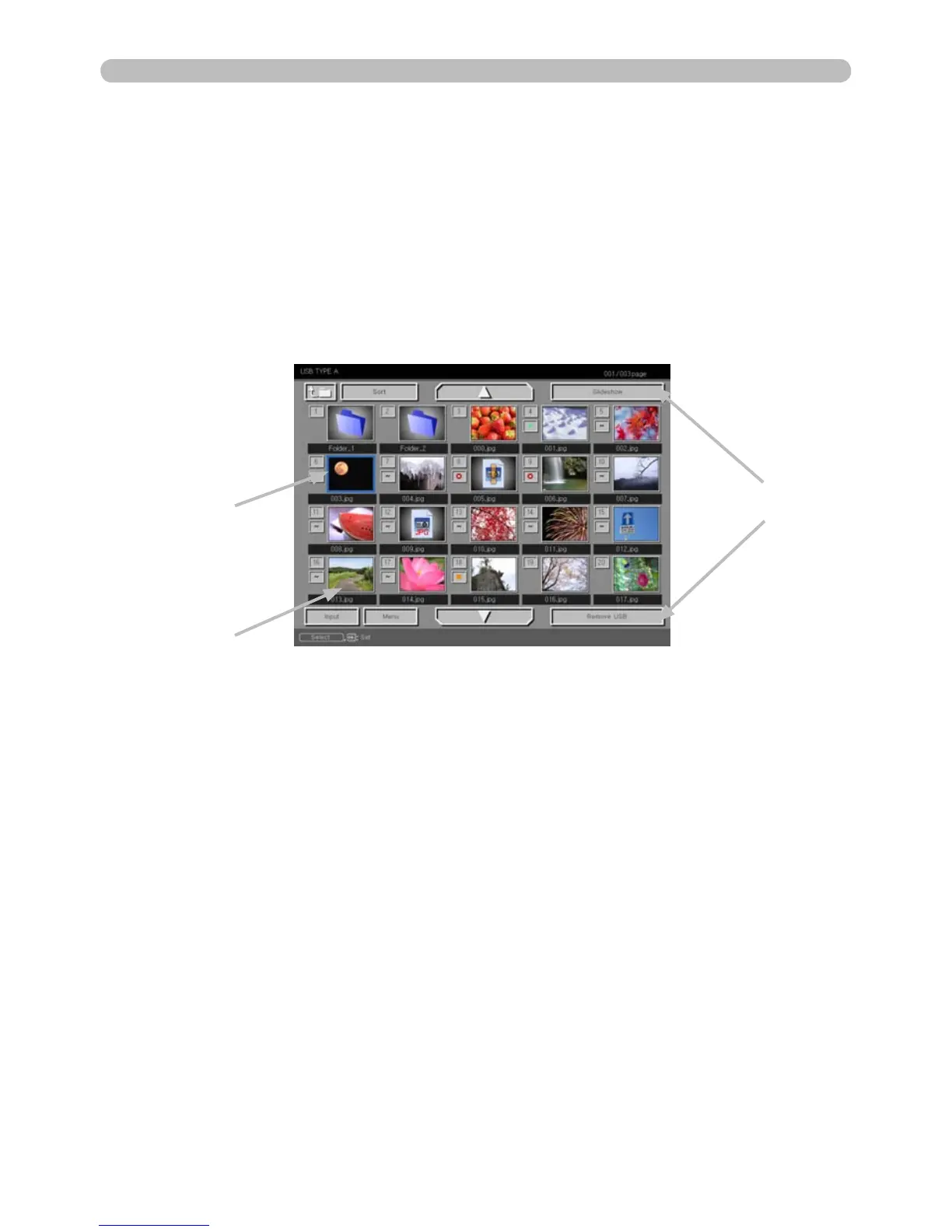
Thumbnail mode
PC-LESS Presentation (continued)
The Thumbnail mode displays the images stored in a USB storage device on the
Thumbnail screen. A maximum of 20 images will be displayed on the screen.
If you wish, you can jump into Full Screen or Slideshow mode, after you select an
image in the Thumbnail mode.
PC-LESS Presentation will open in Thumbnail mode when the USB TYPE A port
is selected as the input source.
Thumbnail menu
Selected image
Thumbnail images



 To Next Page