LP500 Series Service Manual 110
Using the keypad to power up the projector
If you don't have a remote to start the projector with its top removed, you can use the keypad.
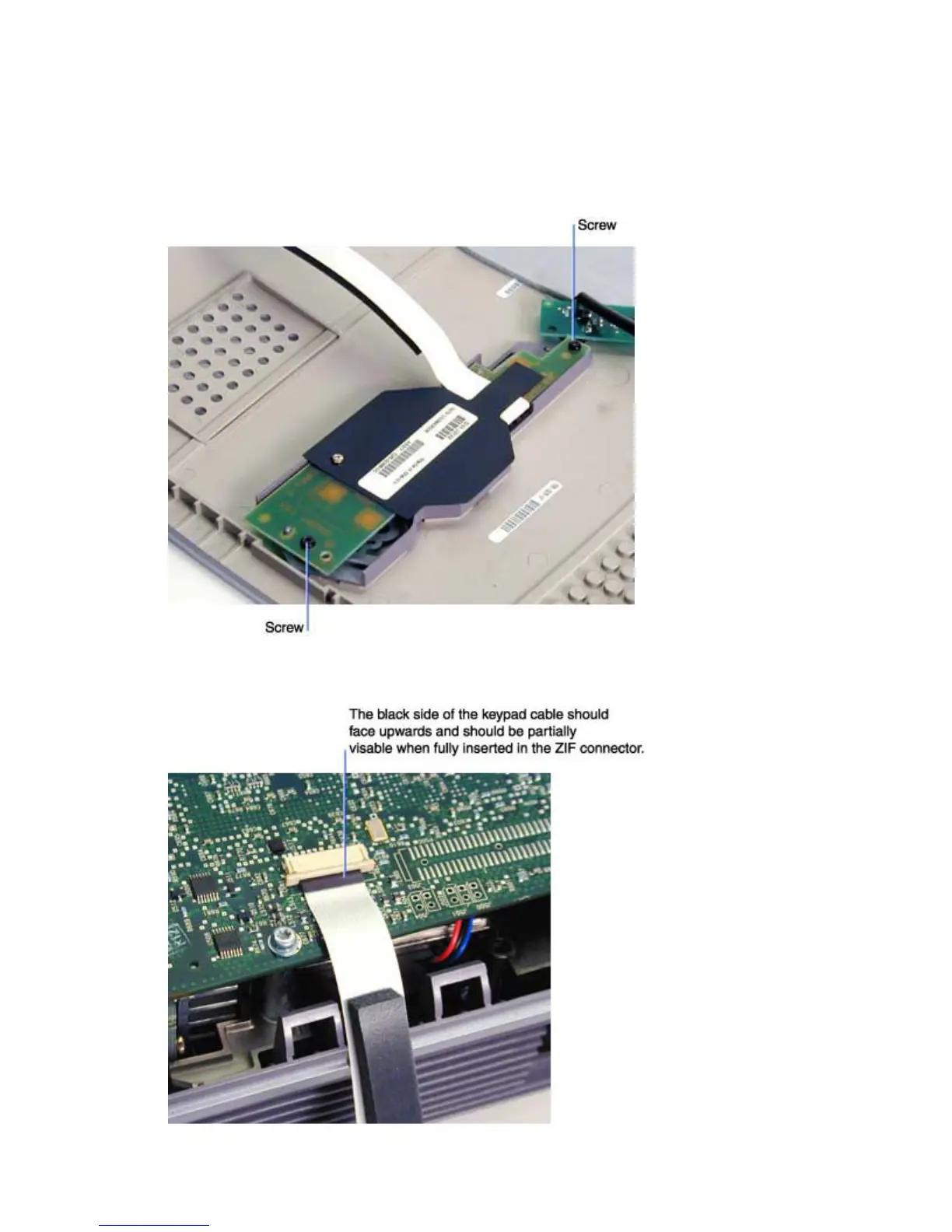
1 Remove the keypad from the inside of the top cover. To do this, remove the two M3x6 black
Plastite Torx screws, then lift the keypad out of the top case.
2 Plug the keypad cable into the ZIF connector on the controller ECA.





 To Next Page