LP500 Series Service Manual 55
Remove and replace the power supply fan and safety switch cable
The power supply fan (526-0098-xx) fastens to the metal chassis. It faces inward (label side in) so that it
blows cool air through the power supply. At the same time you remove the power supply fan cable, you
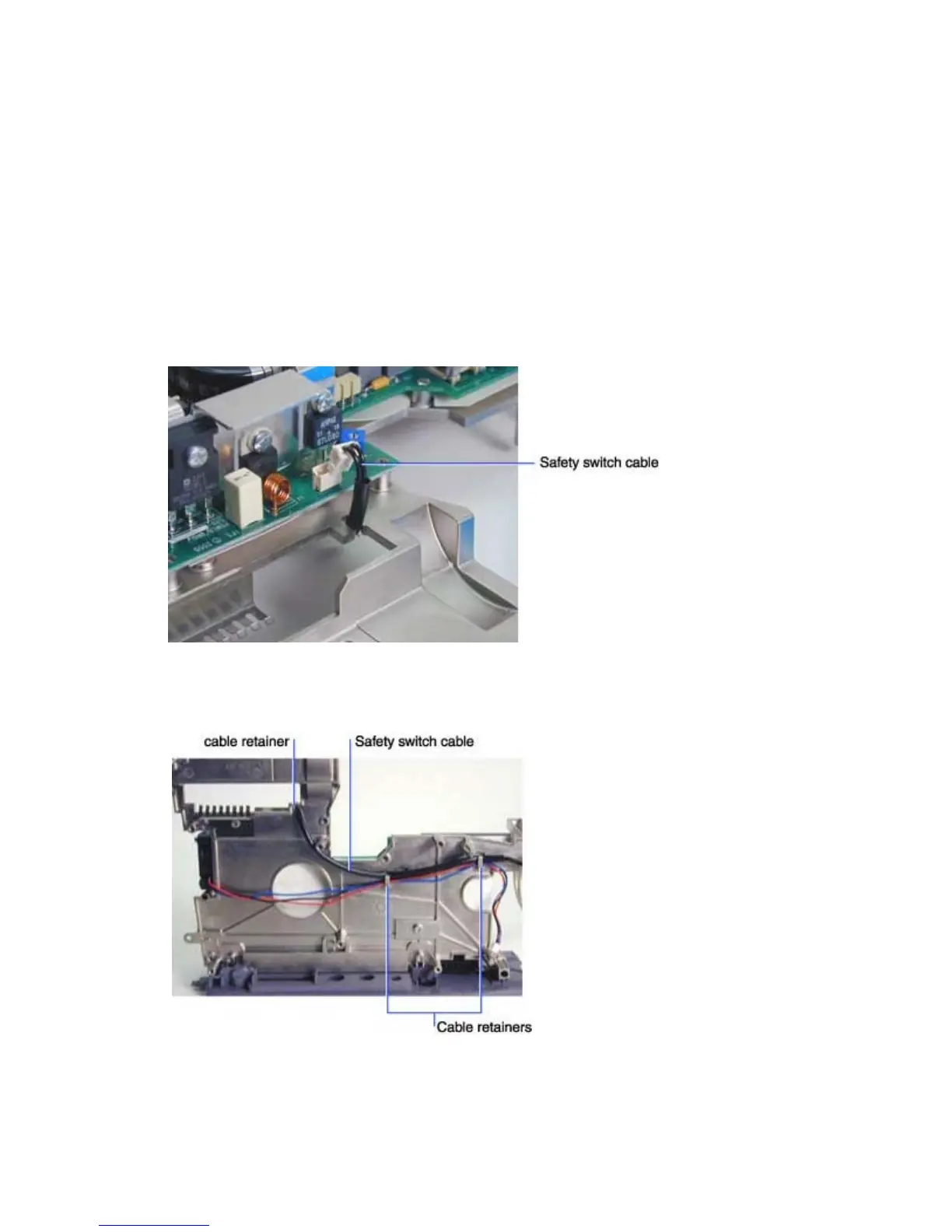
also remove the safety switch cable (211-0162-xx), which runs between the power supply and the
interlock switch assembly.
To remove and replace the safety switch cable, do the following:
1 Remove the chassis and power supply from the bottom case (see page 39).
2 Place the chassis on the work surface so that the power supply faces upward.
3 Unplug the safety switch cable from its connector on the power supply
4 Turn the chassis and power supply over on the work surface.
5 To remove the safety switch cable, lift it out of the three cable retainers on the chassis.




 To Next Page