LP500 Series Service Manual 16
Remove and replace the leveling foot assembly
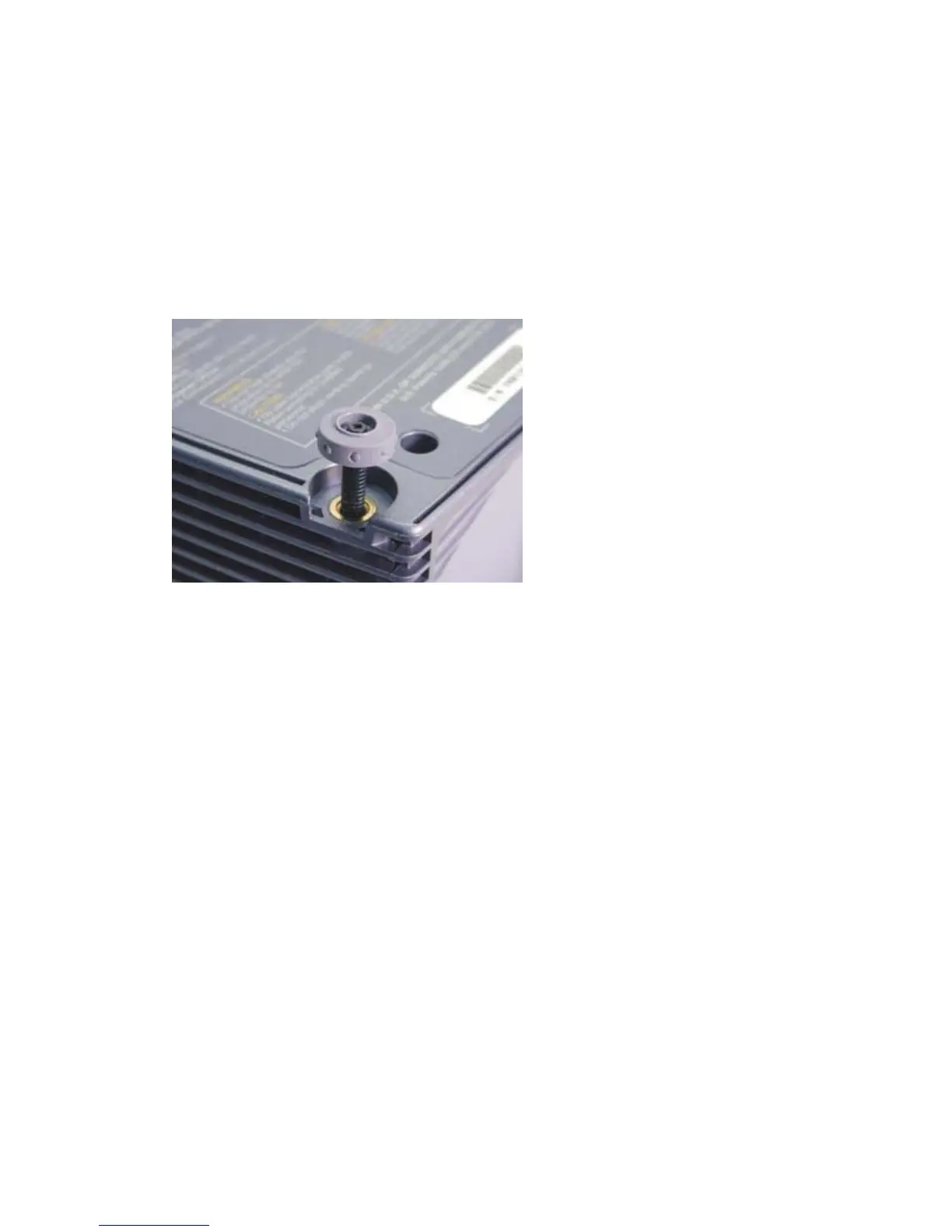
The leveling foot assembly consists of a foot (505-0919-xx) and a shaft (340-0824-xx). The shaft
threads to the bottom case from the inside. The foot fastens to the end of the threaded shaft. When you
rotate the foot, the foot and shaft move up and down. You can order both pieces individually.
Remove the leveling foot
1 Place the projector upside down on the work surface.
2 Rotate the leveling foot counterclockwise until it is fully extended.
3 Use a T-7 driver to remove the black M2.5x6 Plastite Torx screw in the center of the foot.
Remove the leveling shaft
1 Remove the leveling foot.
2 Remove the top case (see page 19).
3 Use a Philips screwdriver to remove the shaft from inside the bottom case.
Assembly Notes
♦ If you are replacing the leveling shaft, turn it clockwise until it stops. This makes it easier to replace
the foot.
♦ The leveling foot and shaft fit together only one way. Make sure to align the foot to the shaft before
inserting the screw.
♦ Torque the M2.5x6 Plastite Torx screw to 4 in.-lbs. (.45 Nm).





 To Next Page