LP500 Series Service Manual 8
Remove and replace the focus and zoom rings
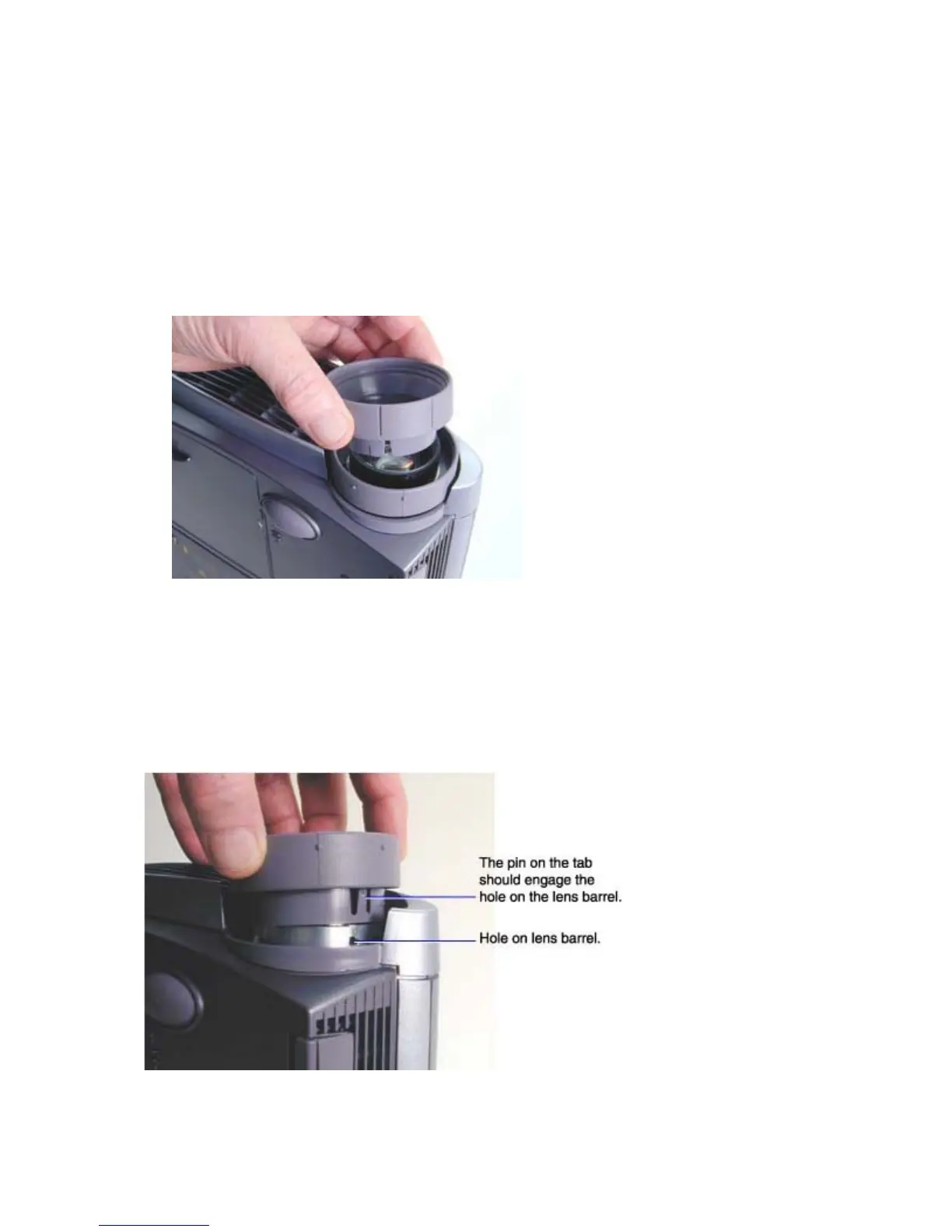
The focus ring (505-0840-xx) fits around the front of the projection lens. The zoom ring (505-0839-xx)
fits behind the focus ring. The lens cap (505-0841-xx) snaps onto the focus ring.
Both the focus ring and the zoom ring snap into place. They can be replaced without removing the front
bezel or top case.
1 Stand the projector lens side up on the work space.
2 Grasp the focus ring and pull it off of the lens barrel.
3 Grasp the zoom ring and pull it off of the lens barrel.
Assembly Notes
♦ Both rings have three slots or tabs that align with pins or slots on the lens barrel.
♦ Align the tabs on the zoom ring with the three slots on the lens barrel, and then press it into place. It
should fit close to the front bezel, but should not touch the bezel.





 To Next Page