LP500 Series Service Manual 57
Remove and replace the power supply fuse
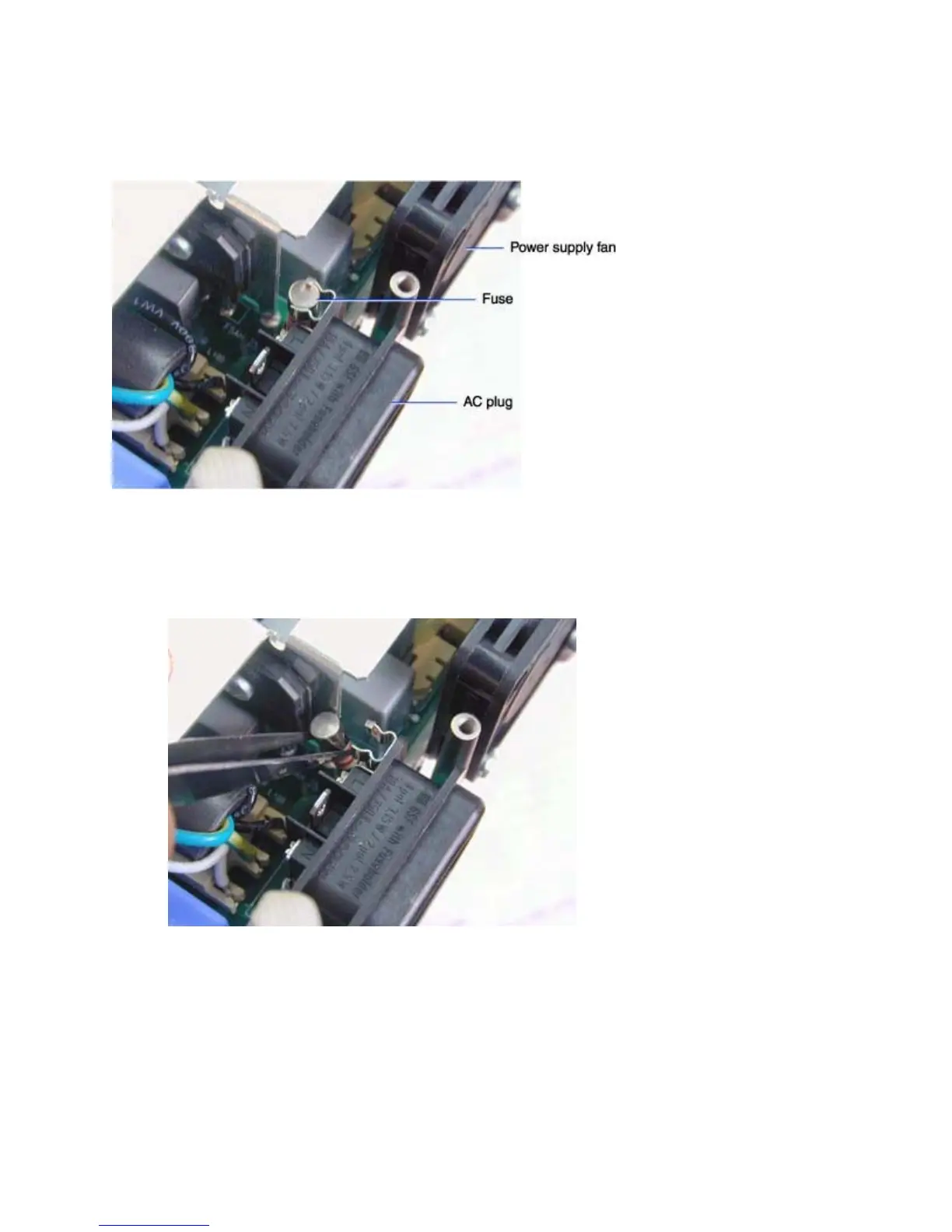
The power supply fuse (749-0026-xx) mounts on the power supply just behind the AC connector on the
power supply fan side.
1 Remove the chassis and power supply from the bottom case (see page 39).
2 Place the chassis on the work surface so that the power supply faces upward.
3 Pry the fuse out of its holder with a tweezers or small bladed screwdriver.
Assembly Note
♦ Make sure that the fuse is fully inserted in the fuse holder. The top of the fuse should rest against the
stop on the top of the fuse holder.





 To Next Page