LP500 Series Service Manual 56
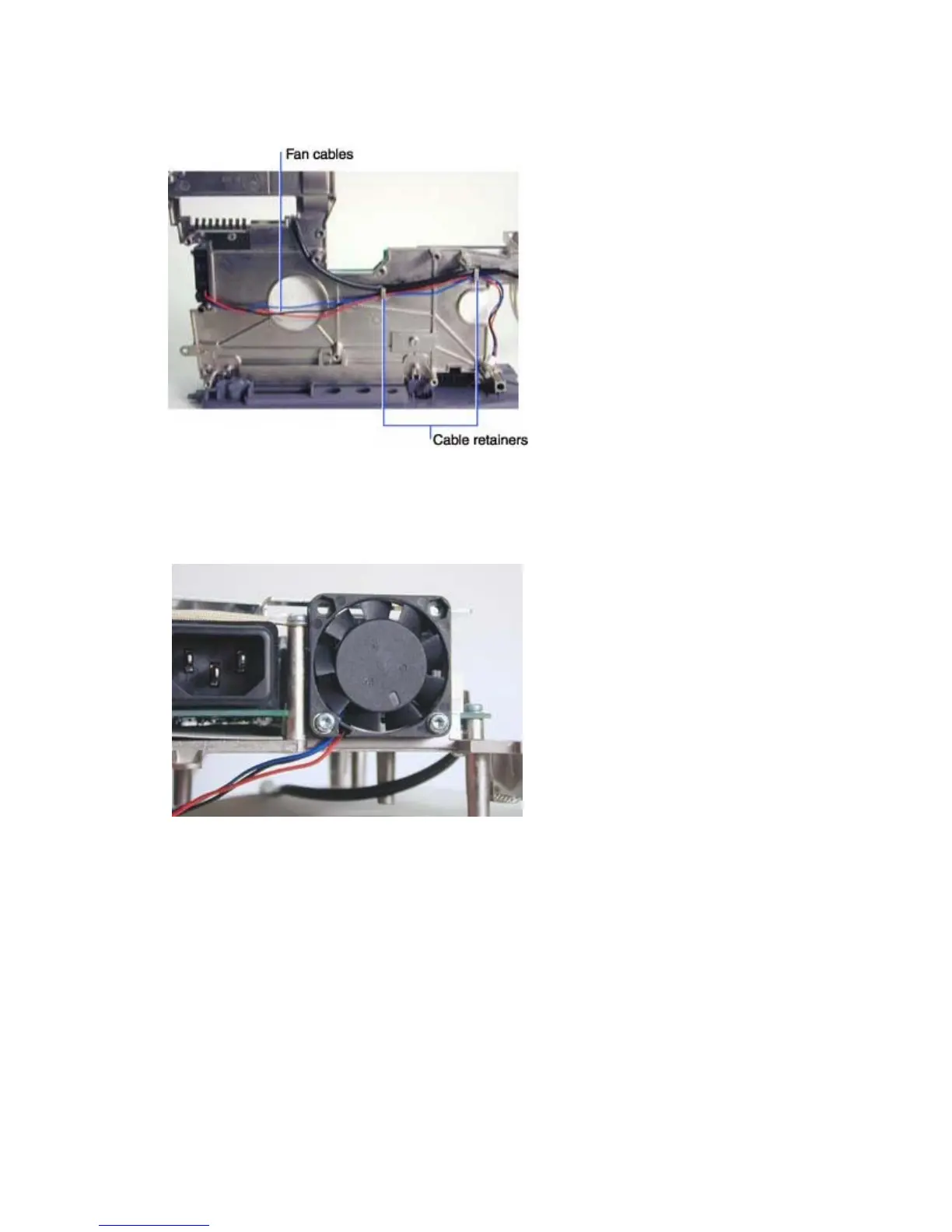
To remove the power supply fan, do the following:
1 Remove the fan cable from the two cable retainers on the top of the chassis.
2 Turn the chassis over on the work surface so that the power supply faces upward.
3 Remove the two M3x10 Torx screws that fasten the fan to the chassis. Then pull the fan off of the
chassis.
Assembly Notes
♦ Note that two bosses on the chassis fit into the two screw holes on the inside of the power supply fan.
Press the fan onto the bosses, then torque the M3x10 screws to 6 in/lbs (.68 Nm). Make sure the fan
label faces inward.
♦ Make sure to route all the cables through the cable retainers on the top of the chassis.
♦ Make sure you leave enough of the interlock switch cable exposed on the power supply end so that
you do not strain the cable when you plug the connector in.





 To Next Page