LP500 Series Service Manual 59
Assembly Notes
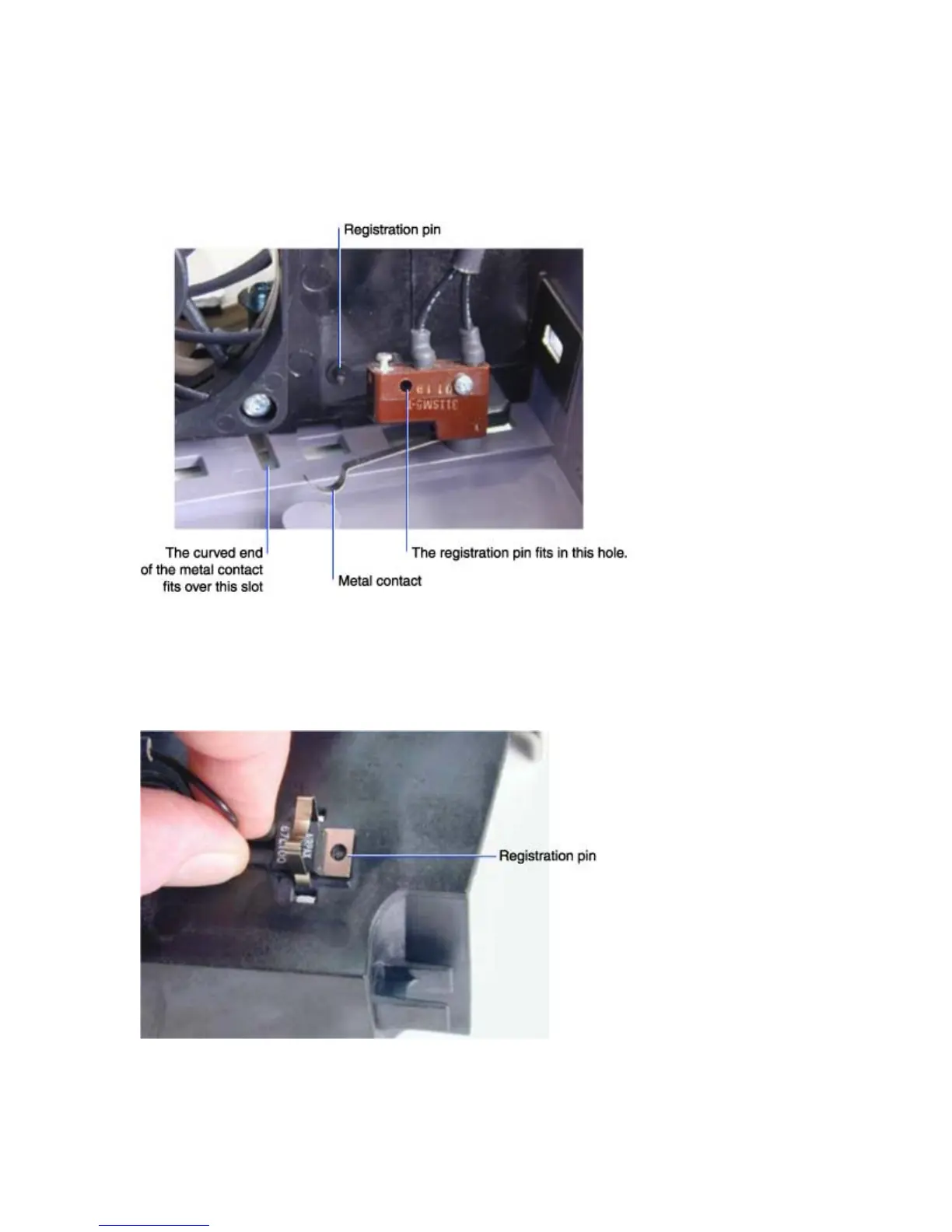
♦ To install the interlock switch, orient it so that the registration pin in the lamp housing fits into the
empty screw hole in the switch. The curved portion of the metal contact fits into the slot just below the
screw on the lamp fan. A tab on the lamp door fits through the slot to close the interlock switch when
the lamp door is in place.
♦ Orient the thermal switch on the top of the lamp housing so that the registration pin on the lamp
housing aligns with the hole in thermal switch. The white lettering on the switch should face up. Press
the two ends of the thermal switch clip into the holes on both sides of the thermal switch until it snaps
into place. Make sure the clip is secure.





 To Next Page