User Manual for the Thermographic System VarioCAM
®
high resolution
8. Operation
56 © InfraTec GmbH 2013 User Manual
Available calibration ranges in the VarioCAM
®
hr are listed in the submenu “Calib” (see Fig. 116) and, by
respectively selecting them, permit toggling between them. The number of calibration ranges is
dependent on the version of equipment. Also after delivery of the thermographic system, the temperature
measurement range can be extended further by hardware extensions and further calibrations of the
system or measuring can be performed using additional lenses.
By activating the item "Autosel Calib"*, the thermographic system will automatically change the
calibration range with respect to the current temperatures of the scene.
The yellow-marked No. of the calibration range shows that, for the currently attached lens, valid
calibration data are available in the thermographic system. Thereby, the type and serial number of the
lens are checked. Should no valid calibration data be available for the attached lens, the system will mark
all available data by shading the No. of the calibration range either light-red (calibration data for similar
type of lens, no accordance with serial number) or dark-red (neither the type of lens nor the serial number
conform to available calibration data). Apart from the No. of the calibration range, also the status window
(above the colour palette) will be shaded light-red or dark-red accordingly. During operation of the
system, this helps visualise at all times if valid calibration data are missing, regardless of having to check
the calibration range in the menu Settings.
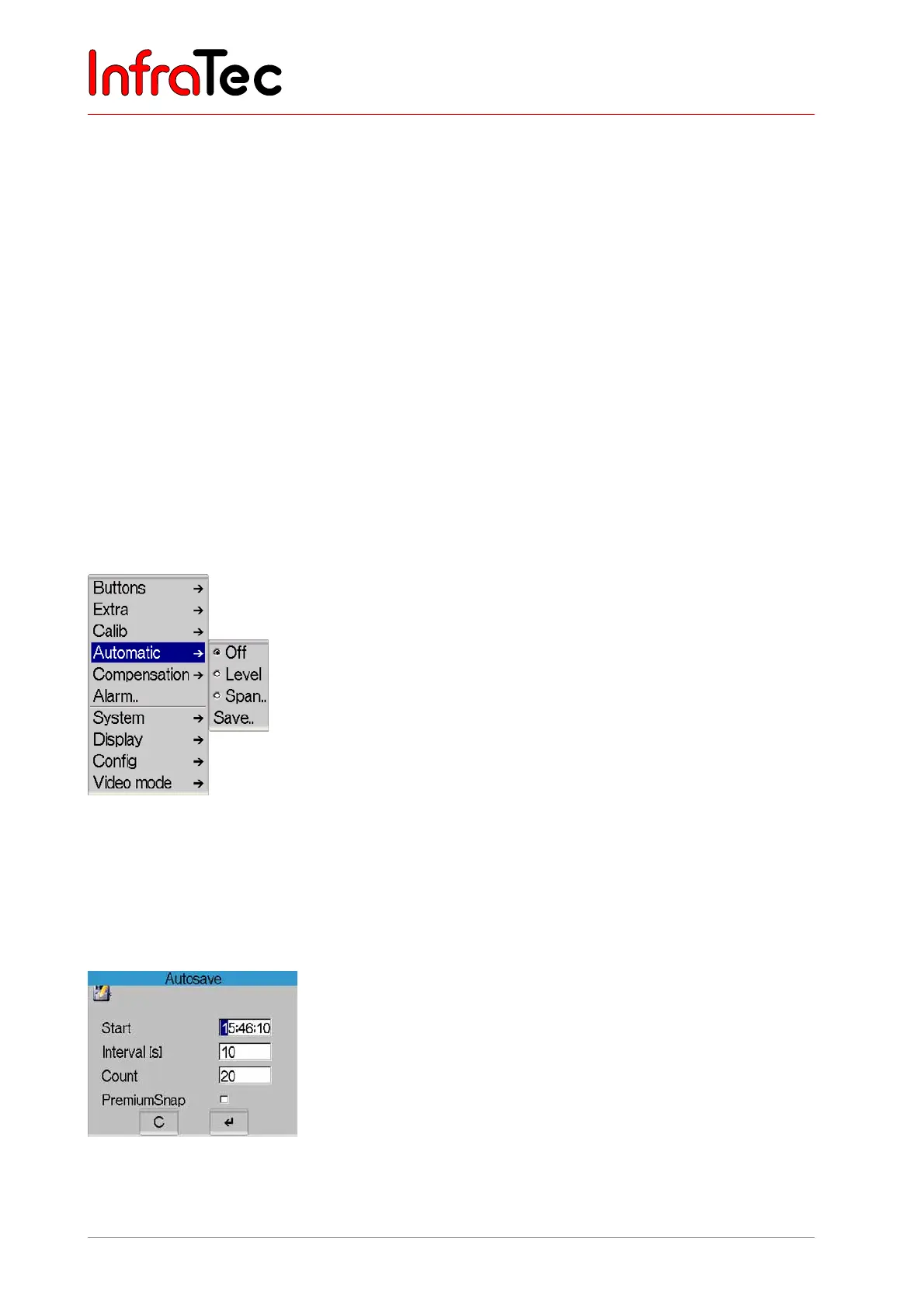
Menu item "Automatic"
Fig. 117 Menu "Settings" – "Automatic"
Menu item "Automatic" comprises available automatic functions of the thermographic camera.
Items "Level" or "Range", respectively, serve the automatic adjustment of the thermal image with
respect to the temperature level or temperature range used. The respective menu item is checkmarked if
one of the two functions is active.
Fig. 118 Dialogue "Autosave"
When selecting "Save..", a dialogue will appear to help record a sequence of thermal images.



 To Next Page