User Manual for the Thermographic System VarioCAM
®
high resolution
8. Operation
User Manual © InfraTec GmbH 2013 57
The time of starting the recording needs to be entered into the field "Start". As a preset value, the system
provides the current time when calling up the dialogue for entering the parameters for automatic saving.
Regardless of this, any desired start time between 00:00:00 and 23:59:59 can be set. Should the start
time be set before the current time, the recording will immediately start upon activating this function.
"Interval" indicates in which period (hh:mm:ss) a thermal image is to be saved. The shortest possible
interval is 0.5 s. Please note that the minimum recording period is also affected by the files to be saved
(VIS*, Sceenshot) and by the possibly selected saving modes (e.g. Premium/ResEnh*).
Should shorter interval times be required for recording a sequence of thermal images, using the internal real-
time memory* (see Menu "File" menu item “BG-memory“) is recommended.
The box "Count" indicates how many thermal images are to be saved/recorded. The maximum possible
number is 99,999 images.
The box "PremiumSnap" indicates if the thermal images are to be saved in Premium mode (see Fig.
115, Menu "Settings" - "Extra") for reducing the noise in these thermal images.
The values in the various input boxes (figures) can be set by moving the joystick and . Using the
joystick and serves to move among the positions in the input boxes. The T button (acting as a tab
key) is used to jump between the various input boxes. Enter saves the sequence settings. The settings
will be dismissed and the dialogue exited if the C button is pressed.
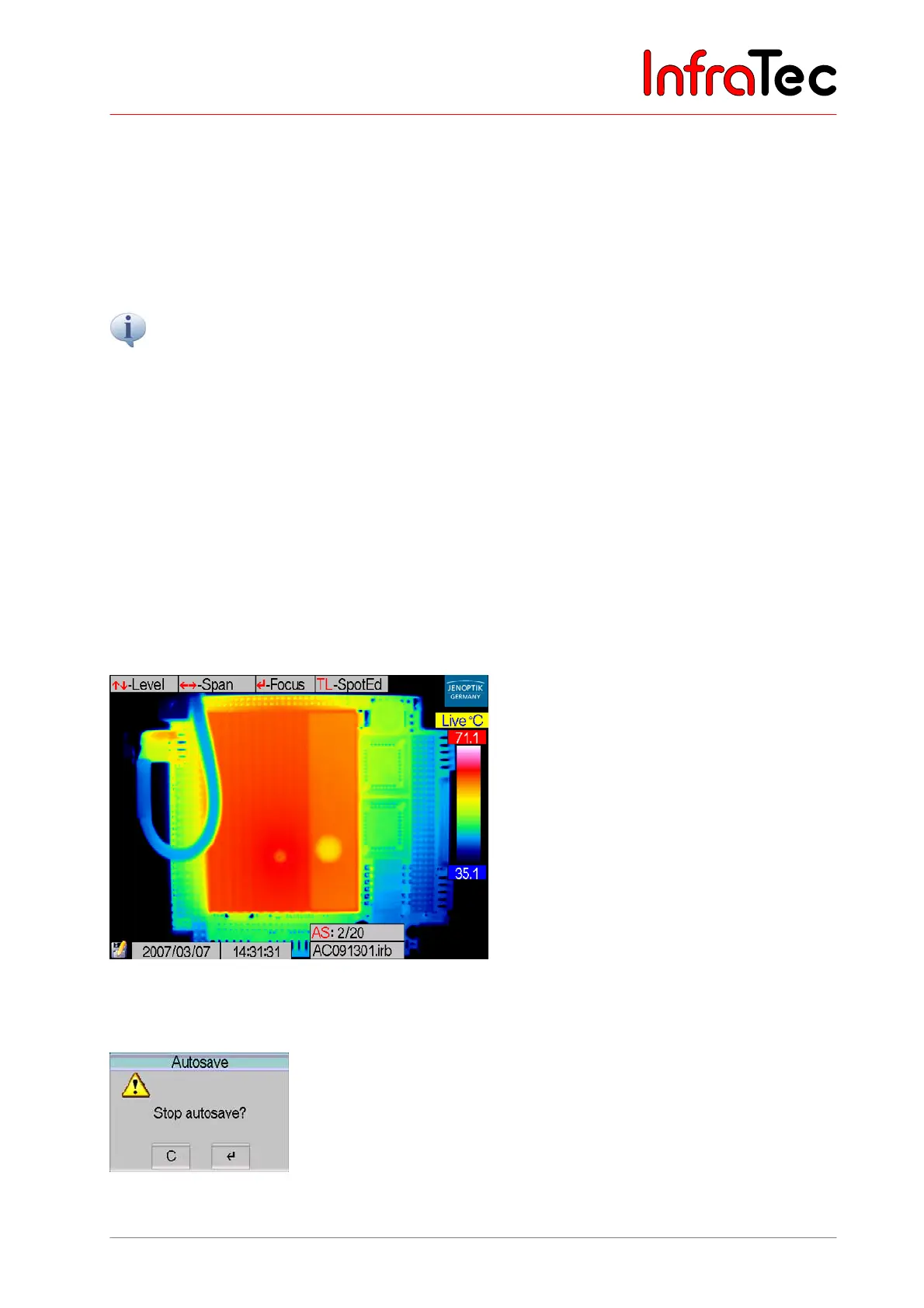
When serial measuring is running, the filenames of the currently saved data are displayed.
Fig. 119 Screen in "Autosave"
On-going serial measuring can be interrupted by CL.
Fig. 120 Dialogue – “Stop Autosave”



 To Next Page