User Manual for the Thermographic System VarioCAM
®
high resolution
8. Operation
58 © InfraTec GmbH 2013 User Manual
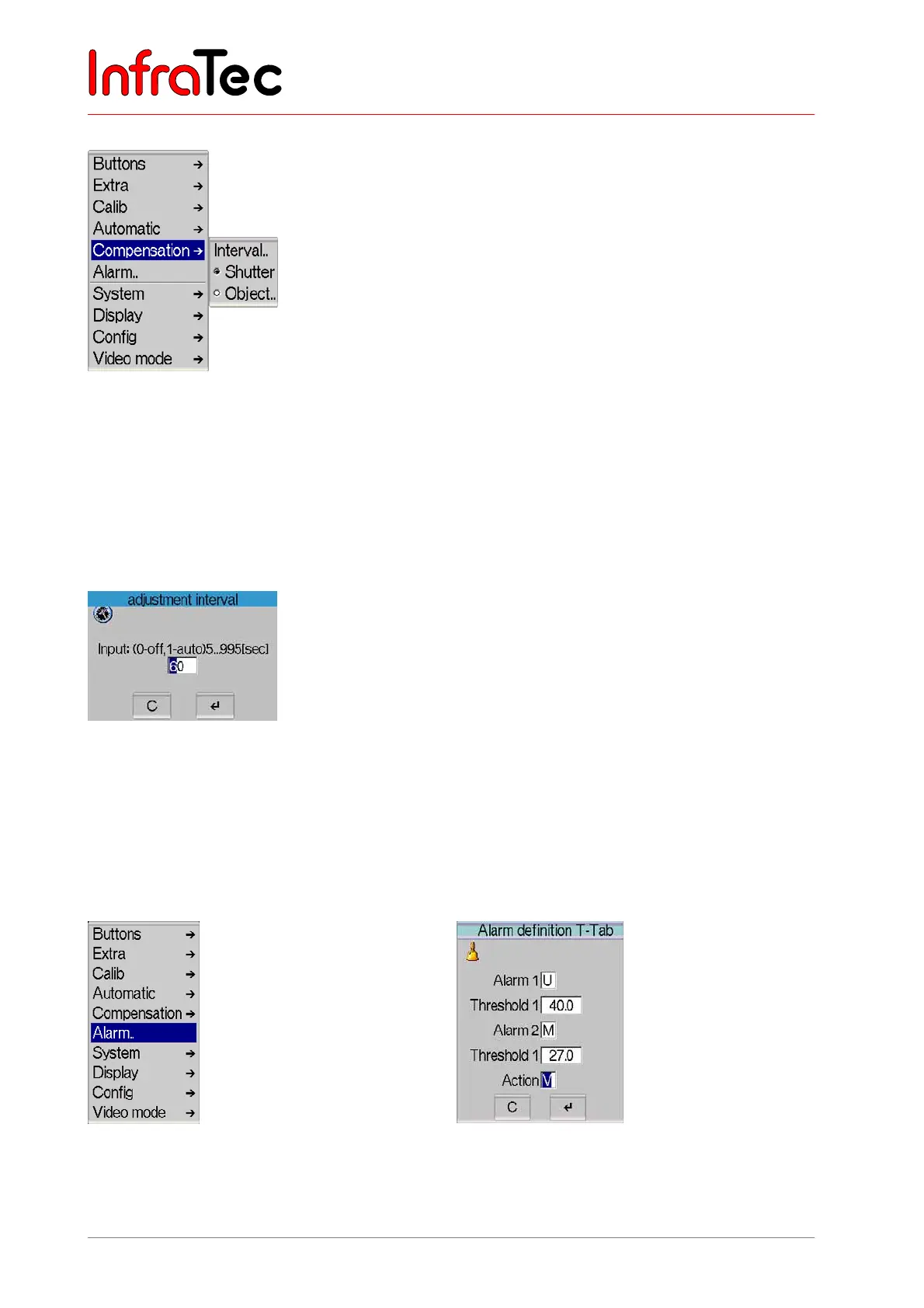
Menu item "Compensation"
Fig. 121 Menu "Settings" - "Compensation"
This menu helps to adjust parameters for compensation.
If menu item "Shutter" has been selected, compensation is made with the shutter of the thermographic
camera. The shutter is part of the optical mechanics. It is briefly swiveled into the beam path as a
reference.
If menu item "Object" has been selected, compensation is made with the scene of the thermographic
camera. The current setting is checkmarked in the menu.
Fig. 122 Dialogue "Adjustment interval"
Via "Interval..", the interval for automatic adjustment can be set (see Fig. 122). It displays the time in
seconds, after which an automatic adjustment is to be performed. The interval to be entered can be
between 5 sec and approx. 16 min (995 sec). Should the set value be outside these limits, it will
automatically be adjusted. The recommended default setting is 60 s. However, a special case is the value
0, which switches the automatic adjustment off.
Menu item "Alarm.."
Fig. 123 Menu "Settings" - "Alarm.." Fig. 124 Dialogue "Alarm definition"



 To Next Page