SKYZER TECHNOLOGIES PAGE 96 OF 116
NITRO INGENICO ICT250 AND IWL252 2015 PAYMARK SOFTWARE OPERATING GUIDE Version 1.0
11.4 DUPLICATE RECEIPT
This function causes the terminal to print a duplicate of the receipt generated
as a result of the last cardholder transaction. This function is used if the original
receipt is damaged or illegible. A financial transaction reprint receipt should
still be available after a non-financial transaction is completed.
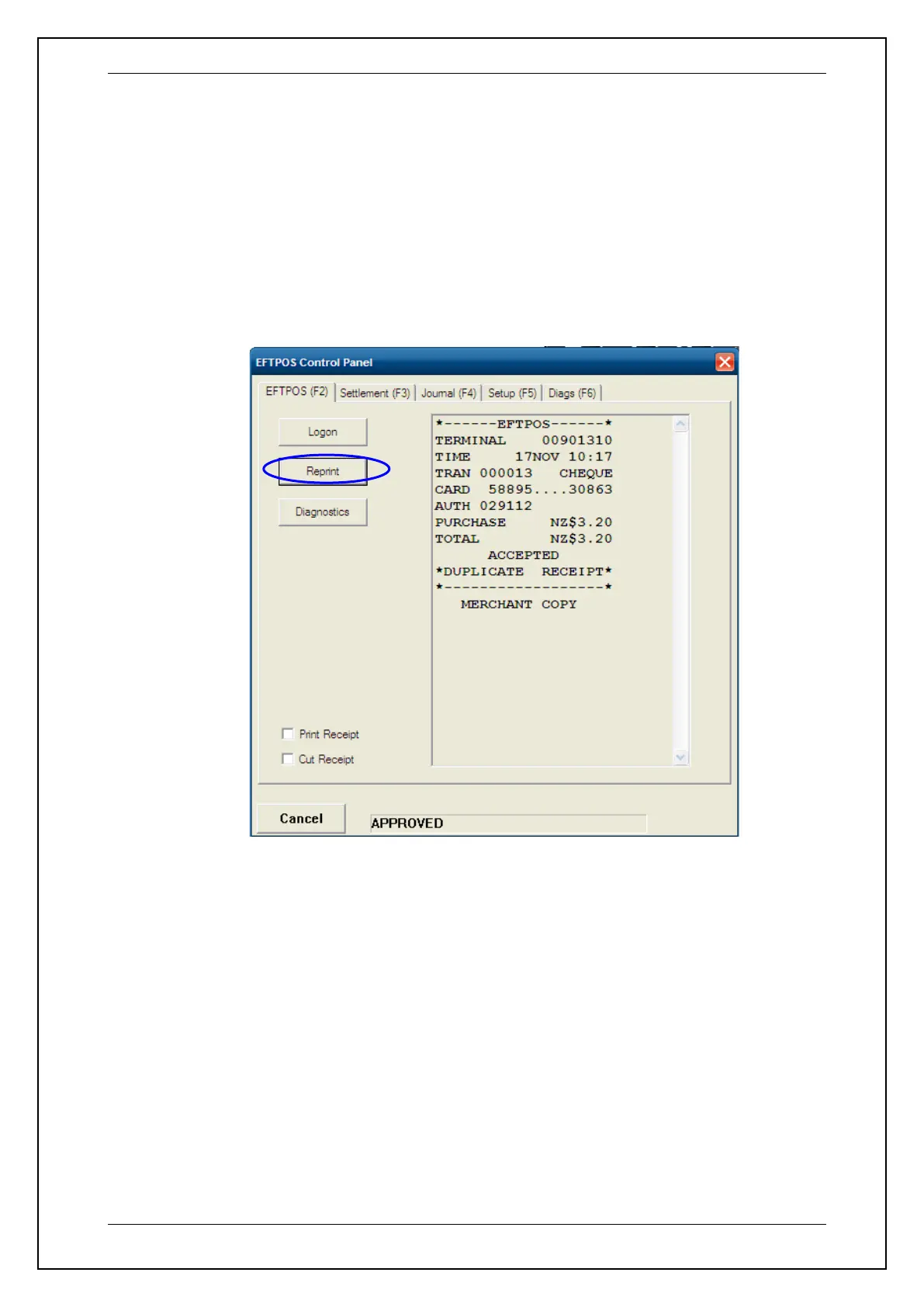
To perform the reprint function, select the reprint function from the POS system
and then select EFTPOS (F2) tab then followed by the REPRINT tab to print of a
duplicate receipt.







 To Next Page