INTRODUCTION
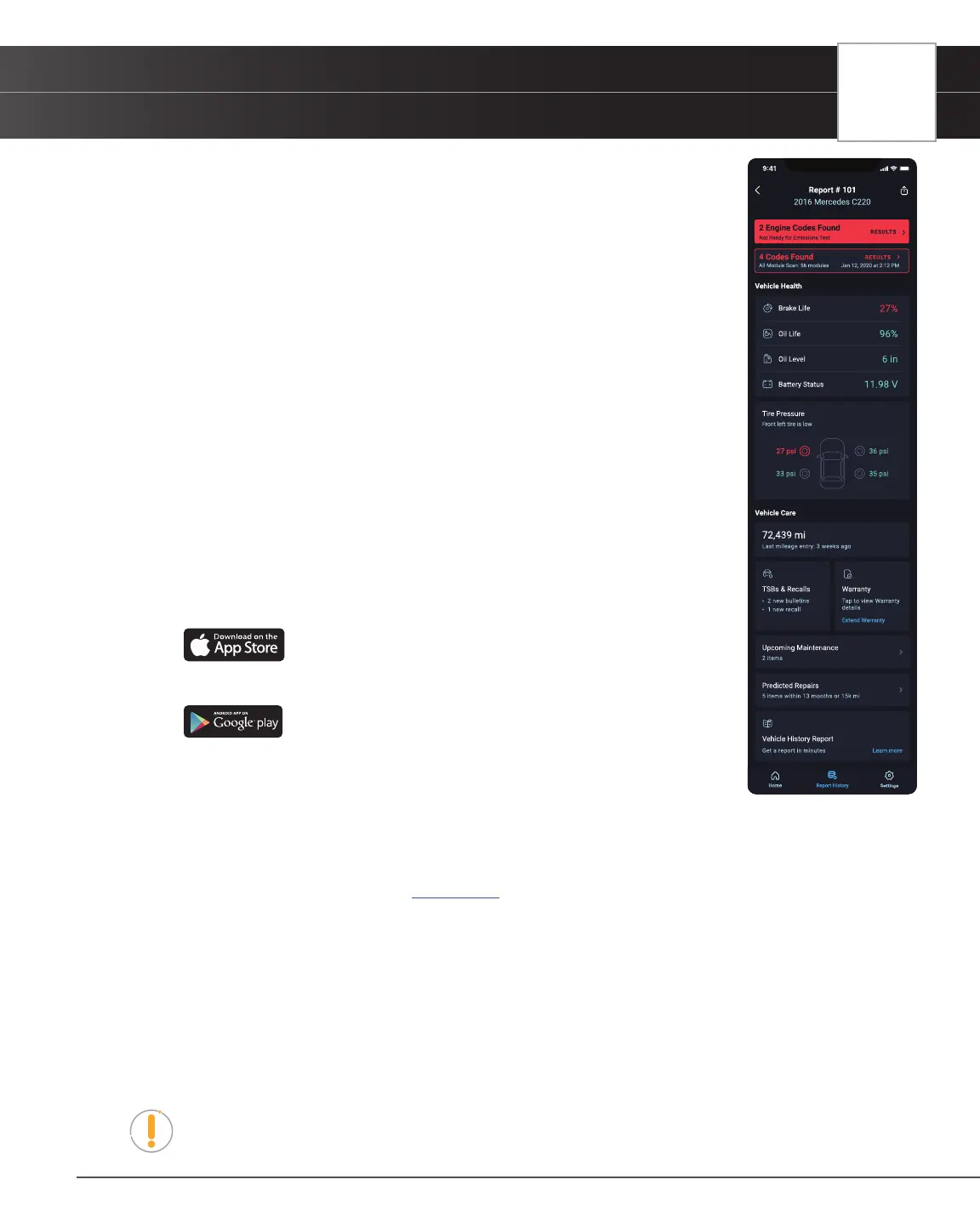
The RepairSolutions2® App
9
16. Bluetooth Icon – Indicates communication status with a compatible mobile application. A solid blue icon indicates
an active Bluetooth connection has been established.
17. 12.55V – Displays the vehicle’s current battery voltage.
Technical Specications
The following table provides the Tablet Scan Tool Scan Tool’s current technical specications*:
Display Type
3.5 Inch Panel
J1962 DLC Cable
6-foot Detachable 16-pin OBDII Compliant Connector
Operating Temperature
23ºF to 113ºF (-5ºC to 45ºC)
Memory
4GB Memory
Tablet Scan Tool Scan Tool Case
Rugged ABS Shock & Drop Resistant
Included Accessories
Quick Start Guide, USB Cable
*Manufacturer reserves the right to change technical specications at any time.
The RepairSolutions2
®
App
The RepairSolutions2
®
(RS2 App) is a web-based service created to assist Do-it-Yourselfers and Professional technicians
simplify their vehicle diagnostic process.
In essence, RS2 helps you decode the diagnostic data collected by your OBD2 Tablet to
arrive at a most likely x. At its core, RS2 uses a database of millions of real-world veried
xes–collected over the last 25 years by ASE Master Technicians across the U.S.– that is
cross-referenced to your specic vehicle’s problem to instantly arrive at a veried x. Think
of it as your personalized technician to help diagnose, repair, and maintain your vehicle(s).
The RS2 App Offers…
n Veried Fixes – Find the most likely xes reported and veried by ASE Technicians for the retrieved
DTCs. Plus, quickly purchase the exact parts you need right from the app.
n Predicted Repairs – With millions of veried repair solutions, get a statistical
probability of what repairs you may need within the next 12 months.
n TSBs & Recalls – Learn if there are any special NHTSA safety recalls or
Technical Service Bulletins (TSBs) issued by your vehicle’s manufacturer.
n Vehicle Health Reports - Get a quick insight on how your vehicle’s vitals are
currently performing (tire pressure, battery status, etc.) and get alerts to potential
problems.
n Upcoming Maintenance – View your vehicle manufacturer’s recommended
maintenance intervals. Plus, conveniently purchase the correct maintenance
parts right from the app.
n And much more...
Hardware Requirements
n Certied RS2 Tablet with Bluetooth
®
connectivity
n Android or iOS Mobile Device
Download the RS2 App
n Apple iOS Devices (click on the link)
n Android Devices (click on the link)
n From a Tablet Scan Tool
━ Scan the QR Code displayed on the tablet’s screen when pairing app with
the tablet.
Using RS2 App
1. Retrieve your vehicle’s diagnostic data [See page 13]
2. Download and install the RepairSolutions2
®
app (see above)
3. Launch the RS2 app and log in to your account.
n If you have not yet established an account, you must register for a FREE RS2 account before
proceeding.
4. Follow the screen prompts to pair your Tablet Scan Tool.
n Begin the pairing process by selecting your handheld tool from the list.
5. Once paired, the data from your tool is automatically transferred to the RS2 app to create a report.
NOTE: If the data does not automatically transfer, simply keep the app and tool paired
and scan your vehicle again.


 To Next Page