USING THE TABLET
OBD2 Diagnostics
25
5. When you have nished viewing test data for all desired tests, press Back from Select Test menu to return to
OBD2 Menu, or press the Home button to return to Home screen.
Request Control On-Board System - $08
The Request Control On-Board System - $08 allows you perform an EVAP Test or Particulate Filter Regeneration and
Inducement System Reinitialization.
n EVAP Test - lets you initiate a leak test for the vehicle’s EVAP system.
n Particulate Filter Regeneration – this service requests the vehicle to initiate a PF regeneration. The
vehicle manufacturer is responsible to determine the criteria to enable, start and stop the test, such
as engine running, vehicle speed, or engine rpm.
n Inducement System Reinitialization - This service requests the vehicle to initiate a reinitialize the
inducement system. The vehicle manufacturer is responsible to determine the criteria to enable,
start and stop the test, such as engine running, vehicle speed, or engine rpm.
NOTE: The Tablet does not perform the leak test, but signals to vehicle’s on-board computer to
initiate the test. The vehicle manufacturer determines the criteria and method for stopping the
test once it has been started. BEFORE using the Request Control On-Board System function,
refer to the vehicle’s service manual to determine the procedures necessary to stop the test.
NOTE: Some vehicle manufacturers do not allow Tablets or other external devices to
control vehicle systems. If the Request Control On-Board System is not supported by the
vehicle under test, an advisory message displays. Press Back to return to the OBD2
Menu.
1. From the OBD2 Menu, select Request Control On-Board System - $08, then press the OK button.
n A Request Control On-Board System - $08 screen displays.
NOTE: The EVAP Test is used for Spark Ignition, and the Particulate Filter Regeneration
and Inducement System Reinitialization is used for Compression
Ignition.
2. Select the test that displays on screen, then press OK.
3. A “One moment please…” message displays while the tablet performs
the test.
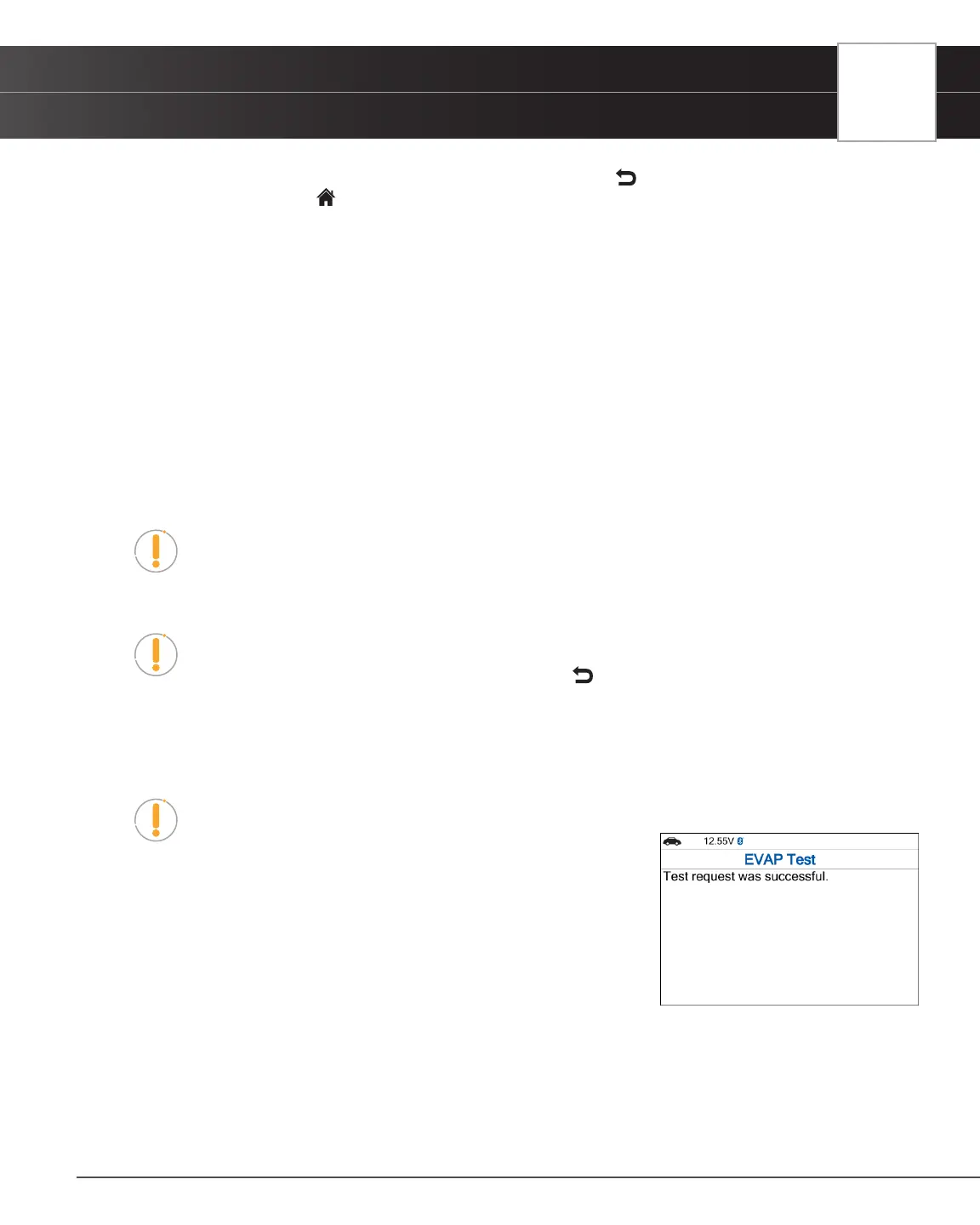
4. When the test has been initiated by the vehicle’s on-board computer, a
conrmation message displays.
Drive Cycle Procedures
A Drive Cycle for a Monitor requires that the vehicle is driven in such a way that all the required “Enabling Criteria” for the
Monitor to run and complete its diagnostic testing are met. You can use the Tablet to view the Drive Cycle Procedures for
a selected Monitor.
1. From OBD2 Menu, select Drive Cycle Procedures, then press the OK button. A “One moment please…” message


 To Next Page