32
USING THE TABLET
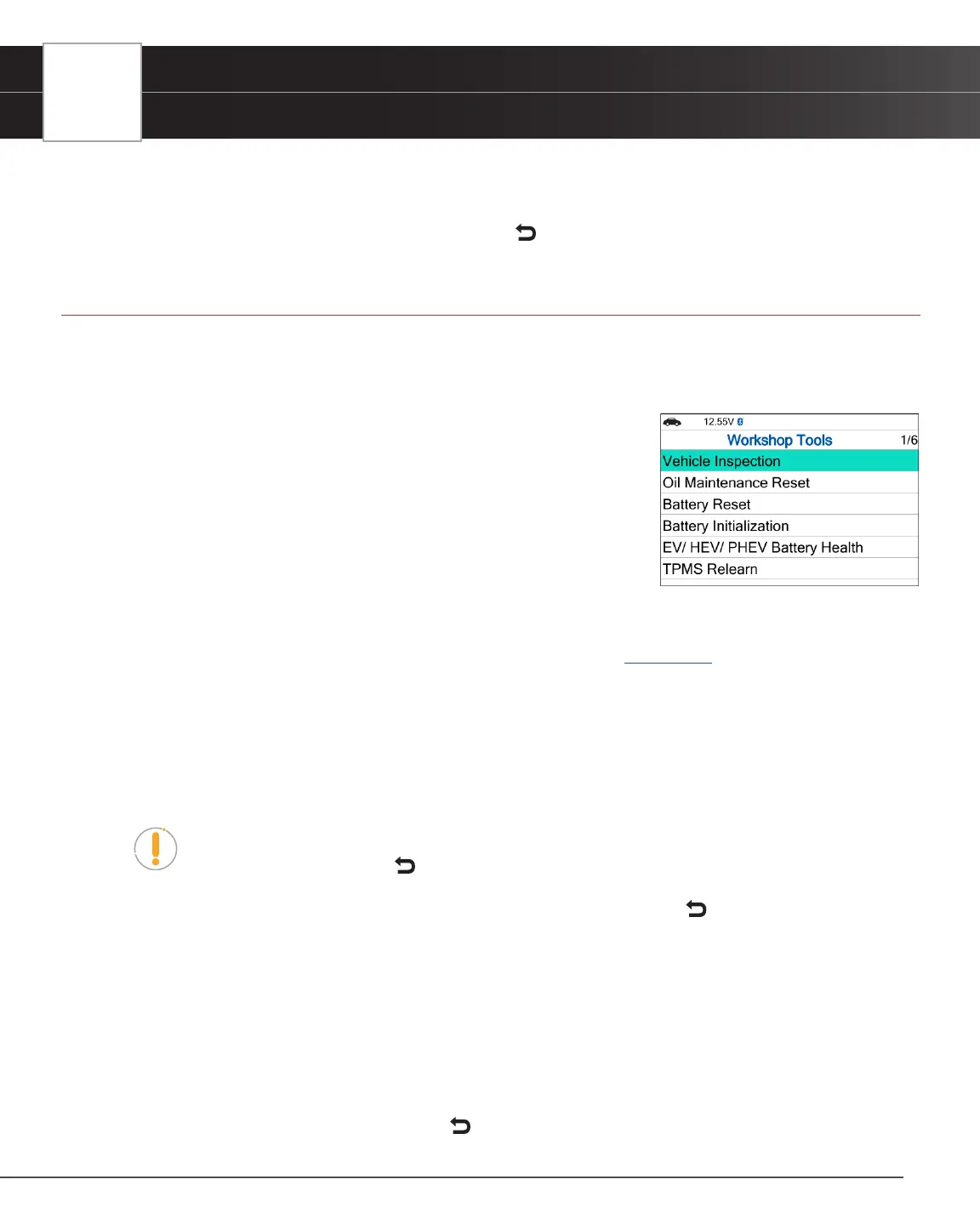
Workshop Tools
n An “instructional” dialog displays to conrm selection.
n Select Yes to rescan the vehicle. Or, No to cancel.
7. When nished viewing all desired information, select Back to return to the OEM Diagnostics menu.
Workshop Tools
The WORKSHOP TOOLS function allows you to perform several OEM / dealership services, including Vehicle Inspection,
Oil Maintenance Reset, Battery Reset, Battery Initialization, EV/HEV/PHEV Battery Health, Battery/Alternator Test,
TPMS Relearn. Access dealership level relearn procedures to complete repairs or maintenance and much more.
Vehicle Inspection
Oil Maintenance Reset
Battery Reset
Battery Initialization
EV/HEV/PHEV Battery Health, Battery/Alternator Test
TPMS Relearn
Vehicle Inspection
Refer to the Vehicle Inspection section under OEM Diagnostics to learn more. [See page 30]
Oil Maintenance Reset
1. Select Oil Maintenance Reset on the Workshop Tools screen.
n An “instructional” dialog displays to conrm selection.
n Select Yes to continue. Or, No to cancel.
NOTE: If the Tablet cannot reset the Oil Maintenance Light, an “instructional” dialog
displays, showing the manual procedures for resetting the indicator light. When nished
viewing the instructions, press Back to return to the Workshop Tools screen.
2. When the reset process has completed, a conrmation message displays. Select Back to return to the Workshop
Tools screen.
n If the Oil Maintenance Reset was not successful, an advisory message displays.
3. To perform the Oil Maintenance Reset by procedure, choose View Procedure.
n An “instructional” dialog displays, showing the manual procedures for resetting the indicator light.
4. If you do not wish to perform the Oil Maintenance Reset by procedure, choose Exit to return to the Workshop Tools
screen.
n A “status” message displays while the Oil Maintenance Reset is in progress.
5. When nished viewing the instructions, press Back to return to the Workshop Tools.


 To Next Page