USING THE TABLET
Getting Started
11
USING THE TABLET
Getting Started
Connecting The Tablet
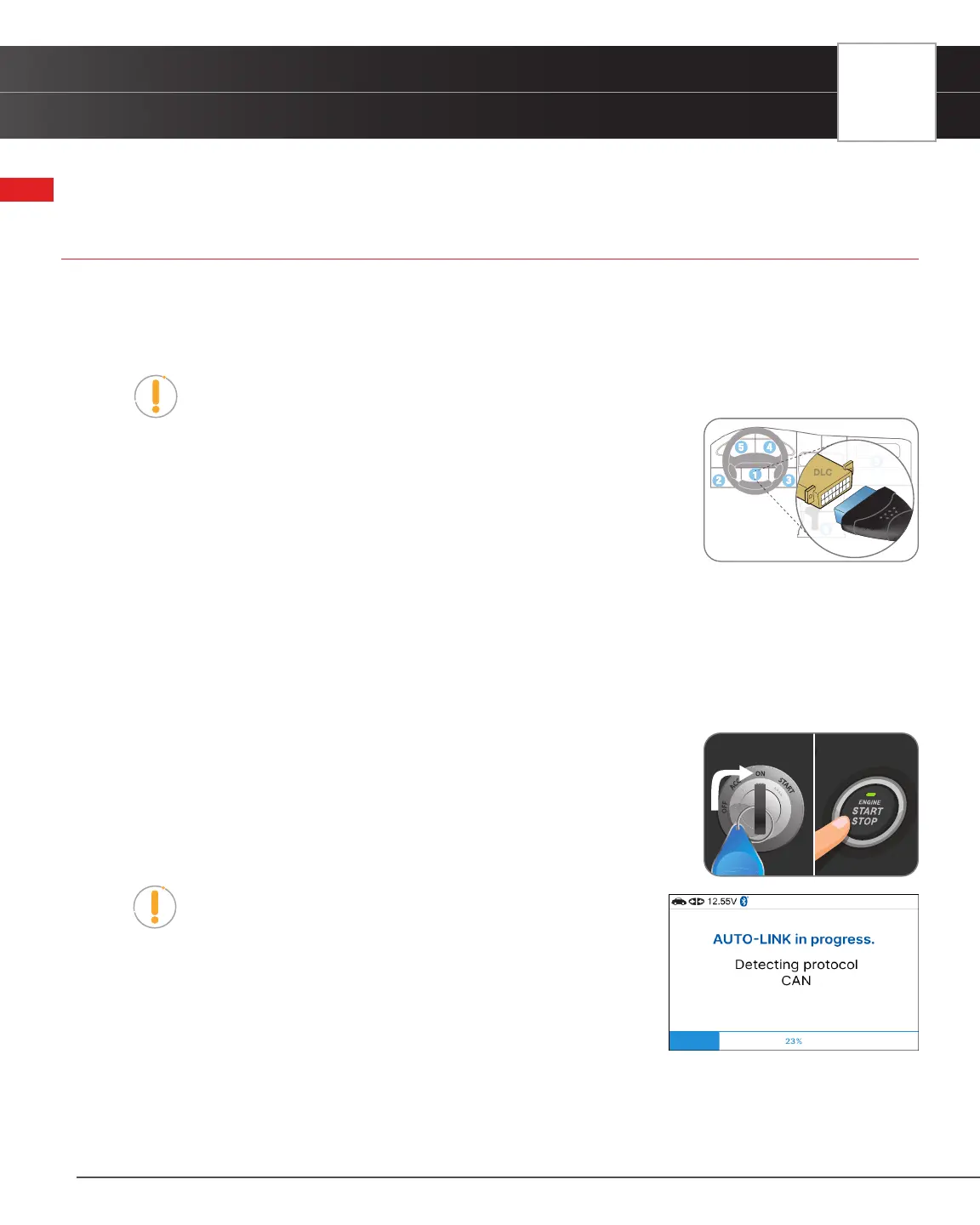
1. Turn the vehicle’s ignition OFF.
2. Locate the vehicle’s 16-pin Data Link Connector (DLC).
NOTE: Some DLCs have a plastic cover that must be removed before connecting to the
Tablet Scan Tool.
3. Connect the tablet to the vehicle’s DLC. The cable connector is keyed and will only
t one way.
n If you have problems connecting the cable to the DLC, rotate the
connector 180°.
n If you still have problems, check the DLC on the vehicle and on the tablet.
AutoLink Connection
The tablet features an “AutoLink Connection” function, which automatically retrieves vehicle information and diagnostics
from OBD2 system upon plugging the tablet into the vehicle’s Data Link Connector (DLC) port.
The AutoLink function automatically sets up when connected with the Tablet and can turn off in the Settings tab.
1. Verify that the tablet is connected as indicated above (Connecting The Tablet).
2. Turn the ignition ON. DO NOT start the engine.
n The tablet automatically starts a check of the vehicle’s computer to
determine which communication protocol it is using. When the tablet
identies the computer’s communication protocol, a communication link
is established.
NOTE: A PROTOCOL is a set of rules and procedures for
regulating data transmission between computers, and between
testing equipment and computers. As of this writing, ve different
types of protocols (ISO 9141, Keyword 2000, J1850 PWM, J1850
VPW and CAN) are in use by vehicle manufacturers.
n If the Tablet Scan Tool fails to link to the vehicle’s computer, a
“Communication Error” message shows.
━ Ensure your vehicle is OBD2 compliant.
━ Verify the connection at the DLC, and verify the ignition is ON.
━ Turn the ignition OFF, wait 5 seconds, then back ON to reset the computer.
NO Brake Pedal
Tap Button 2 Times


 To Next Page