USING THE TABLET
Workshop Tools
33
Battery Reset
You can use the Tablet to view the procedures for resetting the battery monitor system following a battery replacement.
1. Select Battery Reset on the Workshop Tools screen.
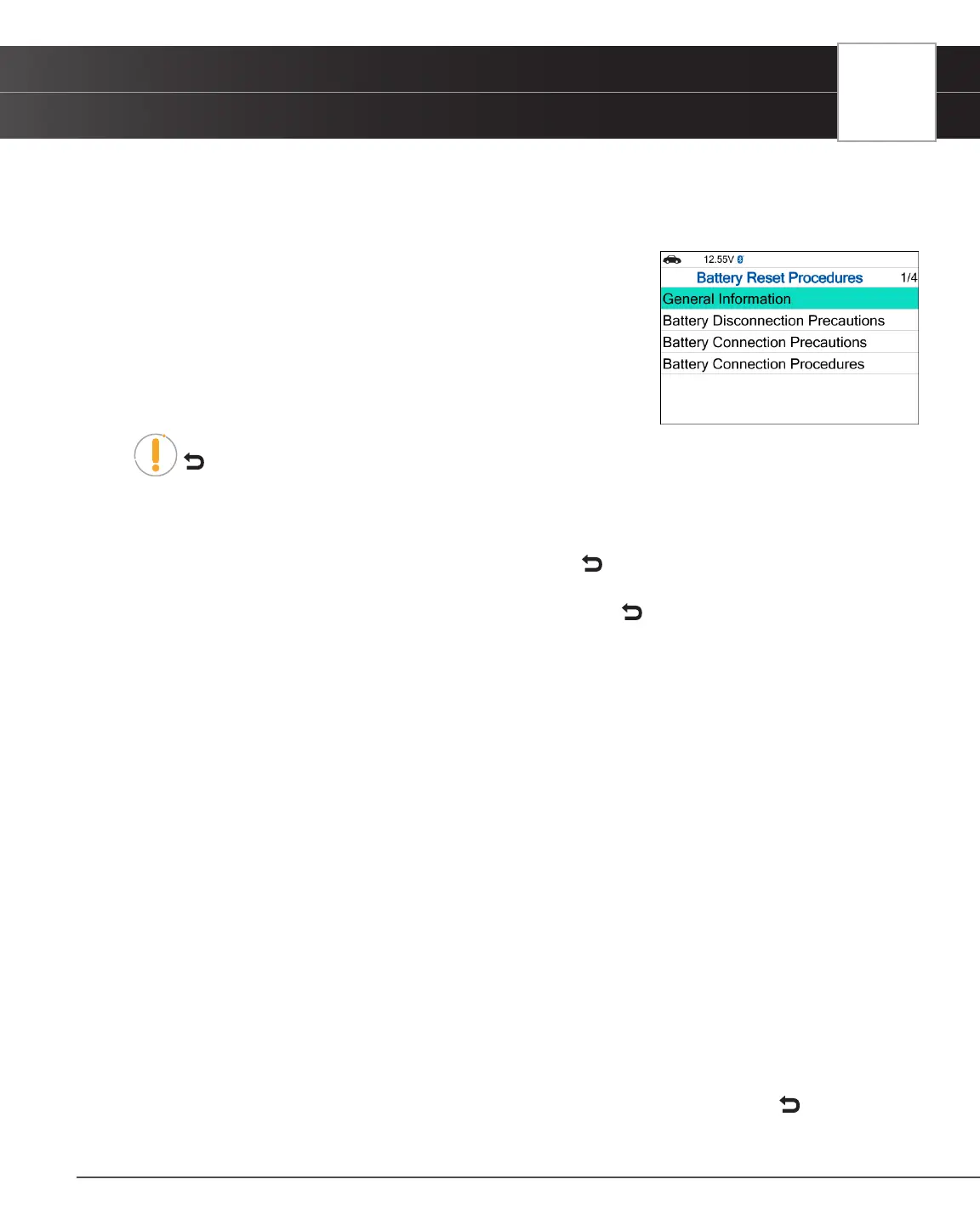
n The Battery Reset Procedures screen displays.
2. Select OK to continue.
n The Battery Reset Procedures menu displays. The menu provides
access to General Information, and procedures to be followed:
Battery Disconnection Precautions, Battery Connection
Precautions, and Battery Connection Procedures.
NOTE: If battery reset procedures are not available, an advisory message show. Choose
Back to return to the Workshop Tools screen.
3. Choose the procedure you wish to view, then press the OK button.
n The selected procedure displays.
4. When you have nished viewing the retrieved information, choose Back to return to the Battery Reset Procedures
menu. Repeat step 3 to view additional procedures.
n When you have nished viewing all desired procedures, choose Back to return to the Workshop
Tools.
Battery Initialization
Follow these steps to perform a battery OBD reset service for Audi/Volkswagen, BMW, Ford, and Volvo models.
To perform battery reset OBD service (BMW / Ford / Volvo):
1. Select Battery Initialization on Workshop Tools screen.
n The Battery Reset OBD Service displays.
2. Select Next, then press OK.
n An “instructional” message display.
3. Follow the instructions provided to prepare the vehicle for battery reset OBD service. When all necessary
procedures have been performed, choose Next to continue.
n A “Live Data” screen displays, if applicable.
4. Choose Next to continue.
n A “One moment please…” message displays while battery reset is in process.
5. If the battery reset process is successful, a “Reset Complete” message displays.
n Choose Exit to return to the Workshop Tools screen.
n If the battery reset process is not successful, a “Reset Fail” message displays. Choose Back to
return to the Workshop Tools screen.


 To Next Page