24
USING THE TABLET
OBD2 Diagnostics
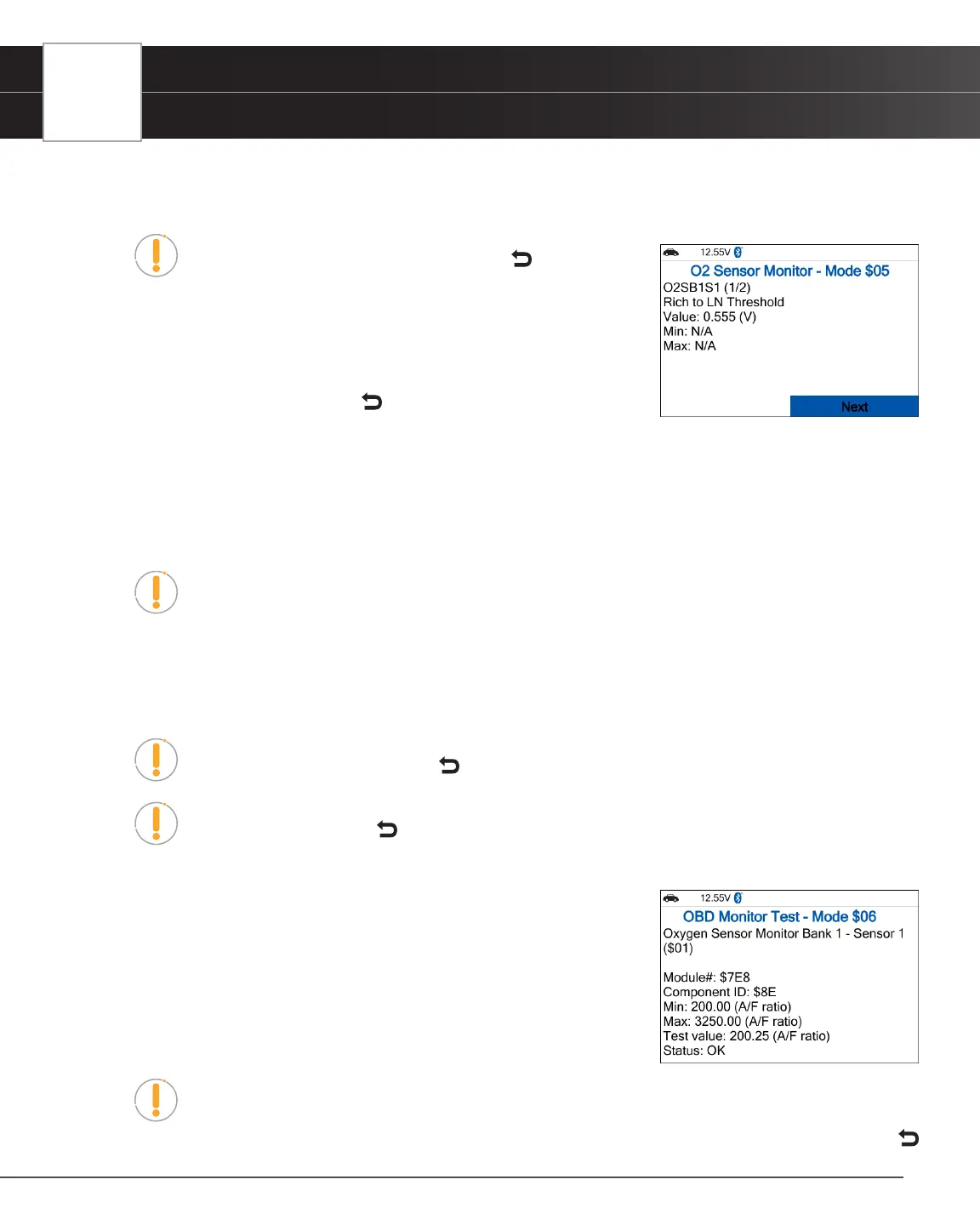
1. From OBD2 Menu, select O2 Sensor Monitor - $05, then press the OK button.
n The O2 Sensor Monitor - $05 screen displays.
NOTE: If the O2 Sensor Monitor is not supported by the vehicle
under test, a notication is displayed. Press the Back button to
return to the OBD2 menu.
2. Choose the item you wish to view, then press OK.
n The screen displays test result.
3. When you have nished viewing the retrieved test data, press Next to view
results for the next test, or press Back to return to Select Test menu.
OBD Monitor Test - $06
The OBD Monitor Test function retrieves and displays test results for emission-related powertrain components and systems
that are not continuously monitored. The tests available are determined by the vehicle’s manufacturer.
NOTE: The diagnostic tablet does not perform the OBD monitor test but retrieves results
from the most recently performed tests from the on-board computer’s memory. You may
retrieve OBD monitor test results for only one test at any given time.
1. From the OBD2 Menu, select OBD Monitor Test - $06, then press the OK button.
2. A “One moment please…” message displays, followed by the Select Test menu screen. (Refer to the vehicle’s
service repair manual for information related to non-continuous tests.)
NOTE: If OBD Monitor Test data is not presently stored in the vehicle’s computer, an
advisory message display. Press the Back button to return to the OBD2 Menu.
NOTE: If the OBD Monitor Test is not supported by the vehicle under test, an advisory
message display. Press the Back button to return to the OBD2 Menu.
3. Select the desired test, then press OK to display the test results. The display shows the following information:
n Test ID number
n Module ID number
n Component ID number
n Min or Max test limit (Only one test limit, either Min or Max, is shown
for any given test.)
n Test Value and status.
NOTE: Status is calculated by the diagnostic tablet by comparing the Test Value against
the displayed test limit (either Min or Max). Status is shown as either Low, High, or OK.
4. When you have nished viewing the retrieved test data, press Next to view results for the next test, or press
Back to return to Select Test menu.


 To Next Page