42
USING THE TABLET
Tool Library
4. Select the remaining digits in the DTC in the same way. When you have selected all the DTC digits, press OK to view
the DTC denition.
5. When you have nished viewing the DTC denition, choose Back, to return to the Enter DTC screen to search for
additional DTCs.
NOTE: If a denition for the DTC you entered is not available, an advisory message
shows. Choose Back to return to the Enter DTC screen and enter additional DTCs.
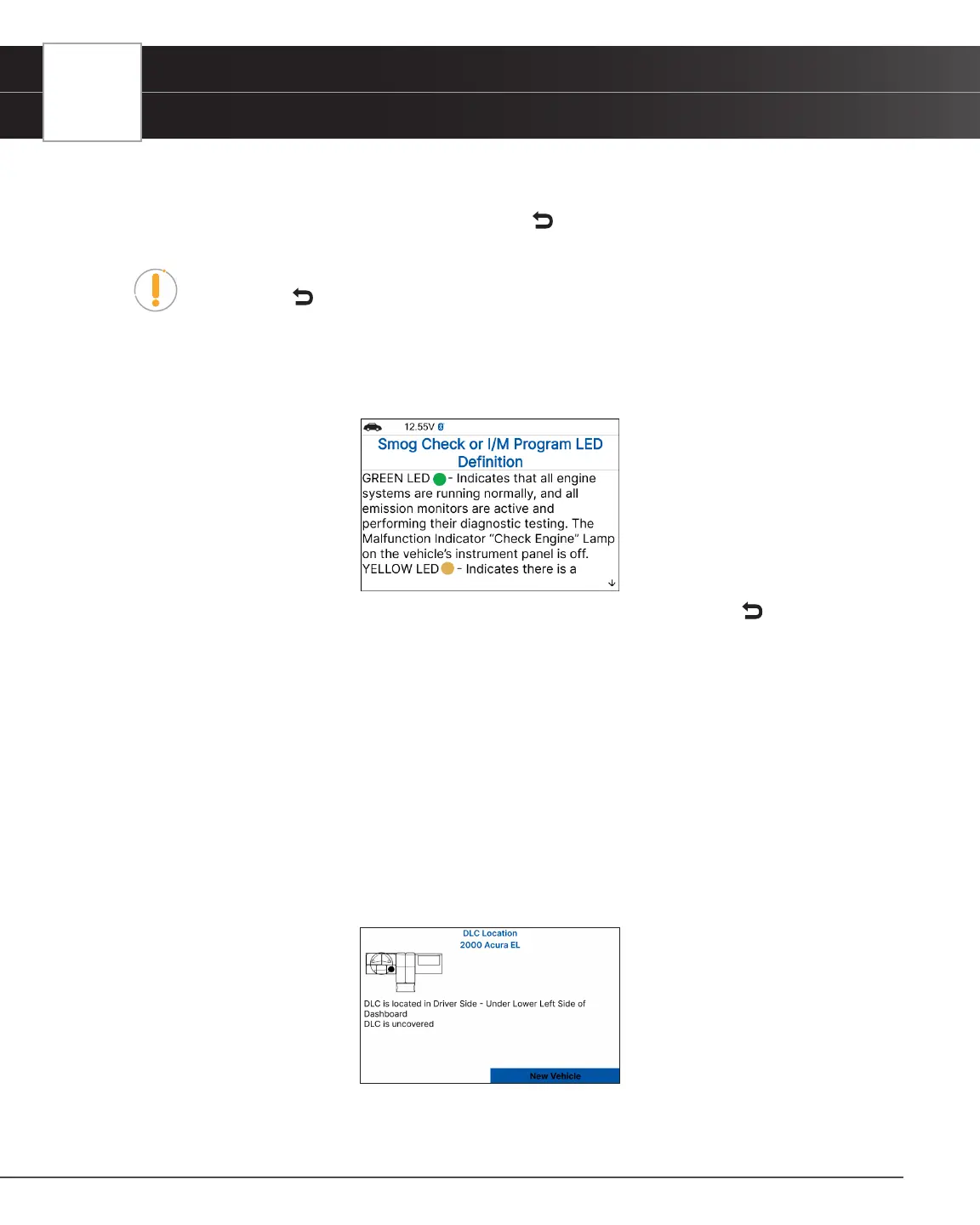
Smog Check or I/M Program LED Denitions
1. From the Tool Library menu, select Smog Check or I/M Program LED Denition, then press the OK button.
n The Smog Check or I/M Program LED Denition screen displays.
2. When you have nished viewing the Smog Check or I/M Program LED Denition, choose Back to return to Tool
Library menu.
Using the DLC Locator
1. From the Tool Library menu, select DLC Locator, then press OK.
n The Select Vehicle Model Year screen displays.
2. Select the desired vehicle model year, then press OK.
n The Select Vehicle Manufacturer screen displays.
3. Select the desired vehicle manufacturer, then press OK.
n The Select Vehicle Model screen displays.
4. Select the desired model, then press OK.
n The DLC Location screen for the selected vehicle displays.
n The DLC Location screen shows the selected vehicle make and model, a description of the DLC
location and whether the DLC is “covered” or “uncovered,” and includes a picture of the DLC
location.


 To Next Page