USING THE TABLET
Previous Vehicles
37
n An “instructional” message show.
3. Start and warm the engine to normal operating temperature. Turn on the headlights. Choose Continue to proceed.
n An “instructional” message show.
4. Press the accelerator pedal to raise engine speed to 2000 RPM and maintain the engine speed.
n When engine speed is within the required range, the alternator test begins. A progress screen
shows.
n When the “countdown” timer expires, an “instructional” message displays.
5. Turn the vehicle’s headlights off and return the engine to idle speed.
n A “One moment please…” message displays while the test results are retrieved.
6. When the alternator check is complete, a results screen shows charging system voltage and indicates whether
the charging system is within acceptable limits.
7. Choose Back to return to the Battery/Alternator Test menu.
View Alternator Live Data
If the EV/HEV/PHEV Battery Health, Battery/Alternator Test is selected from the Workshop Tools screen and the vehicle
is not an electric or hybrid vehicle, the Battery/Alternator Monitor menu displays. Proceed to step 2.
1. Select Battery/Alternator Test, then press OK.
n The Battery/Alternator Test menu displays.
2. Select Alternator Live Data, then press OK.
n The Alternator Live Data, screen displays.
3. When you’ve concluded viewing the Alternator Live Data, choose Back to return to the Battery/Alternator Test
menu.
Previous Vehicles
The Tablet stores the results of the most recent vehicle scans you have performed. The Previous Vehicles function allows
you to retrieve these historical scan records and view them as needed.
1. From the Home screen, select the Previous Vehicle tab and press OK.
2. If more than one vehicle is stored in the Tablet’s memory, the Vehicle Selection menu displays. Select the desired
vehicle, then press OK.
NOTE: If there are no vehicles currently stored, an advisory
message is displayed. Press Home to return to the Home
Screen.
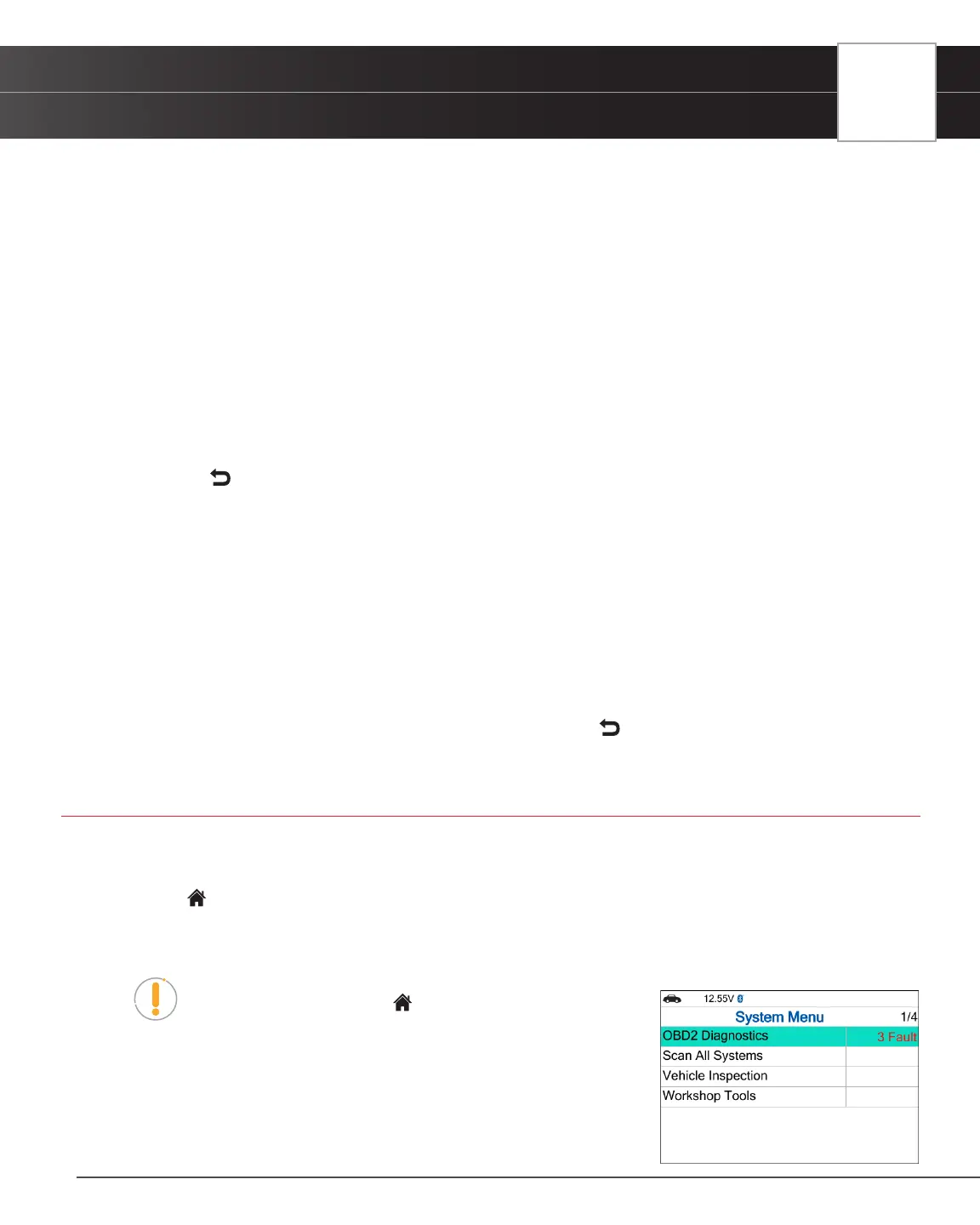
n OBD2 Diagnostics – The Memory OBD2 Diagnostic test result
allows you to review the available 10 modes of OBD2.
n Scan All Systems – The Scan All Systems Memory displays
previously saved systems.


 To Next Page