USING THE TABLET
Settings
39
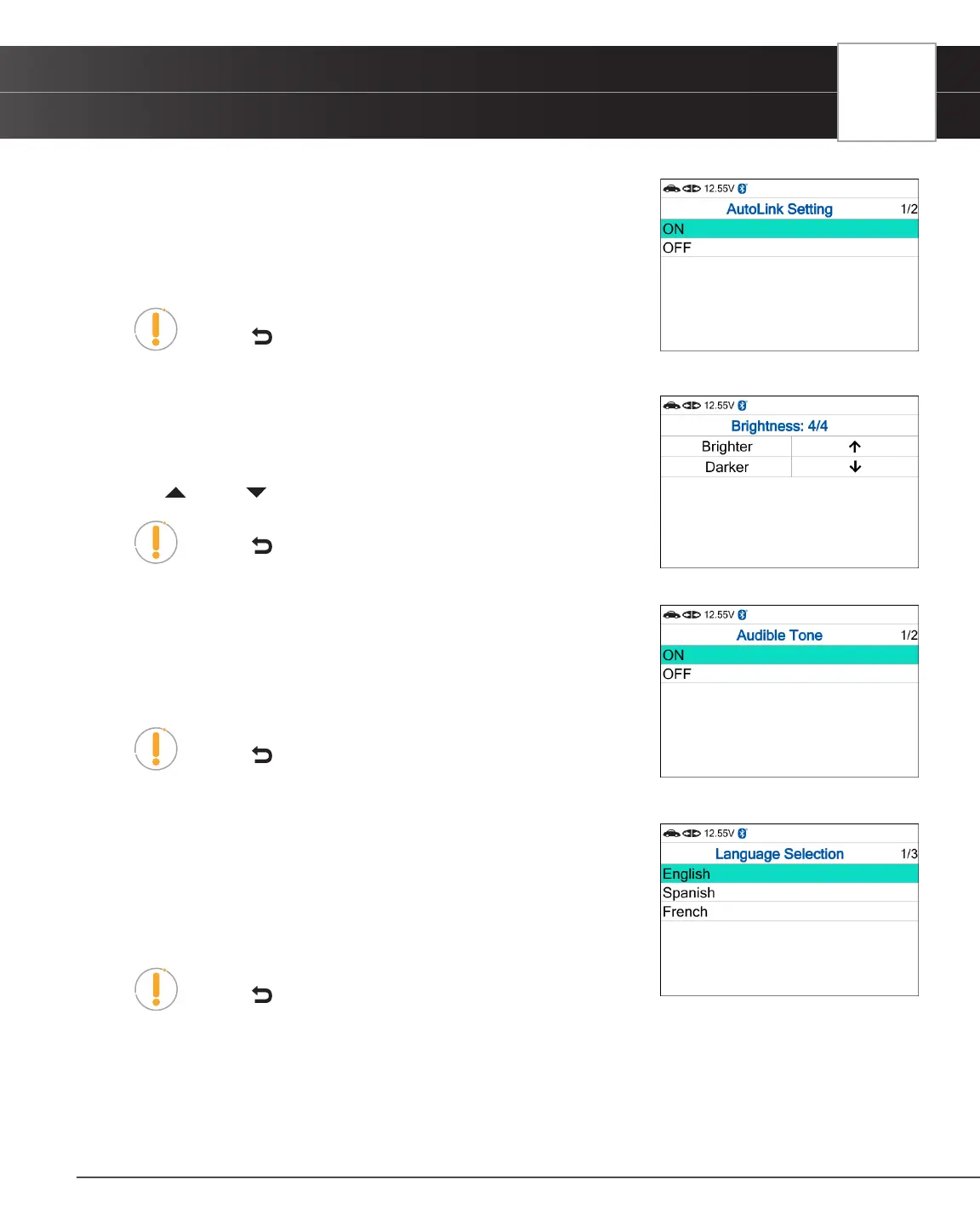
AutoLink Setting
1. Select AutoLink Setting in the Settings menu, then press OK.
n The AutoLink Setting screen displays.
2. Select ON or OFF as desired.
NOTE: To return to the Settings menu without making changes,
press the Back button.
Adjusting Display Brightness
1. Select Adjust Brightness in the Settings menu, then press the OK button.
n The Adjust Brightness screen displays.
2. Press UP and DOWN to make the display lighter or darker.
NOTE: To return to the Settings menu without making changes,
press the Back button.
Enabling / Disabling the Audible Tone
1. Select Audible Tone in the Settings menu, then press the OK button.
n The Audible Tone screen displays.
2. Select ON or OFF as desired.
NOTE: To return to the Settings menu without making changes,
press the Back button.
Selecting the Display Language
1. Select Language Selection in the Settings menu, then press the OK button.
n The Language Selection screen displays.
2. Select the desired display language (English, Spanish, French).
n The tablet automatically saves the change.
NOTE: To return to the Settings menu without making changes,
press the Back button.
Setting the Unit of Measurement
1. Select Unit of Measurement in the Settings menu, then press the OK button.
n The Unit of Measurement screen displays.
2. Select the desired unit of measurement (U.S. Standard or Metric).


 To Next Page