14
USING THE TABLET
OBD2 Diagnostics
button to disable this screen in the next Auto-Link function.
NOTE: User can enable or disable this screen in the Settings.
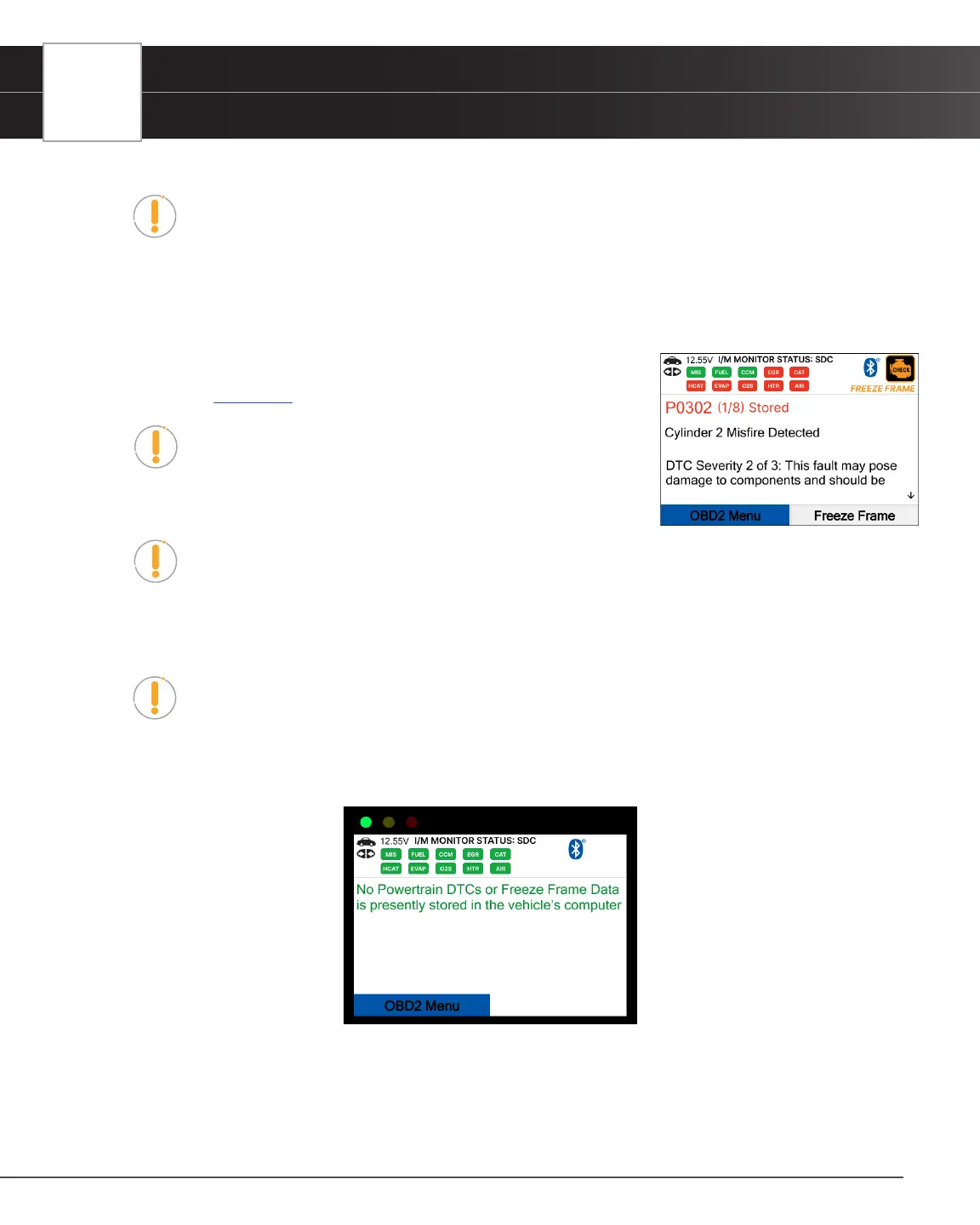
6. The Tablet Scan Tool will retrieve and display any Diagnostic Trouble Codes (DTCs), I/M Monitor Status and Freeze
Frame Data retrieved from the vehicle’s computer memory.
n The Tablet Scan Tool will display a code only if codes are present. If no codes are present, the
message “No Powertrain DTCs or Freeze Frame Data is presently stored in the vehicle’s computer”
displays.
7. Refer to TABLET DISPLAY FUNCTIONS for a description of display
elements. [See page 6]
NOTE: In the case of long code denitions, a small arrow
is shown in the upper/lower right-hand corner of the display
area to indicate the presence of additional information. Use
arrow keys as necessary to scroll through the denition.
NOTE: If a denition for the currently displayed code is not available, an advisory
message shows “The denition for this trouble code is not available. Please connect your
Tablet Scan Tool to the update software quarterly to see if a new update is available.”
8. Read and interpret Diagnostic Trouble Codes/system condition using the display and the green, yellow, and red
LEDs.
NOTE: The green, yellow, and red LEDs are used (with the display) as visual aids to
make it easier to determine engine system conditions.
n Green LED – Indicates that all engine systems are running normally, and all emission monitors are
active and performing their diagnostic testing. The Malfunction Indicator “Check Engine” Lamp on
the vehicle’s instrument panel is off.
n Yellow LED – Indicates one of the following conditions:
[A] A PENDING CODE IS PRESENT – If the yellow LED is illuminated, it may indicate a Pending code is
present. Check the display for conrmation. A Pending code is conrmed by the presence of a numeric code
and the word Pending.


 To Next Page