i
WELCOME TO THE INNOVA FAMILY!
Hello...
On behalf of everyone at INNOVA, we want to welcome you and thank you for purchasing the
INNOVA
®
SD-Advisor! Every automotive diagnostic scan tool we make includes tons of pro-
level features designed to help maximize, and simplify, your OBD2 diagnostic routine. In this
manual, we will guide you on how to access your tablet’s intuitive functions including:
Plus, gain the benet of having unlimited access to real world solutions on your mobile device:
Enjoy using your INNOVA SD Tablet!
Yours sincerely,
The Innova Technical Team
P.S: See what’s new, connect with us on social...
RepairSolutions2® seamlessly pairs with your INNOVA OBD2
diagnostic tool to deliver the most complete automotive
repair database with veried xes from ASE Certied
Master Technicians. Find the right x and the right parts
instantly on your mobile device.
; Check Engine Light Diagnostics
; Read & Clear OEM Engine and
Transmission Codes
; Smog Check / Emissions
Readiness
; Code Severity Level Identier
; TPMS/Tire Pressure Readings
; Battery / Charging System Test
; Supports All 10 OBD2 Modes
; All Systems Network Scan
; Oil Life / Oil Level / Transmission
Fluid Temperature
; Trip Cycle Procedures
; Read & Erase ABS / SRS Codes
; Oil Maintenance Reset
; BMS / Battery Reset &
Initialization
; Read Hybrid Battery Cell Voltage
; TPMS Relearn
; And Much More..

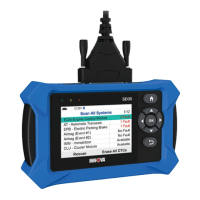

 To Next Page