103
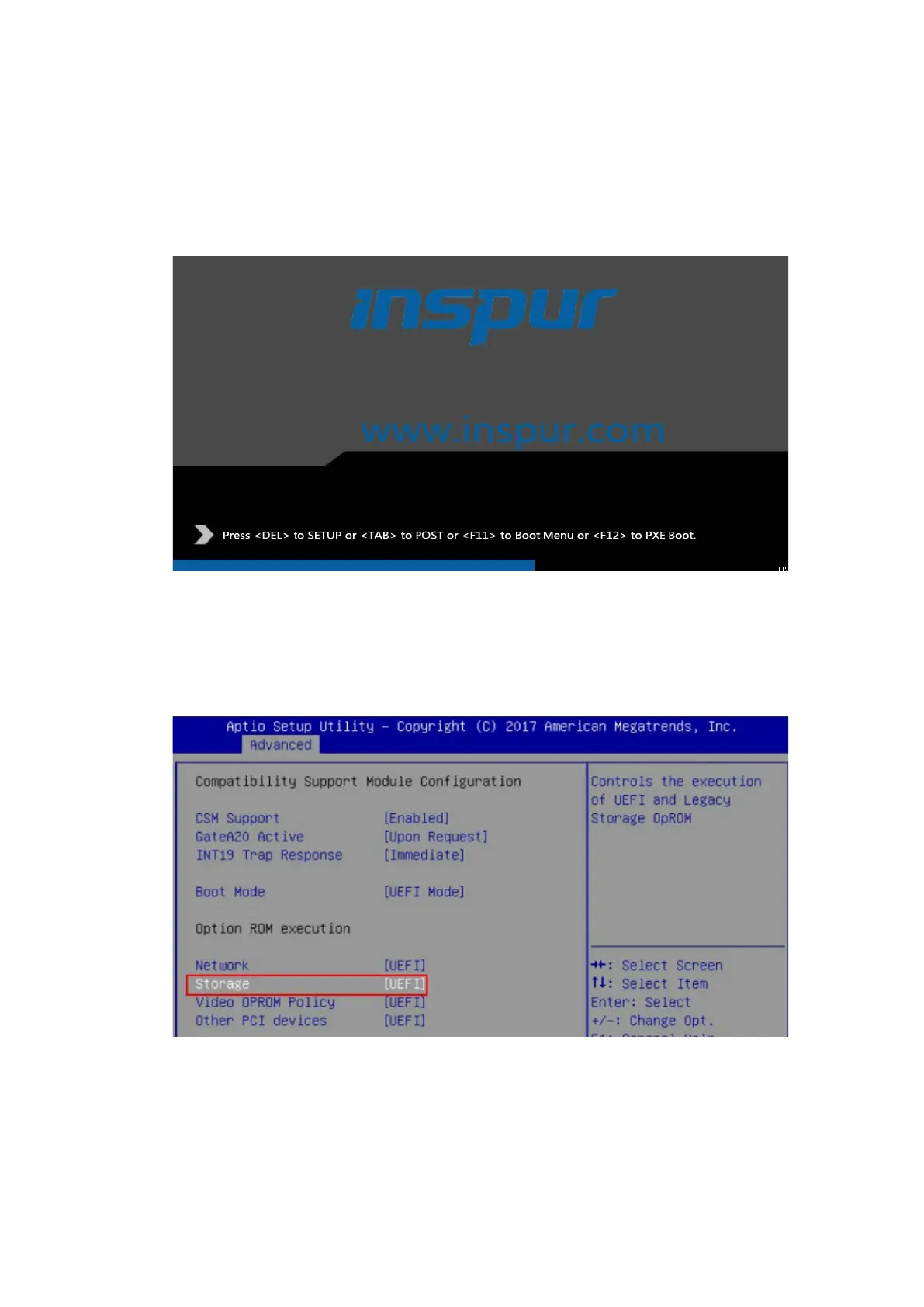
2. Restart the server to enter the BIOS setup screen. The shortcut keys for
entering the BIOS vary with platforms. Please follow the prompt on the screen.
When the blue progress bar appears as shown below, press <Delete> as
prompted to enter the BIOS main menu.
Figure 6-1 Entering the BIOS
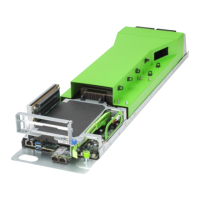
3. On the BIOS setup screen, select Advanced > CSM Configuration, and confirm
that Storage is set to UEFI.
Figure 6-2 Setting Storage to UEFI
4. Press <F10>. In the pop-up dialog box, select Yes and press <Enter> to save
the settings and exit the BIOS setup screen. The server restarts.


 To Next Page