202
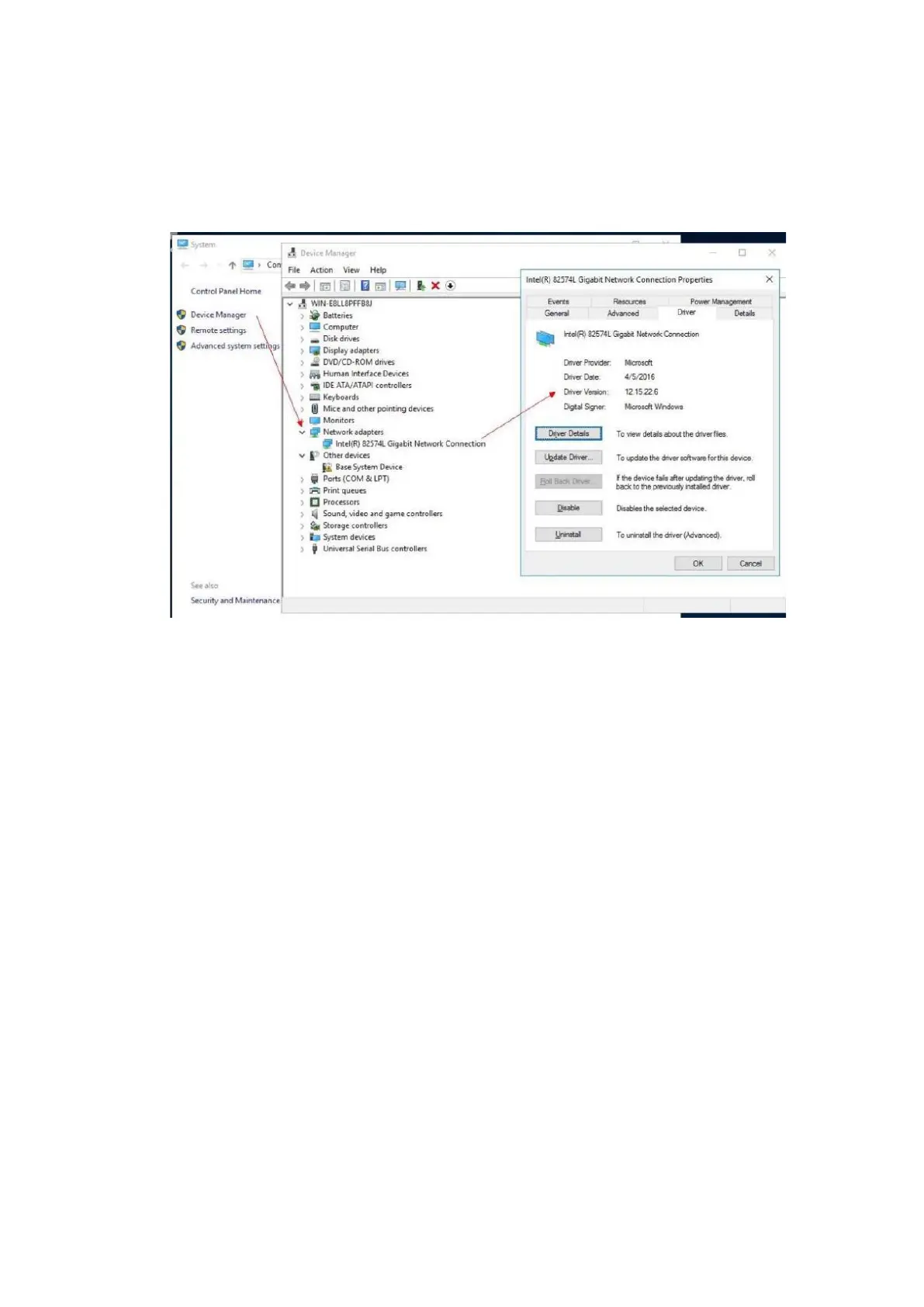
7. Check whether the current driver version is consistent with the version queried
on the Inspur official website. We recommend you to update the driver if the
current version is lower.
Figure 8-4 Checking the Driver Version
8.2.2 Checking the Driver and Firmware Versions on
Linux
Check the current driver and firmware versions of the Linux OS to determine
whether to install a new driver and update the firmware.
This section demonstrates with the RHEL 7.4 OS to guide you on how to view the
driver and the firmware versions of the LSI SAS3008 controller card.
Procedure:
1. Log in to the virtual console of the server.
2. Log in to the server OS as the root user.
3. Execute the cat dmesg | grep <drivername> command to query the driver and
firmware information.
4. Check whether the current driver version is consistent with the version queried
on the Inspur official website. We recommend you to update the driver if the
current version is lower.



 To Next Page