72
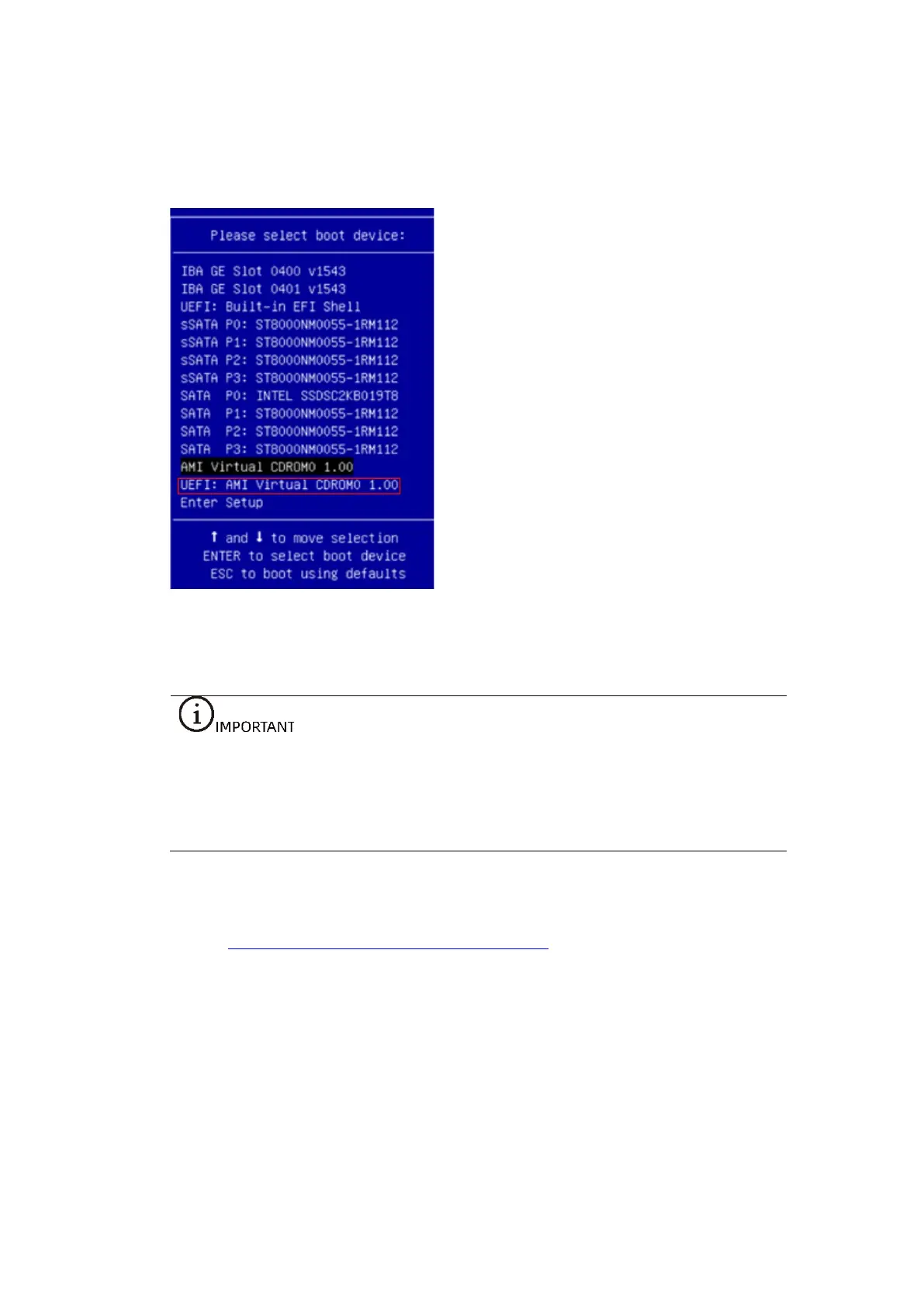
2. Select the BMC virtual CD-ROM device UEFI: AMI Virtual CDROM0 1.00 in the
device list, and press <Enter> to confirm the selection.
Figure 5-32 Selecting UEFI: AMI Virtual CDROM0 1.00
5.7 Installing the OS (RHEL 8.3)
The setup wizards vary with different OS types, and the setup wizard screens for
operating systems of the same type but different versions are slightly different.
For more details, visit the corresponding OS official websites.
When installing the CentOS, refer to the installation method for RHEL.
This section demonstrates with the RHEL 8.3 OS. For the installation of the Windows
OS, see 7.5 Installing the OS (Windows Server 2019).
Procedure:
1. The wizard screen of the RHEL 8.3 OS image is shown below.



 To Next Page