14
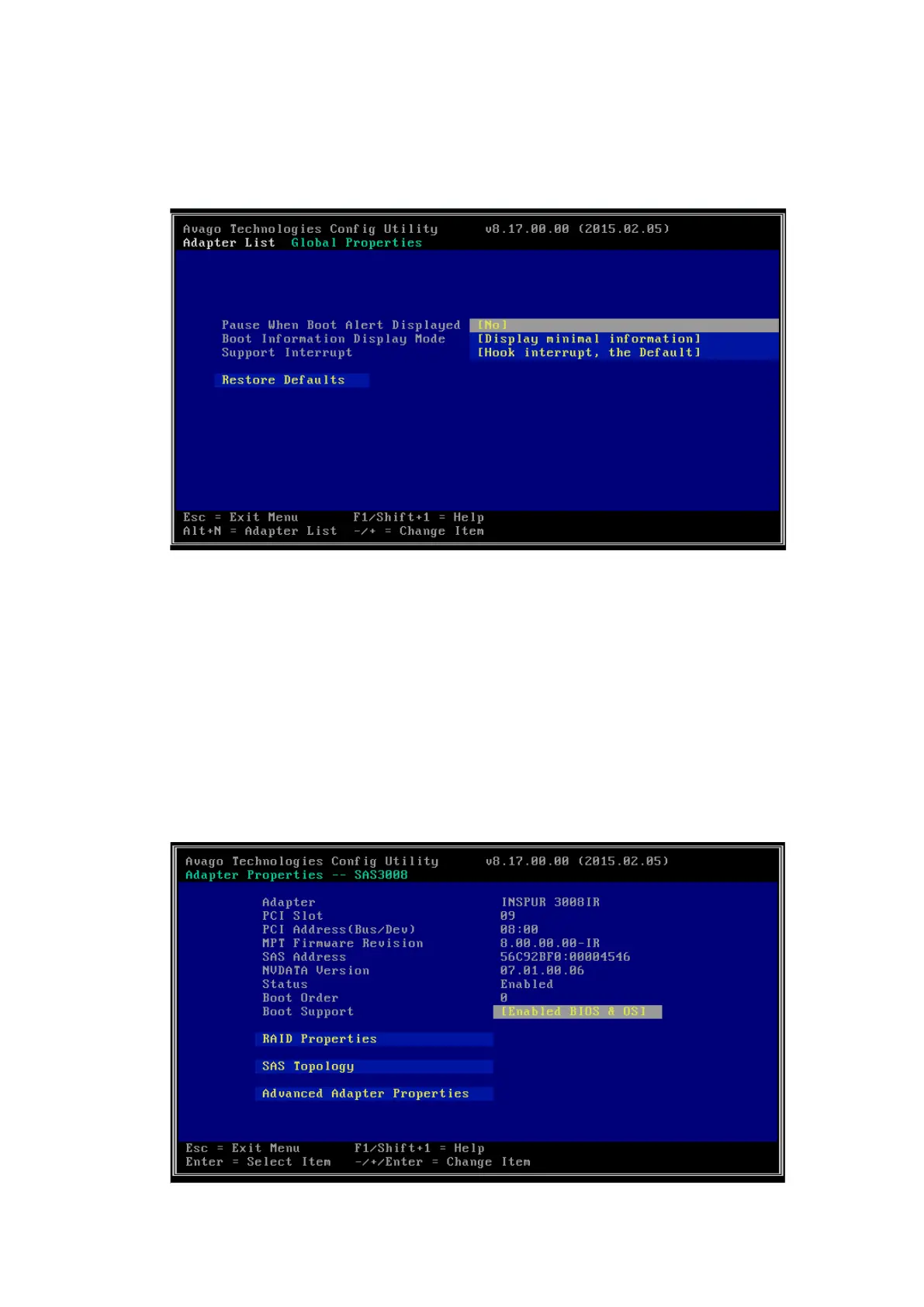
4. Press <Alt> and <N> on the screen to view the global properties of the existing
RAID controller card. The screen is shown below.
Figure 4-14 Global Properties Screen
4.3.2 Creating a RAID Array (RAID 1 for example)
This section guides you on how to create RAID arrays after entering the Inspur
SAS3008IR Config Utility screen.
Procedure:
1. Select INSPUR 3008IR on the SAS3008IR Config Utility main screen, and press
<Enter> to enter the Adapter Properties screen, as shown below.
Figure 4-15 Adapter Properties Screen



 To Next Page