67
Time zone is unavailable in BIOS. We recommend you to set the BIOS time to the
UTC and set the correct time zone in the OS.
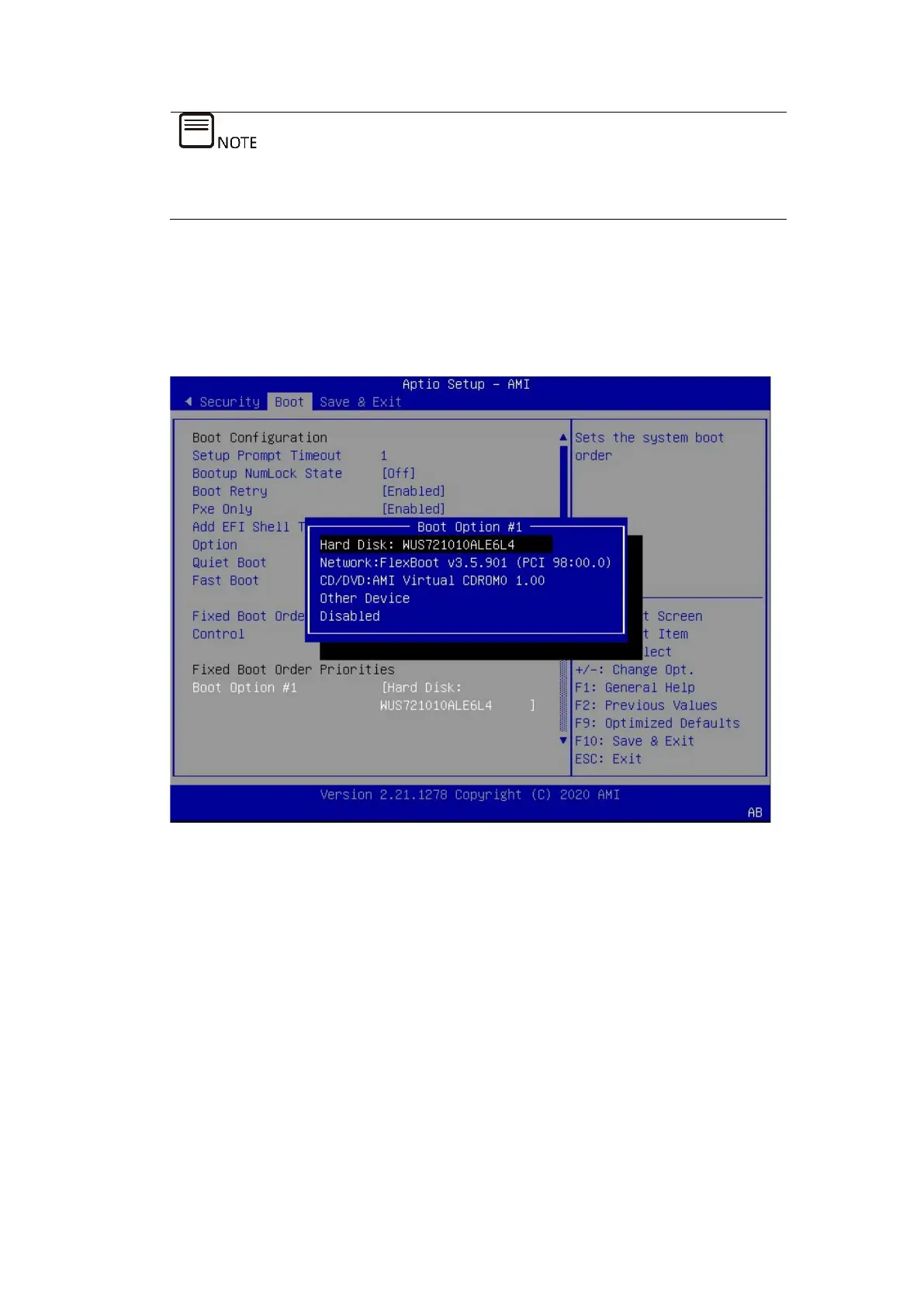
2. Set the boot device.
Go to the Boot tab and select Boot Option #1 to set the boot device.
Figure 5-23 Setting the Boot Device
3. Save the changes and restart the server.
Press <F10>. In the pop-up dialog box, select Yes and press <Enter> to save the
settings and exit the BIOS setup screen. The server restarts, and the settings will
take effect.
5.5 Loading the OS Image
To install the RAID controller card driver before installing the OS, you need to load
the ISO image of the RAID controller card driver while loading the OS image. To do
this, you need to set the number of CD/DVD device instances remotely managed by
BMC to 2 (1 by default), so as to load the 2 ISO images at the same time. The
detailed procedure is as follows.



 To Next Page