68
Procedure:
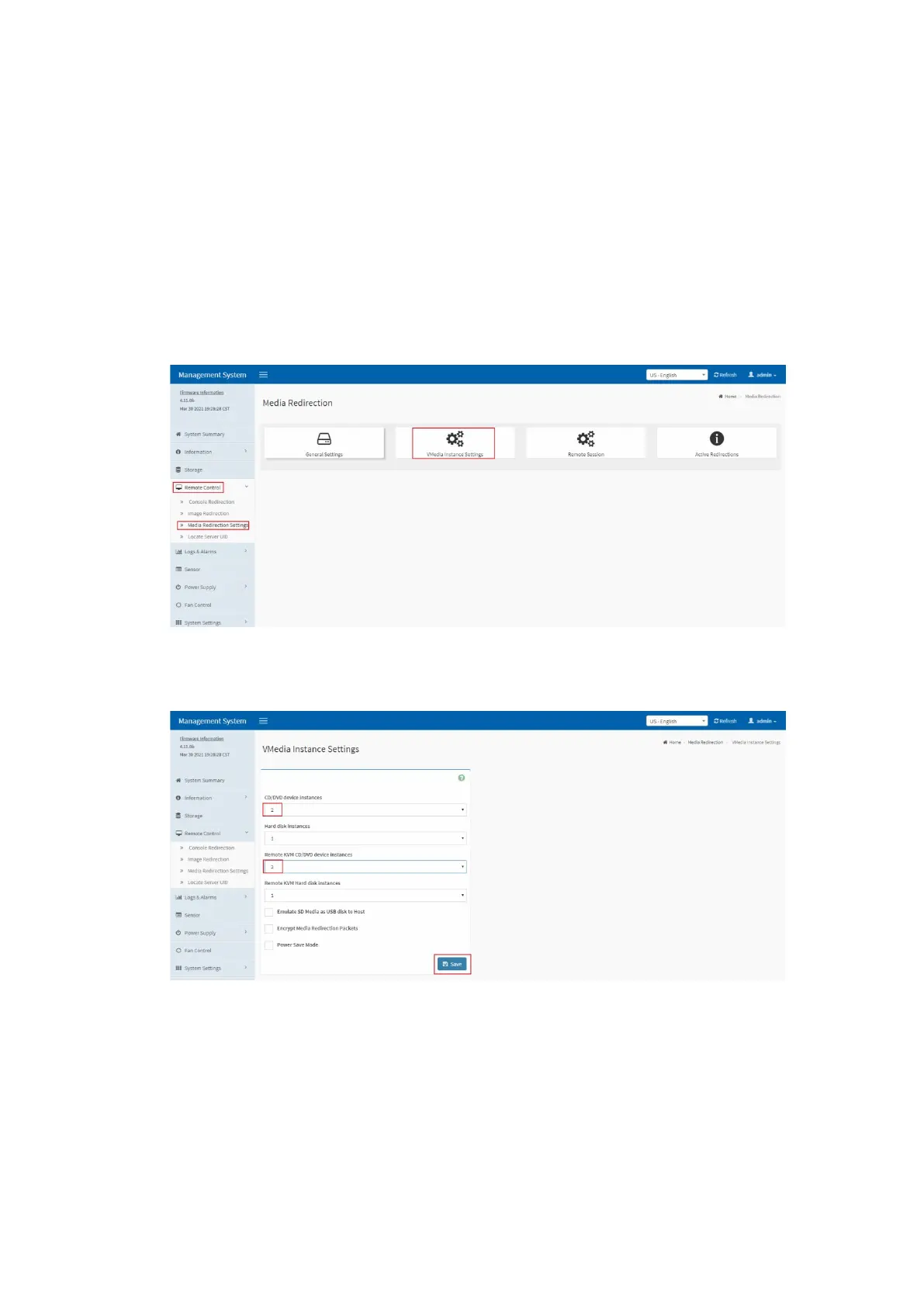
1. Set the number of CD/DVD device instances to 2 on the BMC Web GUI.
On the BMC Web GUI, select Remote Control > Media Redirection Settings >
VMedia Instance Settings.
On the VMedia Instance Settings screen, set both CD/DVD device instances and
Remote KVM CD/DVD device instances to 2, and click Save to complete the
settings.
Figure 5-24 VMedia Instance Settings
Figure 5-25 Modifying VMedia Instance Settings
2. Go to the JViewer remote management screen.



 To Next Page