254
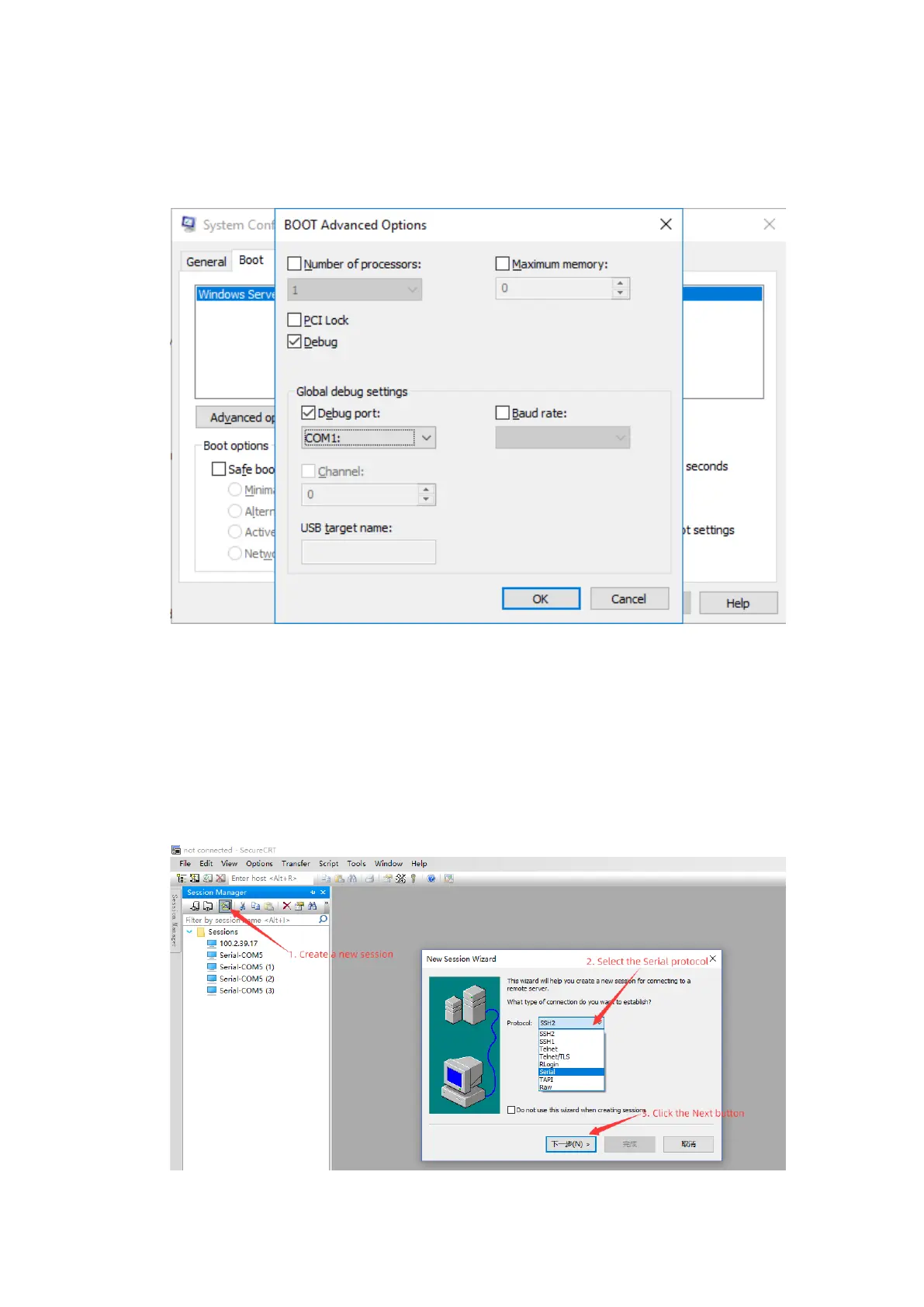
In Advanced Options…, check Debug, and set Debug port and Baud rate
according to the BIOS configuration. Then click OK.
Figure10-56 BOOT Advanced Options
10.2.3 Verifying the Serial Port Configuration
1. Use a serial to Ethernet adapter to connect a laptop with the server's BMC
management network port. Install SecureCRT on the laptop and then run
SecureCRT to create a session.
Figure10-57 Serial Port Configuration - 1



 To Next Page