15
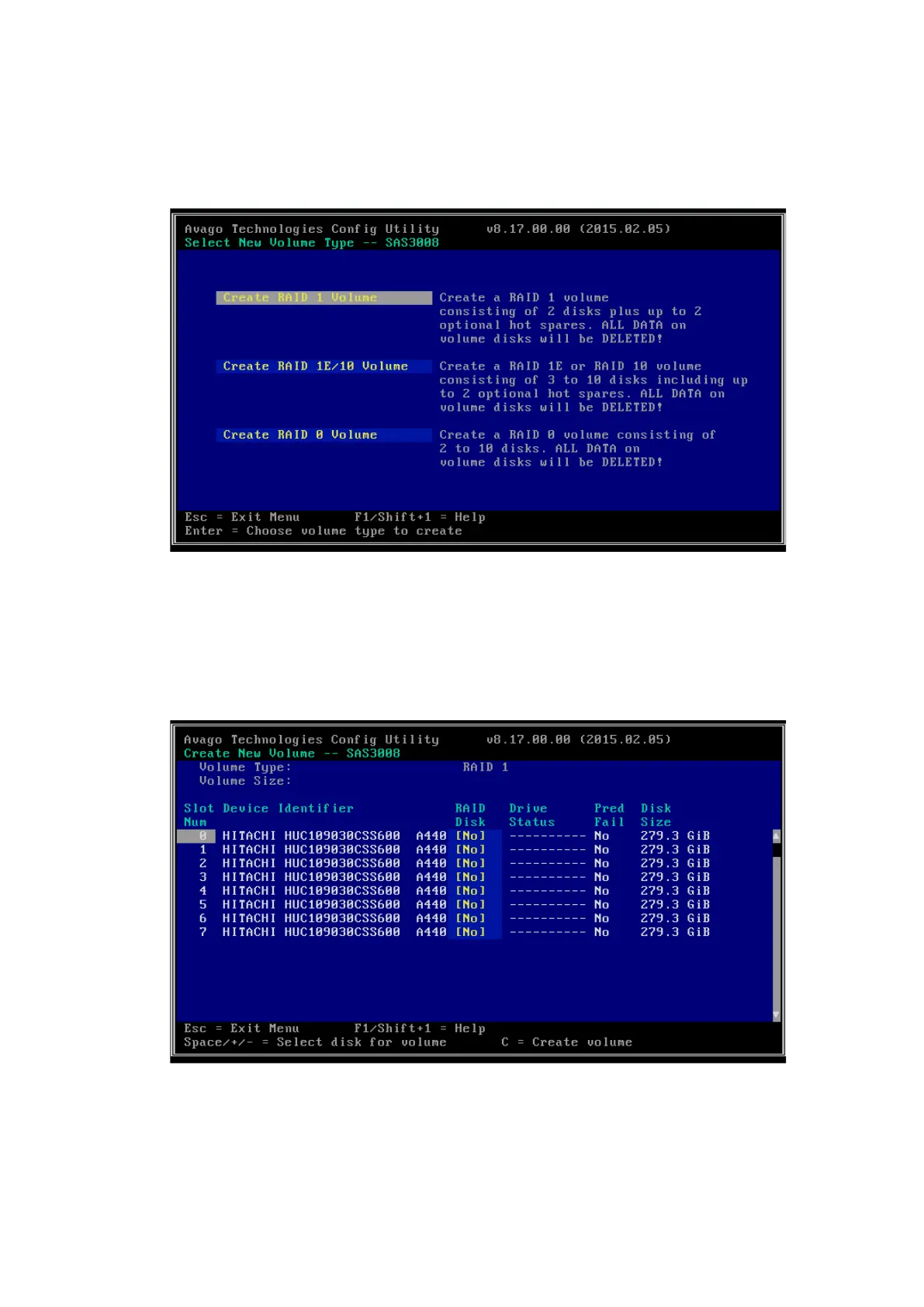
2. Select RAID Properties and press <Enter> to enter the Select New Volume
Type screen.
Figure 4-16 Select New Volume Type Screen
3. Select Create RAID 1 Volume and press <Enter> to enter the Create New
Volume screen which lists all the drives that can be added to the new RAID
array.
Figure 4-17 Create New Volume Screen
4. Add drives to the RAID array.



 To Next Page