38
Connecting the DTR-8.4
—Continued
Note:
Turning on the DTR-8.4 may cause a momentary power surge that might interfere with other electrical equipment on
the same circuit. If this is a problem, plug the DTR-8.4 into a different branch circuit.
The DTR-8.4 must be in Standby mode for the following procedure to work.
Note:
•Any components connected via
will also be turned on when the remote controller’s [On] button is pressed again.
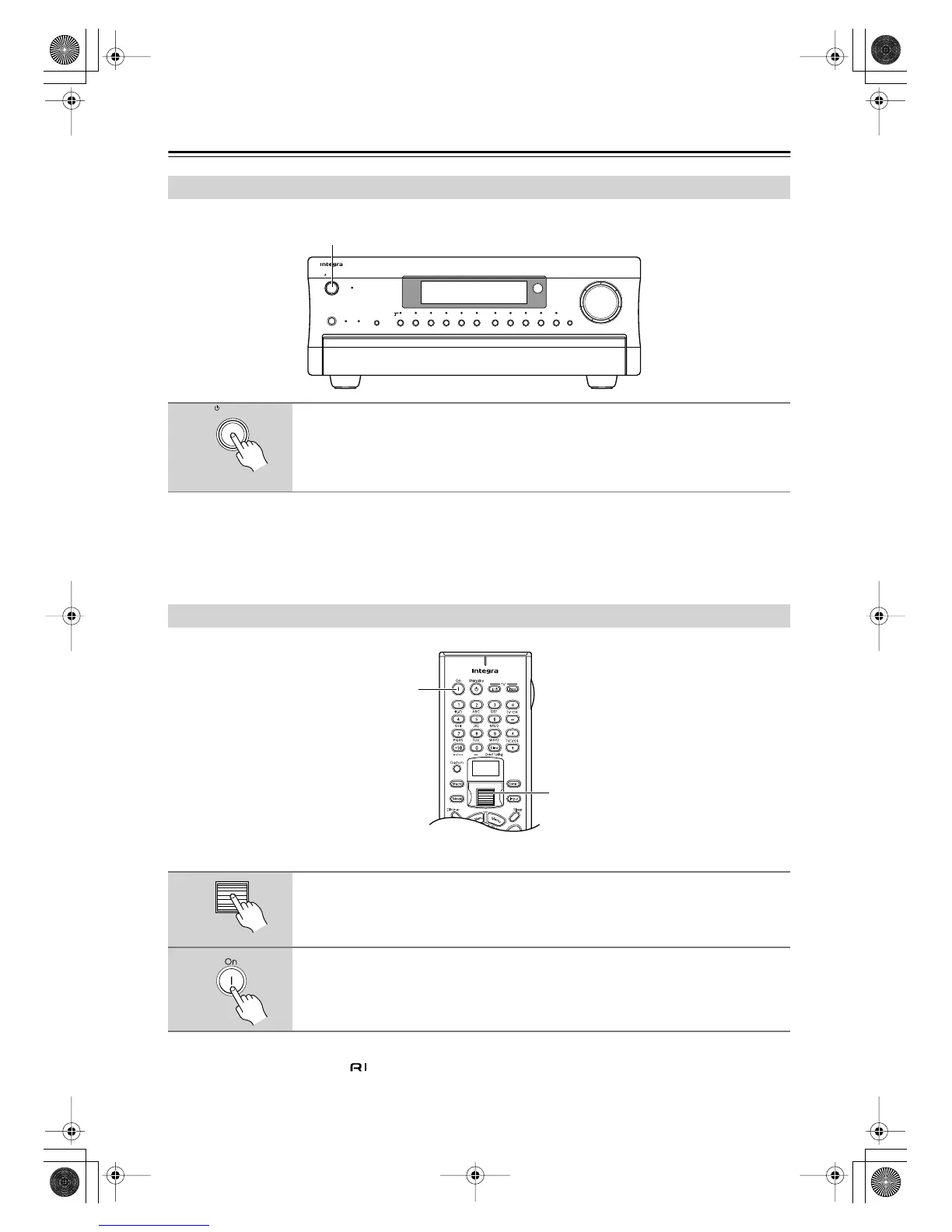
Turning On the DTR-8.4
1
Press the [Standby/On] button to turn on the DTR-8.4.
The display lights up and the Standby indicator goes off.
Press the Standby/On button again to enter Standby.
Turning On the DTR-8.4 with the Remote Controller
1
Press the scroll wheel.
“AMP” appears on the remote controller’s display. This is the mode for controlling the
DTR-8.4.
2
Press the [On] button to turn on the DTR-8.4.
To set the DTR-8.4 to Standby, press the [Standby] button.
Display
Audio
Selector
Direct/
Pure Audio
Master Volume
Standby/On
Video 1
Video 3 Tape
Tuner Phono Net AudioCD
DVD
Video 2
VCR 1
VCR 2
Video 4 Video 5
Zone 2
()
GRN
Rec
()
RED
Pure Audio psamplingU
Standby
Push To Open
DTR
-
8.4
1
Standby/On
1
2
DTR-8.4En.book Page 38 Thursday, October 16, 2003 11:09 AM



 To Next Page