96
Using the Remote Controller with Other Components
—Continued
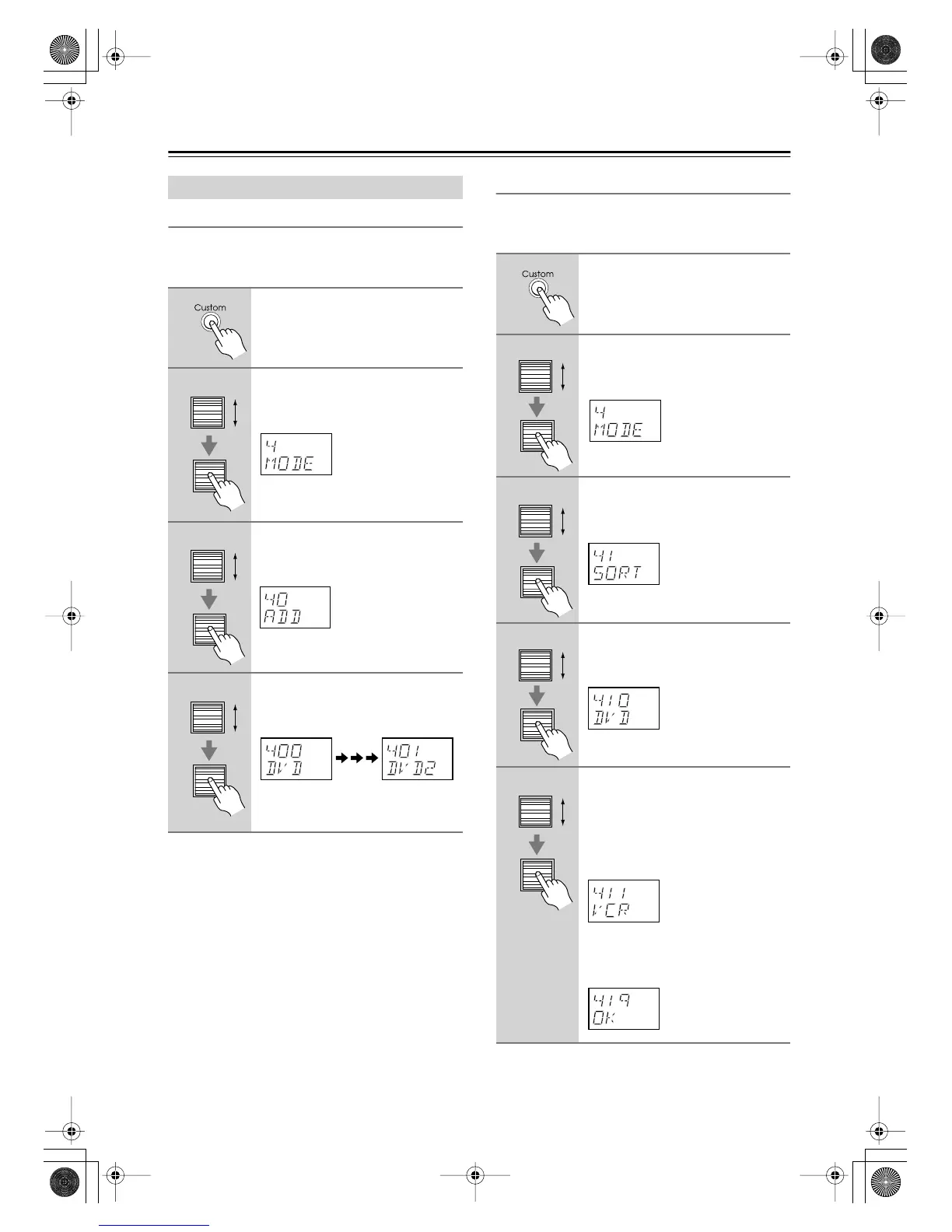
Adding New Remote Controller Modes
You can add additional modes (DVD, TV, VCR, CBL,
SAT) to the remote controller. This is useful if, for exam-
ple, you have several DVD players or TVs.
Reordering the Remote Controller Modes
You can change the order in which the remote controller
modes appears when you roll the scroll wheel. The posi-
tion of the AMP mode cannot be changed.
Editing Remote Controller Modes
1
Press and hold the [Custom] but-
ton for more than three seconds.
The remote controller enters Custom
mode.
2
Roll the scroll wheel to select
“MODE,” and then press the
scroll wheel.
3
Roll the scroll wheel to select
“ADD,” and then press the scroll
wheel.
4
Roll the scroll wheel to select the
type of mode you want to add,
and then press the scroll wheel.
You can add up to 8 additional modes:
4 DVD, 2 TV, 1 VCR, and 1 CBL.
1
Press and hold the [Custom] but-
ton for more than three seconds.
The remote controller enters Custom
mode.
2
Roll the scroll wheel to select
“MODE,” and then press the
scroll wheel.
3
Roll the scroll wheel to select
“SORT,” and then press the scroll
wheel.
4
Roll the scroll wheel to select the
mode you want to move, and
then press the scroll wheel.
5
Roll the scroll wheel to select the
mode before which you want to
insert the specified mode, and
then press the scroll wheel.
Here the specified mode will be
inserted before the “VCR” mode.
If the move is successful, after “OK”
has been displayed, the SORT display
(step 3) reappears.
DTR-8.4En.book Page 96 Thursday, October 16, 2003 11:09 AM



 To Next Page