86
Zone 2
—Continued
This section explains how to set the PRE OUT SURR
BACK/ZONE 2 outputs and the SURR BACK/ZONE 2
SPEAKERS terminals for use as surround back outputs
or Zone 2 outputs.
Note:
• When the SURR BACK/ZONE 2 outputs (SPEAK-
ERS and PRE OUT) are set to Zone 2, listening modes
that need surround back speakers (i.e., Dolby Digital
EX, DTS-ES, and THX Surround EX) are not avail-
able.
• This procedure can also be performed by using the
DTR-8.4’s [Setup] button, [ ]/[ ]/[ ]/[ ] but-
tons, and [Enter] button.
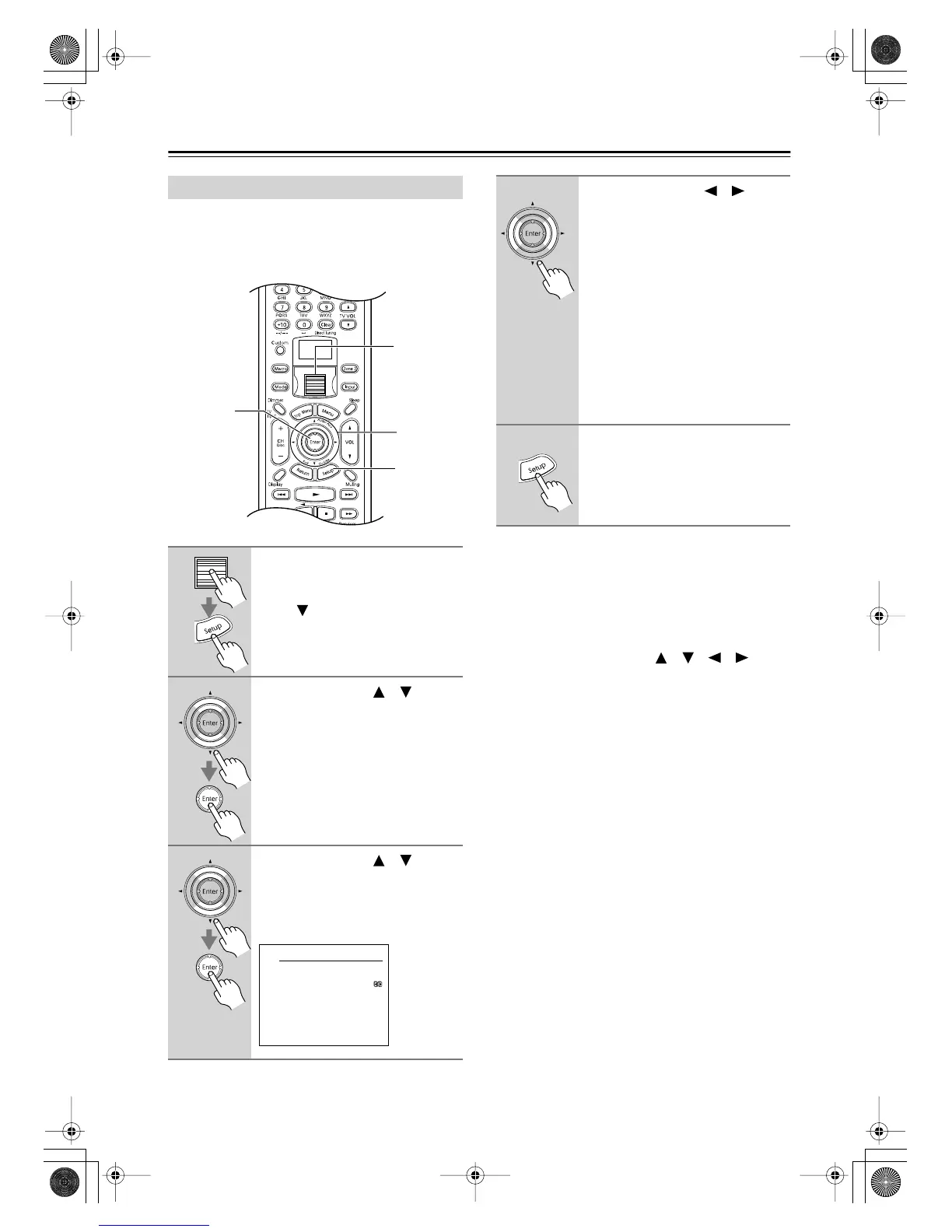
Setting the Surr Back/Zone 2 Outputs
1
Press the scroll wheel, and then
press the [Setup] button.
If the Basic menu appears, use the
Down [ ] button to select Advanced
Menu, and press the [Enter] button to
display the Advanced menu.
2
Use the Up/Down [ ]/[ ] but-
tons to select “0. Hardware
Setup,” and then press the
[Enter] button.
The Hardware Setup menu appears.
3
Use the Up/Down [ ]/[ ] but-
tons to select “2. Surr Back/
Zone2,” and then press the
[Enter] button.
The Surr Back/ Zone2 menu appears.
1
1, 5
2–4
2, 3
0-2.Surr Back/Zone2
a.Surr Back/Zone2
:Surr Back
Quit:[SETUP]
4
Use the Left/Right [ ]/[ ] but-
tons to select:
Surr Back:
Use the SURR BACK/
ZONE 2 outputs (SPEAKERS and
PRE OUT) as surround back outputs.
Select this option when connecting a
receiver/integrated amp in Zone 2 (see
page 84).
Zone 2:
Use the SURR BACK/
ZONE 2 outputs (SPEAKERS or PRE
OUT) for Zone 2.
Select this option when connecting a
power amp or only speakers in Zone 2
(see page 84).
5
Press the [Setup] button.
The setup menu closes.
DTR-8.4En.book Page 86 Thursday, October 16, 2003 11:09 AM



 To Next Page