81
Net-Tune
—Continued
This section explains how to select a network audio
Server and how to choose the amount of track informa-
tion that appears onscreen (OSD) during Net-Tune play-
back.
Note:
•You must select the IRD or MSRV input source to
make these settings. The 1. Music Server menu item is
not available when a different input source is selected.
• This procedure can also be performed by using the
DTR-8.4’s input selector buttons, [Setup] button,
[ ]/[ ]/[ ]/[ ] buttons, and [Enter] button.
• The track information display is not affected by the
Display Position setting on page 73.
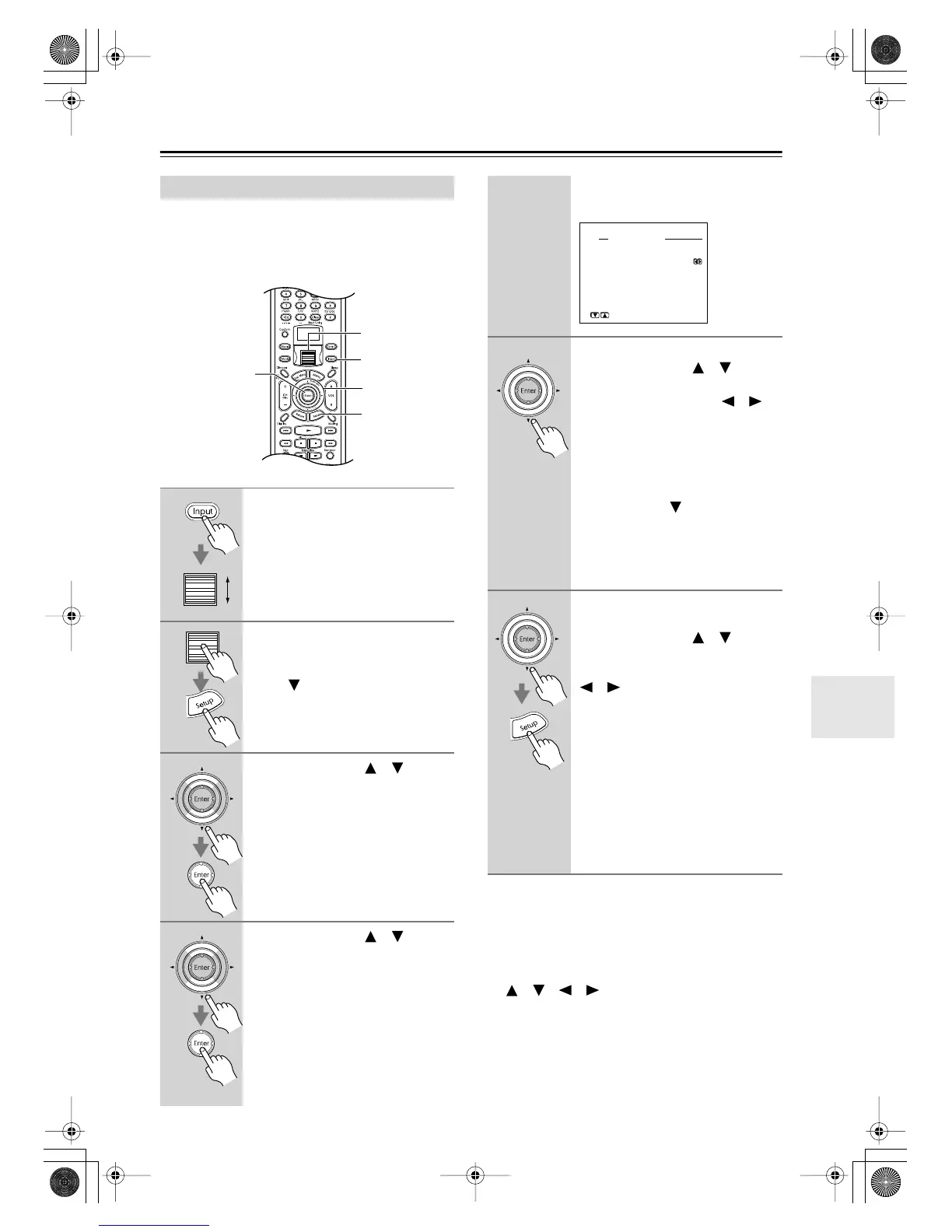
Music Server Settings
1
Press the [Input] button, and then
roll the scroll wheel to select
either IRD or MSRV.
2
Press the scroll wheel, and then
press the [Setup] button.
If the Basic menu appears, use the
Down [ ] button to select Advanced
Menu, and press the [Enter] button to
display the Advanced menu.
3
Use the Up/Down [ ]/[ ] but-
tons to select “2. Input Setup,”
and then press the [Enter] but-
ton.
The Input Setup menu appears.
4
Use the Up/Down [ ]/[ ] but-
tons to select “1. Music Server”
or “2. Playback OSD Display,”
and then press the [Enter] but-
ton.
1, 2
2, 6
3–5
3, 4
1
The Music Server or Playback OSD
Display menu appears.
5
■
If you select “1. Music Server”:
Use the Up/Down [ ]/[ ] but-
tons to select “a. Select Server,”
and use the Left/Right [ ]/[ ]
buttons to select a server.
Servers that are up and running have an
asterisk (*) before their name.
If a server is not listed, try restarting it.
When you’ve selected a server,
use the Down [ ] button to
select “OK,’ and then press
[Enter].
This completes the server selection pro-
cedure.
6
■
If you select “2. Playback OSD
Display”:
Use the Up/Down [ ]/[ ] but-
tons to select “a. Playback OSD
Display,” and use the Left/Right
[ ]/[ ] buttons to select:
Full:
All track information is dis-
played during playback.
Simple:
Only two lines of track infor-
mation are displayed during
playback.
Off:
Nothing is displayed during
playback.
Press the [Setup] button.
The setup menu closes.
2-1.Music Server
a.Select Server
:*a-nettune
OK
Quit:[SETUP]
Input:NET A
→
DTR-8.4En.book Page 81 Thursday, October 16, 2003 11:09 AM



 To Next Page