55
Basic Operation
—Continued
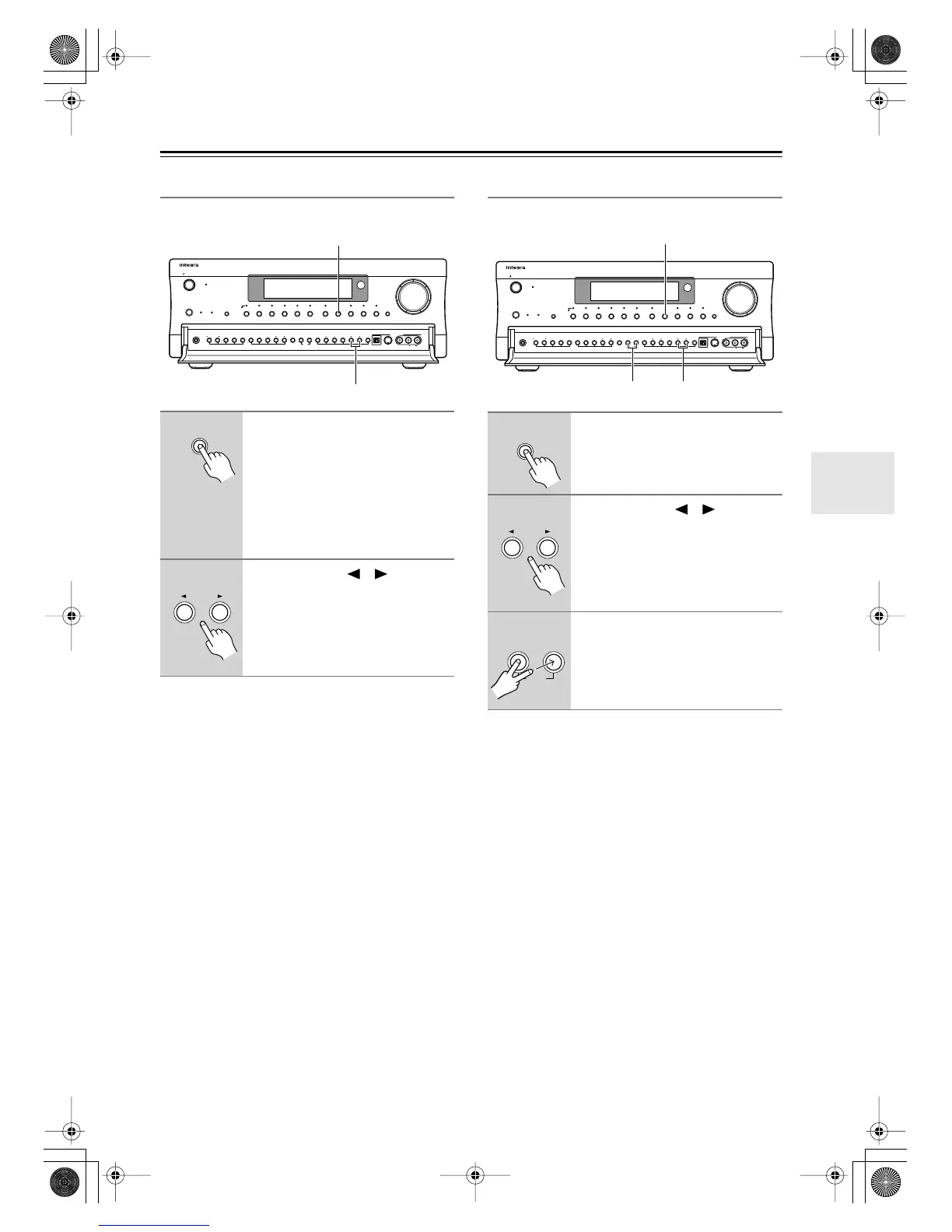
Selecting Presets
You can select previously stored presets as follows.
■
Selecting Presets by Number
To select a preset by number, use the remote controller’s
number buttons. For example, to select preset #7, press
[7]. To select preset #12, press [1] then [2].
Deleting Presets
This section explains how to delete presets.
1
Press the [Tuner] input selector
button.
On the remote controller, press
the [Input] button, and then use
the scroll wheel to select TUNER
(press the scroll wheel to select
FM or AM).
2
Use the Preset [ ]/[ ] buttons
to select the presets.
On the remote controller, use the
[CH/Disc] button to select the
presets.
Display
Audio
Selector
Direct/
Pure Audio
Master Volume
Standby/On
Video 1
Video 3 Tape
Tuner Phono Net AudioCD
DVD
Video 2
VCR 1 VCR 2
Video 4 Video 5
Zone 2
()
GRN
Rec
()
RED
Pure Audio psamplingU
Standby
Phones
Zone 2 Level
Stereo Surround THX DSPRec Out Zone 2 Off Dimmer Memory
Clear
FM Mode
Setup Tuning
Enter Preset Return
S Video Audio
Video L R
Digital
Video 5 Input
1
2
Tuner
Preset
1
Press the [Tuner] input selector
button.
2
Use the Preset [ ]/[ ] buttons
to select the preset that you want
to delete.
3
While holding down the [Mem-
ory] button, press the [FM Mode]
button.
The selected preset is deleted.
Display
Audio
Selector
Direct/
Pure Audio
Master Volume
Standby/On
Video 1
Video 3 Tape
Tuner Phono Net AudioCD
DVD
Video 2
VCR 1 VCR 2
Video 4 Video 5
Zone 2
()
GRN
Rec
()
RED
Pure Audio psamplingU
Standby
Phones
Zone 2 Level
Stereo Surround THX DSPRec Out Zone 2 Off Dimmer Memory
Clear
FM Mode
Setup Tuning
Enter Preset Return
S Video Audio
Video L R
Digital
Video 5 Input
2
1
3
Tuner
Preset
Memory
Clear
FM Mode
DTR-8.4En.book Page 55 Thursday, October 16, 2003 11:09 AM



 To Next Page