MEDIAJET – Operating instructions V09 Operation
46 INTEGRA Biosciences AG
Connect the tubing set to the media source and hold the PRIME key pressed
to fill the entire tubing with media.
The preparations for the filling process are now completed.
Before starting the filling process, it is possible to calibrate the actual dosing
volume in the same way as described in “4.5.5
Calibration of the pump during
the filling process (option)” on page 37. Start the calibration in the dialog window
PREPARE FOR FILLING PROCESS.
4.10.3 Start the filling process
NOTICE
To avoid spillage during the filling process, only use test tubes with an outer
diameter matching the available racks from INTEGRA BIOSCIENCES. Find a
test tube compatibility chart in “6.4
Test tube compatibility chart” on page 57.
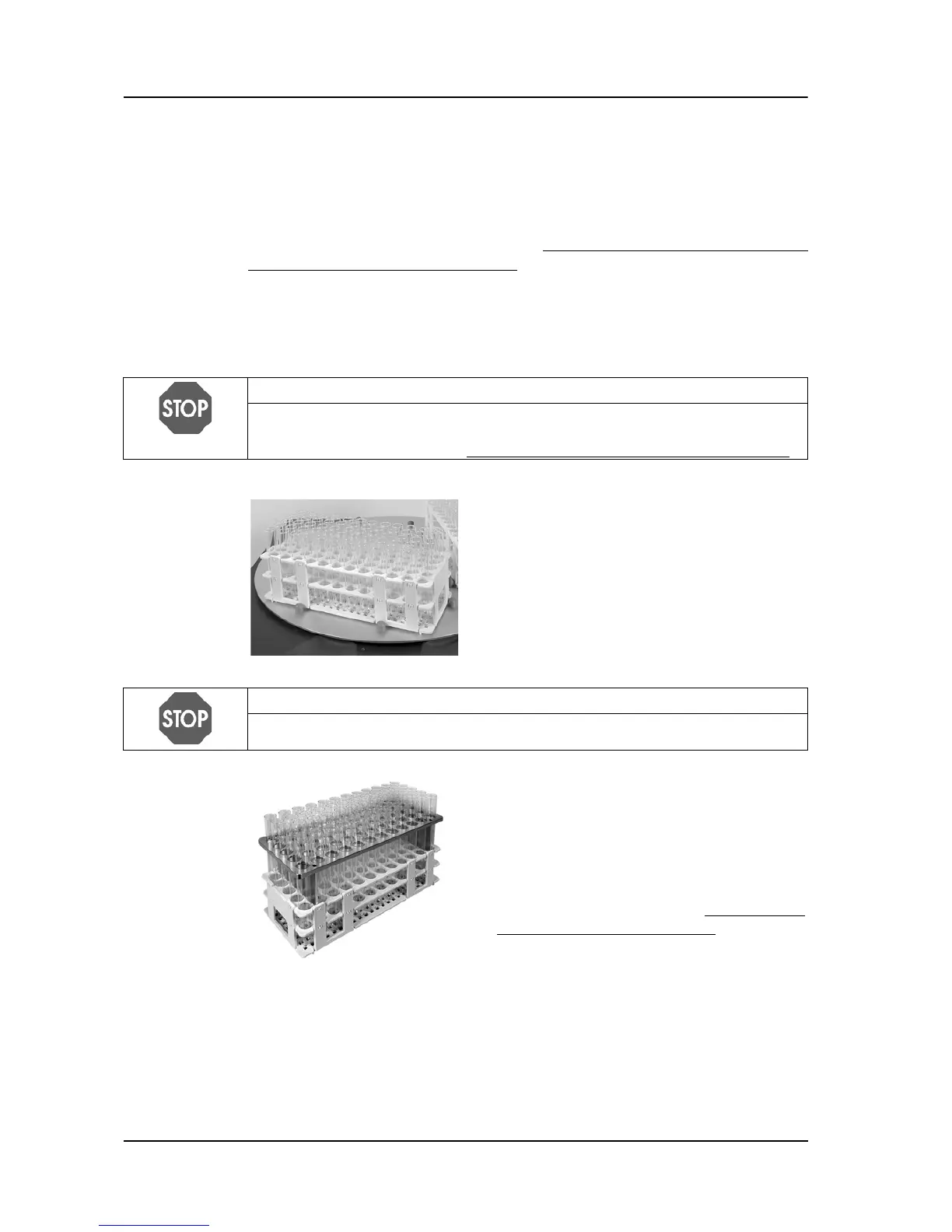
Place the test tube racks completely even
onto the support plate and neatly fitted into
the six surrounding green bolts.
NOTICE
To avoid spillage during the filling process, double-check that the test tube rack
on the TUBEFILLER is the same type specified in the program parameters.
Working with test tubes longer than 15 cm
requires the use of a rack specific centring
plate. This centring plate maintain the tubes
in a perpendicular position and thereby
ensure a error free dosing process. See
also test compatibility chart in “6.4
Test tube
compatibility chart” on page 57.



 To Next Page