41
Installing Below Deck Unit (BDU)
Connecting to the Switch Router
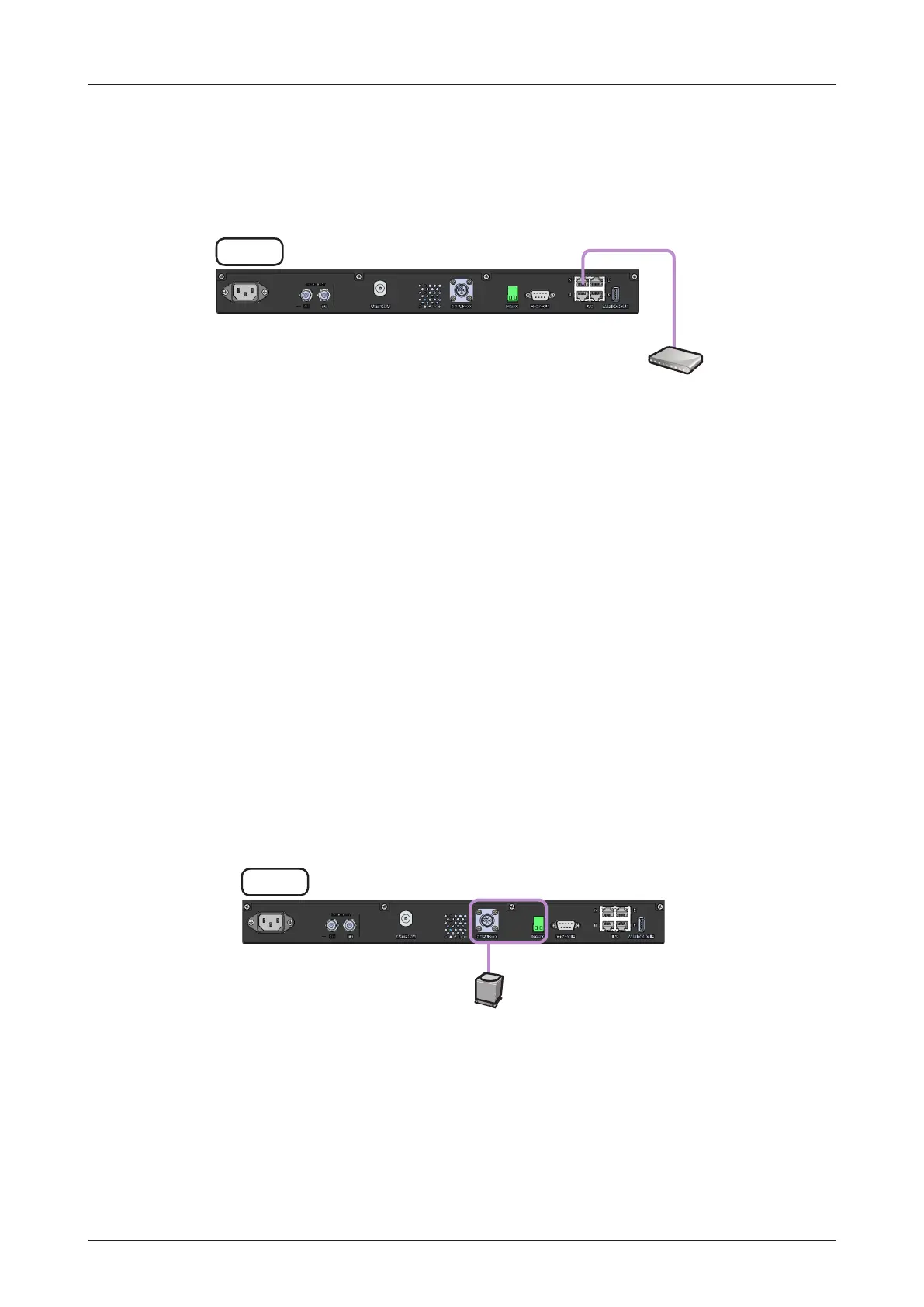
Connect the "Ethernet cable" from the "LAN 2" port on the rear of the BDT to the "LAN" port on the Switch
Router.
Figure: BDT to Switch Router Cable Connection
BDT
Switch Router
(Not supplied)
LAN 2
Connecting Ship's Gyrocompass
For satellite tracking, you must connect a ship's gyrocompass to the antenna system through the gyrocompass
interface on the rear of the BDT. Intellian's BDT supports NMEA 0183 and NMEA 2000 gyrocompass inputs. If
the ship's gyrocompass output uses a different standard, a compass converter should be installed to supply the
required NMEA input. The NMEA 2000 gyrocompass needs to be purchased separately, please refer to the "BDT
Connector Pinouts Guide" on page 43 for pin conguration.
Figure: BDT to Ship's Gyrocompass Cable Connection
BDT
Ship's Gyro
(Not supplied)
NMEA Input
2000/0183(GYRO)



 To Next Page
 Loading...