www.intermatic.com
40
MultiWave Control System Programming and User Guide
5HPRYLQJ=:DYH'HYLFHVIURP6FHQHV
1. Follow this procedure to remove a Z-Wave device from a scene:
2. Press P/S and ENTER simultaneously to access LEARN MODE.
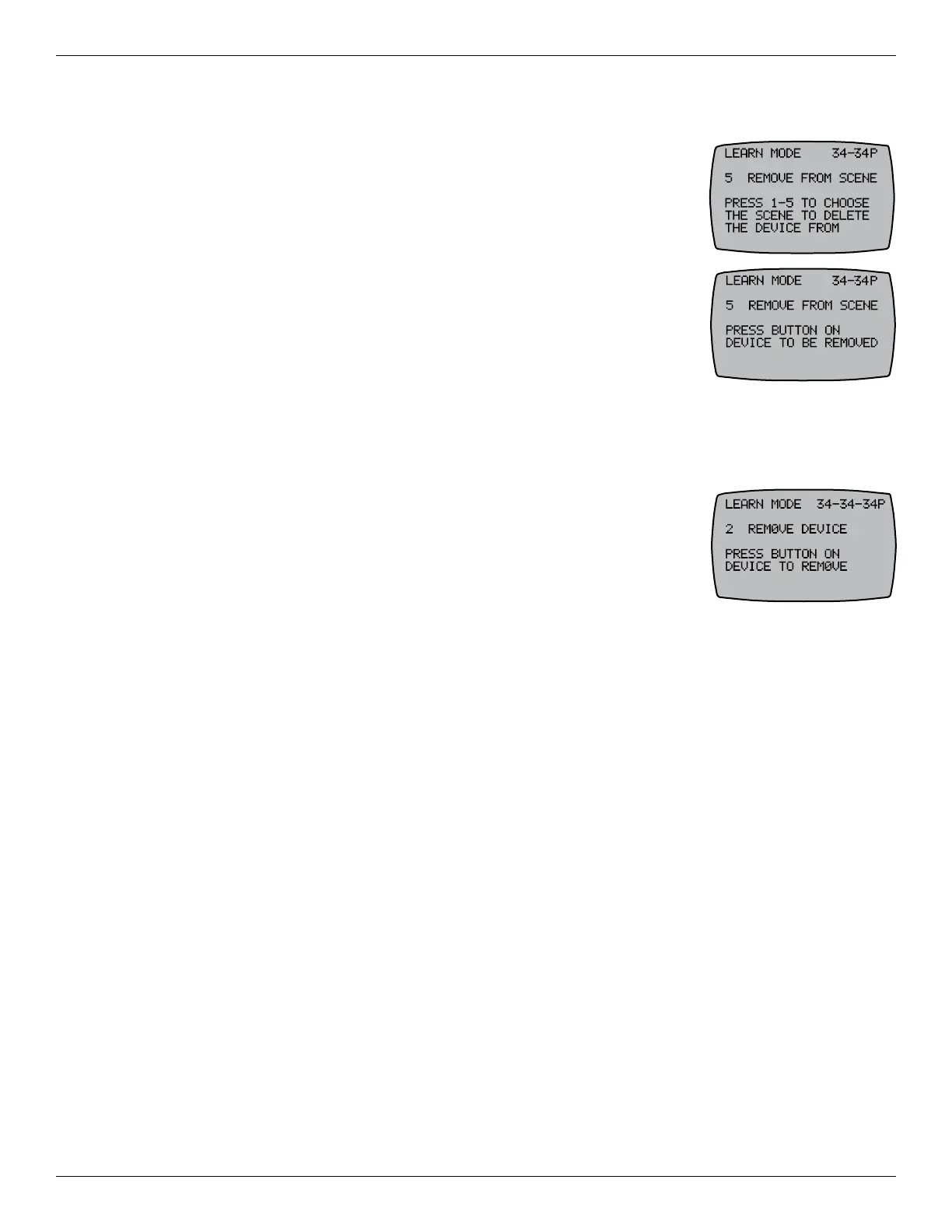
3. Press 5 REMOVE FROM SCENE. The controller displays PRESS 1-5 TO
CHOOSE THE SCENE TO DELETE THE DEVICE FROM.
4. Press the corresponding number on the controller for the scene you want
to remove from the device. The screen displays PRESS BUTTON ON
DEVICE TO BE REMOVED.
5. Press the button on the Z-Wave device to remove it from the scene.
See manufacturer’s instructions. The controller screen displays
WORKING followed by SUCCESSFUL to indicate that the device is
removed from the Scene.
6. Press ENTER to exit and return to the main screen.
5HPRYLQJ=:DYH'HYLFHVIURPD1HWZRUN
Follow this procedure to remove a Z-Wave device from a network:
1. Press P/S and ENTER simultaneously to access LEARN MODE.
2. Press 2 REMOVE DEVICE. The controller screen displays PRESS
BUTTON ON DEVICE TO REMOVE.
3. Press the RESET button on the Z-Wave device. The controller screen
displays WORKING followed by SUCCESSFUL to indicate the device is
removed from the network.
4. Press ENTER to exit and return to the main screen.










 To Next Page