www.intermatic.com
46
MultiWave Control System Programming and User Guide
([FOXGLQJ5HFHLYHUIURPD0DQXIDFWXUHU&RQWUROOHU
Follow this procedure to exclude the PE653 receiver from another manufacturer’s controller:
1. Activate the manufacturer’s controller EXCLUDE function. See manufacturer’s manual.
2. Press the INCLUDE button on the PE653 receiver. The red ashing LED on the PE653 receiver
changes to steady ON.
NOTE: The steady ON LED ashes when it is communicating with another device.
'HOHWLQJ$Q\([LVWLQJ3URJUDPPLQJ
Perform this procedure for each Z-Wave device that you want to include in the network to ensure any
existing programming is deleted:
1. Press P/S and ENTER simultaneously to access LEARN MODE.
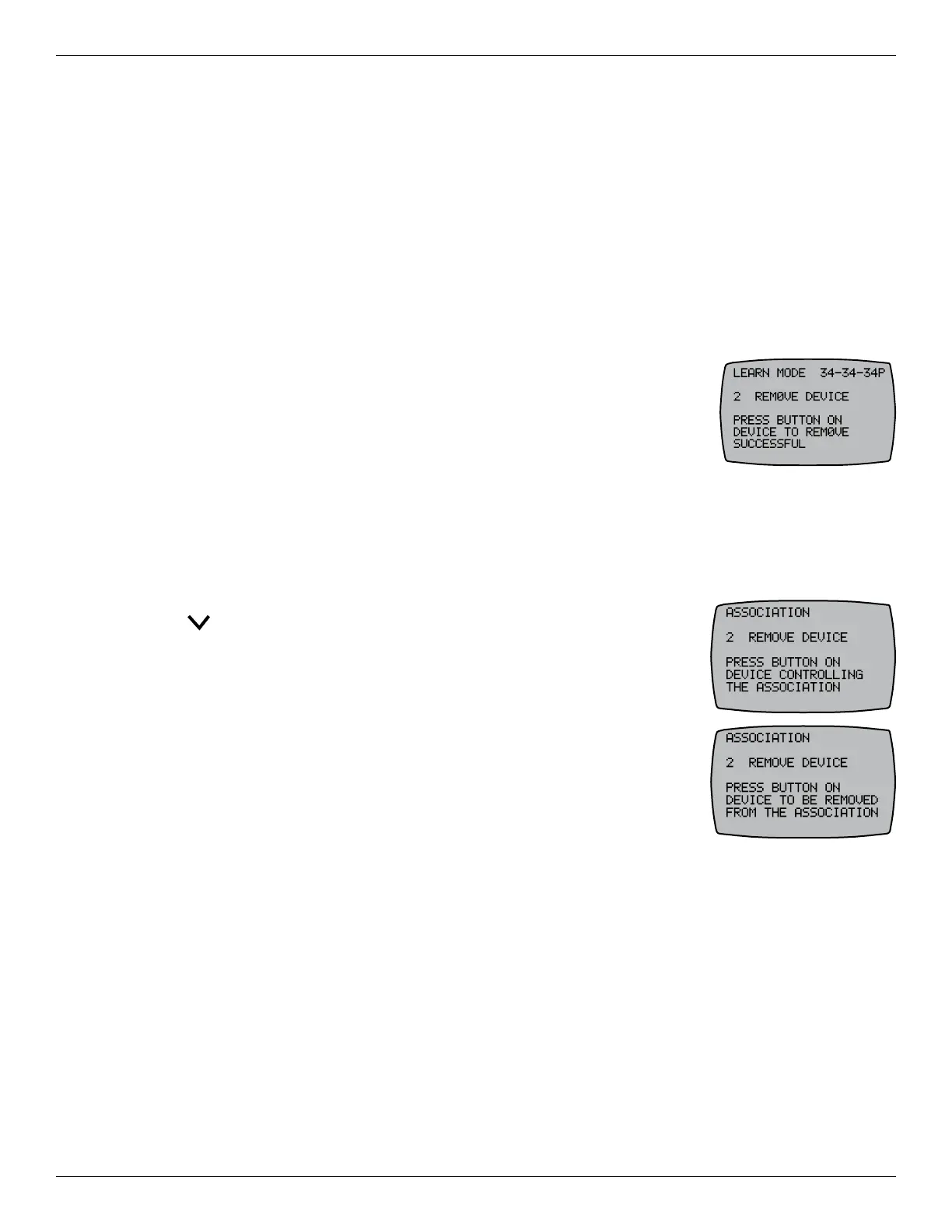
2. Press 2 REMOVE DEVICE. The screen displays PRESS BUTTON ON
DEVICE TO RESET.
3. Press the button on the Z-Wave device you want to remove from the
network. Refer to the Z-Wave device manufacturer’s instructions.
4. Repeat this procedure as needed for additional Z-Wave control devices in the network.
5HPRYLQJ=:DYH'HYLFHVIURPDQ$VVRFLDWLRQ
Follow this procedure to remove a Z-Wave device from a network:
1. Press P/S and ENTER simultaneously to access LEARN MODE.
2. Press to scroll to the CNTRL OPTION screen.
3. Press 5 to select SETUP ASSOCIATIONS. The ASSOCIATION screen
appears.
4. Press 2 to select REMOVE DEVICE. The screen displays PRESS THE
BUTTON ON THE DEVICE CONTROLLING THE ASSOCIATION.
5. Press the INCLUDE button on the Z-Wave device. The controller screen
displays the word SUCCESSFUL to indicate the device is removed from
the association.
6. Repeat steps 3 through 5 as necessary to remove other devices from the
association.
7. Press ENTER to exit and return to the main screen.










 To Next Page