Hardware Manual
BMS Master 4 / 4.5
Ref.: IR14417 A 15.01.2018 Page 36/76
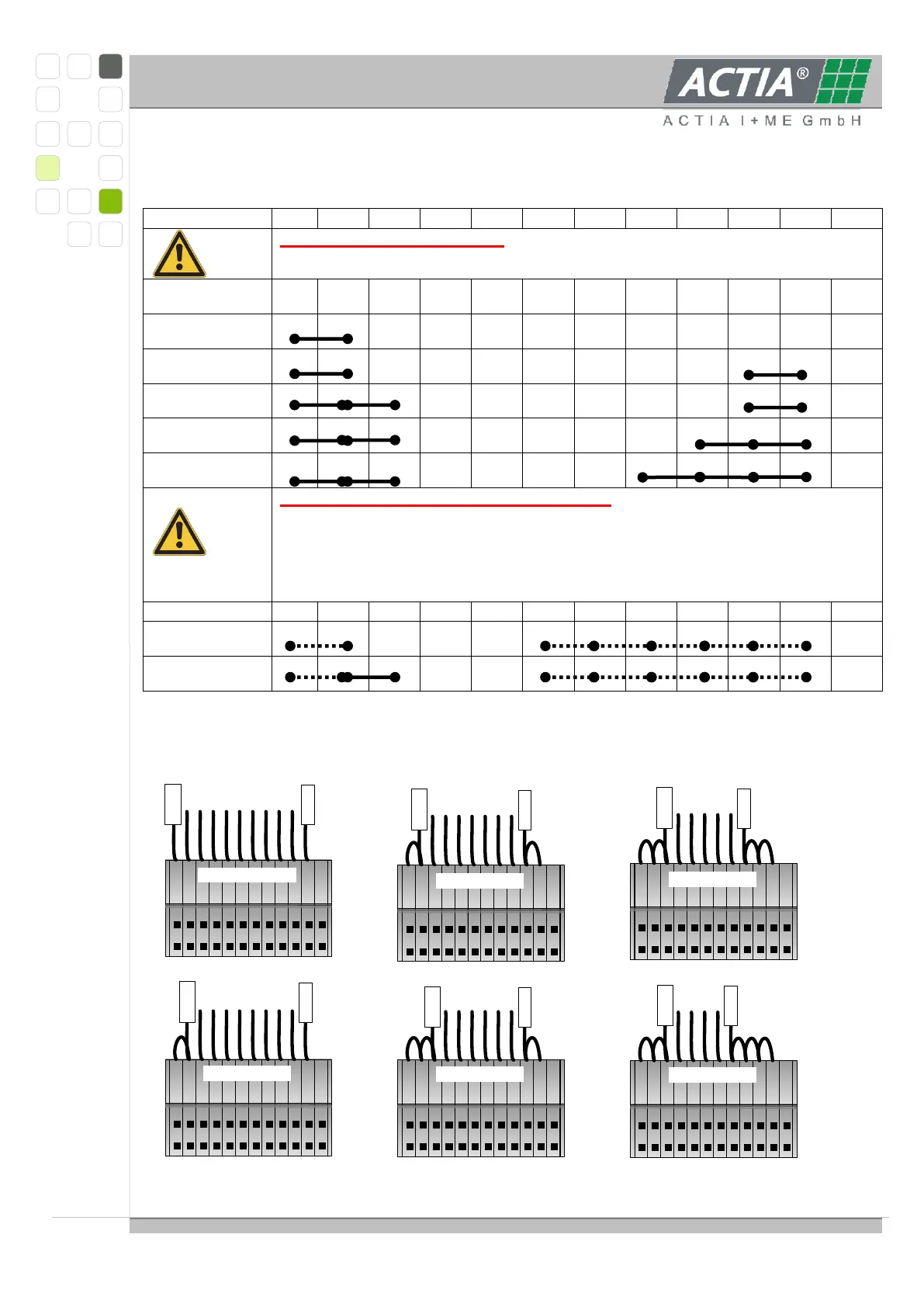
3.4.4.3 CONNECTING LESS THAN 10 CELLS
ONLY with NOT modified hardware. The connections between the
single contacts as depicted must be realized on the edge connector
ONLY WITH MODIFIED HARDWARE.The dashed connections are
realized on the board. When connecting only three cells, the
connection between contacts 11 and 10 must be realized outside
on the edge connector.
IMPORTANT: Connect Z4+ rsp. Z3+ always to contact 12 and
connect Z1- always to contact 6
ATTENTION: Connecting 5 or more cells to a modified hardware for 3 or 4 cells will
destroy the hardware and possibly the battery, too.
12 11 10 9 8 7 6 5 4 3 2 1
12 11 10 9 8 7 6 5 4 3 2 1
12 11 10 9 8 7 6 5 4 3 2 1
12 11 10 9 8 7 6 5 4 3 2 1
12 11 10 9 8 7 6 5 4 3 2 1
12 11 10 9 8 7 6 5 4 3 2 1
9-cell-wiring
10-cell-wiring
8-cell-wiring
7-cell-wiring
6-cell-wiring
5-cell-wiring
Z10+
Z1-
Z1-
Z1-Z1-
Z1-
Z1-
Z9+
Z8+
Z7+
Z6+
Z5+



 To Next Page