PASCAL
®
Synthesis Ophthalmic Scanning Laser Systems Page 44 of 141
88292-EN, Rev D
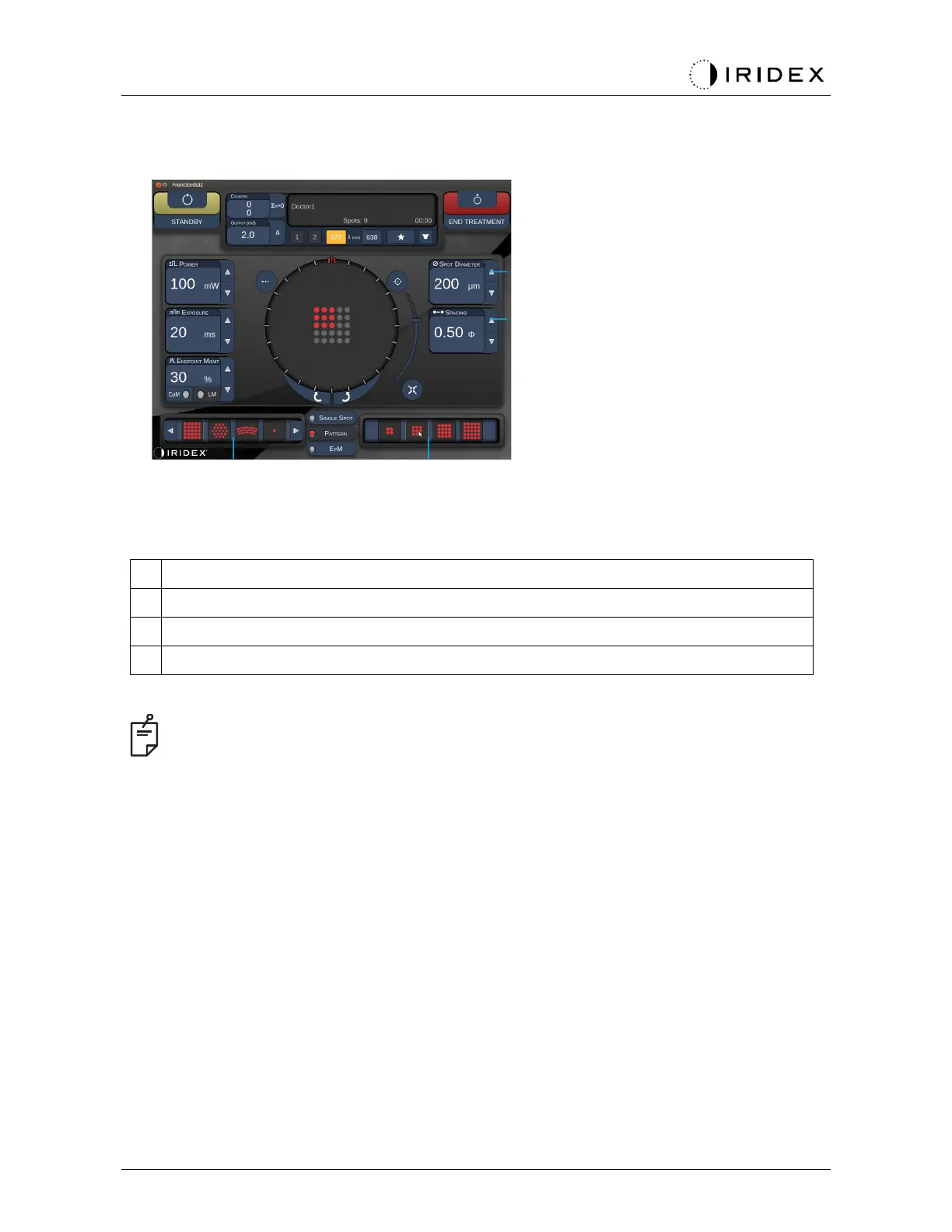
<Spot Diameter> - press up/down buttons to adjust
<Spacing> - press up/down buttons to adjust
Primary Pattern - press to select pattern type
Secondary Pattern - press to select pattern subset (when applicable)
•
Parameter controls only show on screens when applicable to the pattern selected.
•
Establish treatment parameters with Enhanced Octant when in “Standby” mode. The
Enhanced Octant pattern will increase the number of “spots” to accompany changes in
geometry (spot diameter, spacing, radii). Changes to geometry are only possible when
system is in “Standby” mode. Once in “Treat” mode, after the first laser application is
applied, only changes to Power, Exposure and Endpoint are allowed.



 To Next Page