iStorage datAshur® PRO
+
C
User Manual v1.0
9
1. datAshur PRO
+
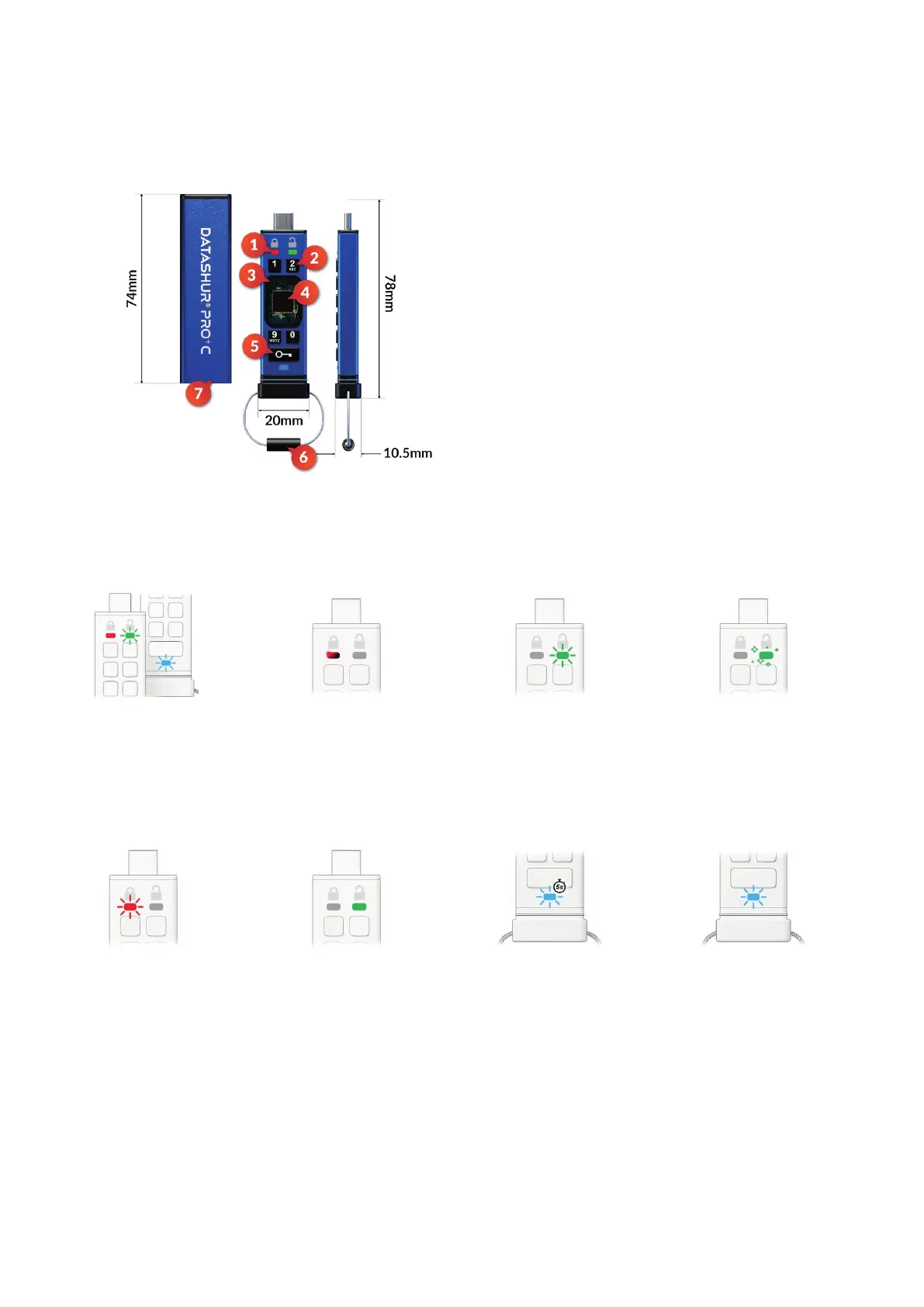
C layout
2. LED indicators and their actions
1. LED lights
RED - Locked. GREEN - Unlocked. BLUE - Connected to the computer/data transfer/
Admin PIN indicator/User PIN change.
2. Polymer coated, wear resistant, alphanumeric keypad.
3. Epoxy coated
All critical components are covered by a layer of super tough epoxy resin.
4. On-device crypto chip.
5. KEY button.
6. Keyring - Unscrew to add to keyring.
7. Protective sleeve.
Solid RED and blinking
GREEN and BLUE
Initial shipment state, rst time
User PIN creation.
RED - Fade Out
Locking down/incorrect
PIN entry
GREEN ickering
datAshur PRO
+
C is unlocked in
Admin mode.
GREEN blinking
When connected to a USB port if
GREEN LED blinks every 2 seconds
this indicates the drive has been set
as ‘Read-Only’
RED blinking
Locked and awaiting User
PIN entry.
BLUE blinking every
5 seconds
Battery is charging when drive is
locked and connected to a
USB port.
GREEN solid
Drive is unlocked in User mode.
BLUE blinking
Data exchange with host or when
not connected to a USB port indi-
cates an Admin PIN exists.















 To Next Page