iStorage datAshur® PRO
+
C
User Manual v1.0
12
4. How to change the User PIN in User mode
For “PASSWORD” you would press:
Using this method, long and easy to remember PIN’s can be created.
For “ISTORAGE” you would press:
Password Tip:
You can create a memorable word, name, phrase or any other Alphanumerical PIN combination by
simply pressing the key with the corresponding letters on it.
Examples of these types of Alphanumerical PINs are:
PIN Requirements:
• Must be between 8-15 digits in length
• Must not contain only repetitive numbers, e.g. (3-3-3-3-3-3-3-3)
• Must not contain only consecutive numbers, e.g. (1-2-3-4-5-6-7-8), (7-8-9-0-1-2-3-4)
To change the User PIN, proceed with the following steps.
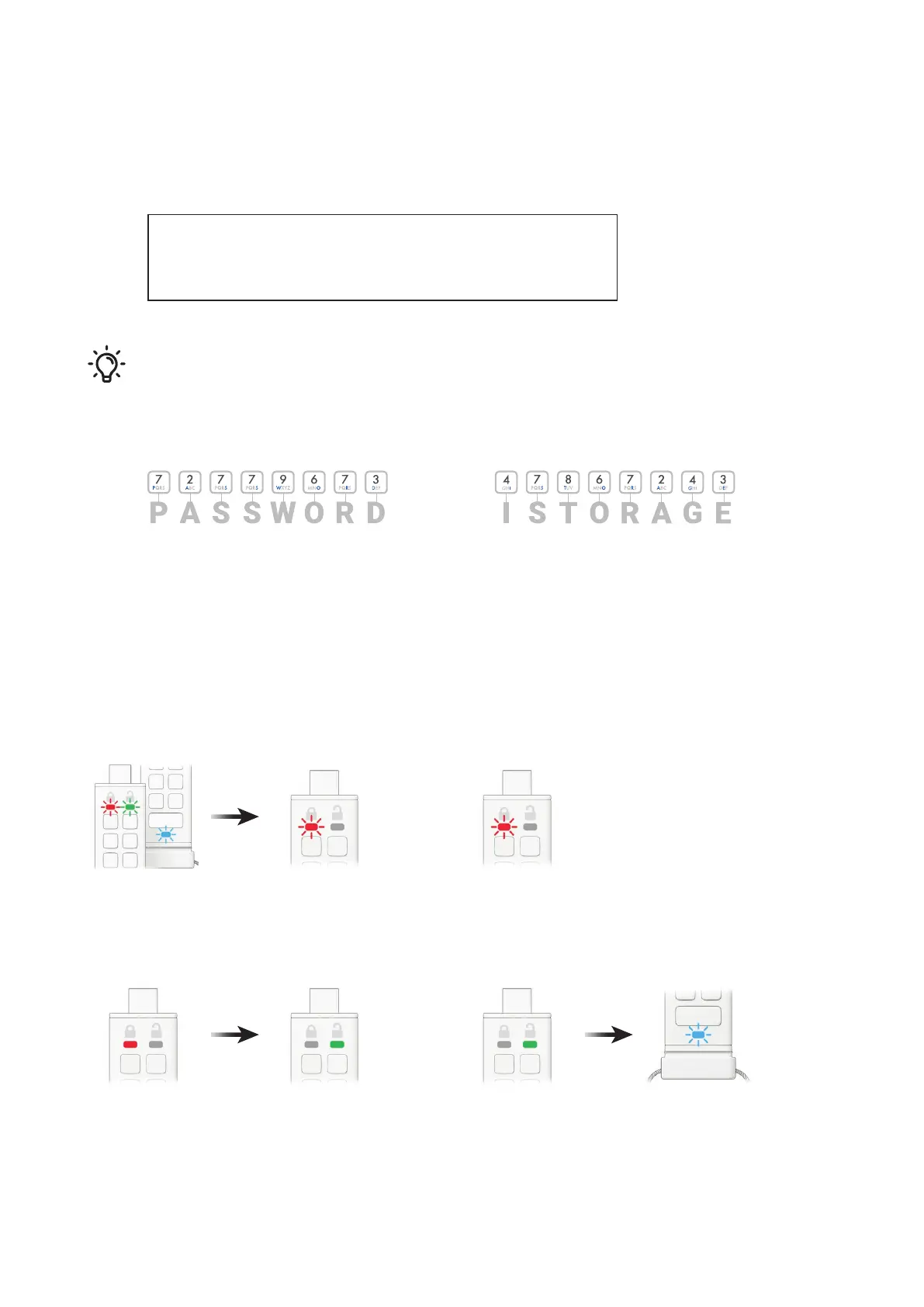
1. Press KEY button once
RED, GREEN & BLUE LEDs will ash together once and then the RED LED
will continue to blink.
3. Press KEY button once
Solid RED LED switches to a solid GREEN LED indicating successful User
PIN entry.
2. Enter your current User PIN
RED LED will continue to blink.
4. Press KEY button TWICE (double-click)
Solid GREEN LED switches to a blinking BLUE LED.















 To Next Page