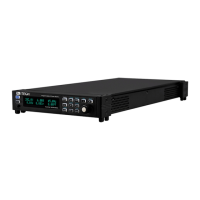
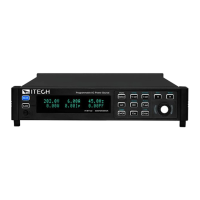
Multi-units operation
a. Use standard network cables to connect System Bus terminals.
b. Connect the AC output terminals of the three units in three-phase and
connect them to the DUT.
c. Connect the power cords of 3 stand-alone units, please refer to 2.3 Con-
necting the Power Cord for details.
2. Set 3 single units as phase A, phase B and phase C respectively.
a. Press the composite keys [Shift]+[V-set](Config) to enter into the config-
uration menu interface.
b. Rotate the knob to select Parallel and press [Enter] key to confirm.
c. Rotate the knob to select 3 Phase and press [Enter] key to confirm.
d. Set the 3 Phase Role menu items of 3 units to A, B and C, and press
[Enter] to confirm.
• 3 Phase Role = A, it means this unit is the master A.
• 3 Phase Role = B, it means this unit is the slave B.
• 3 Phase Role = C, it means this unit is the slave C.
e. Set the Degree menu items of 3 units to 0.0 degree, 120.0 degree and
240.0 degree, and press [Enter] to confirm.
• Degree = 0.0° (Fixed value), it means this unit is the master A.
• Degree = 120.0°, it means the slave B is 120 degree ahead of the
master A.
• Degree = 240.0°, it means the slave C is 240 degree ahead of the
master A.
In 3-phase mode, the default phase difference between each two power
supplies is 120.0 degree, and the phase difference between each two
power supplies cannot be less than 5 degree.
3. Connect three three-phase units.
Press the [Link] button on the front panel of the master A to connect the
three synchronous data. After the synchronization is complete, the [Link] in-
dicators of the master A, slave B and slave C will light up one after another.
Press the [Link] key on the front panel of the master A again to cancel the
synchronization, and the [Link] lights of three power supplies will lights off.
4. Set the three-phase output.
Please refer to 3.3 Applying Waveform Output to set the three-phase output.
When setting, just set the data of master A, slave B and slave C will auto-
matically synchronize the data of A. The details of the data that can be
synchronized are shown in the following table:
Vac [V-set] Sets the output voltage value.
OCPrms [I-set] Sets the OCPrms value.
Freq [F-set] Sets the frequency value.
On or Off [On/Off] Turns the instrument output on or off.
Protect Protection function
Copyright © Itech Electronic Co., Ltd.
101


 To Next Page
 Loading...