Epic 950 Printer Sensors Epic 950 OEM Integration Manual
95-05245 Rev G Page 27
Printer Sensors
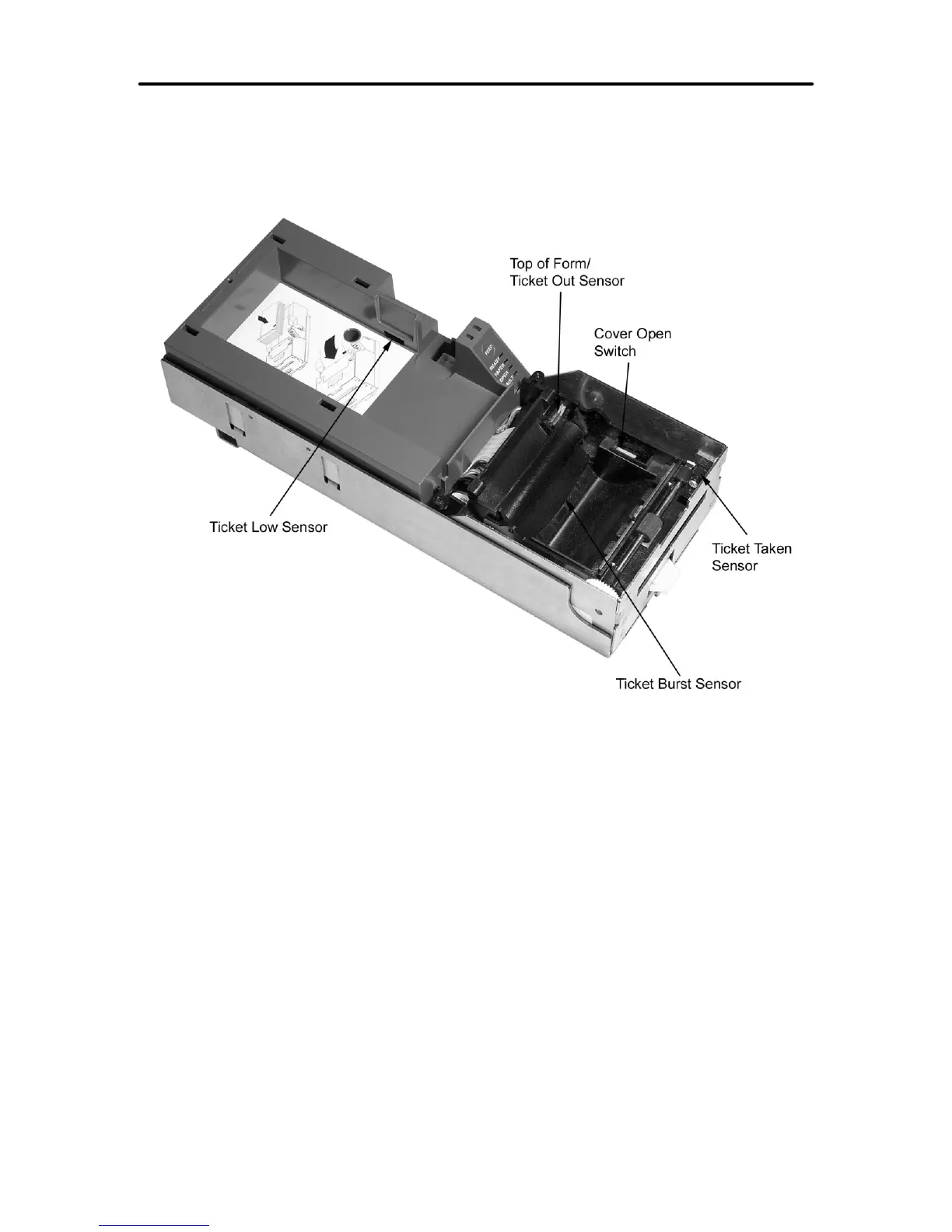
The Epic 950 printers use several sensors to provide feedback to the host system. The
Communications PCB handles all power and interface communications.
(Covers not shown for clarity)
Figure 12. Sensor Breakdown and Locations
Cover Open Switch
The Cover Open switch detects the case where the Ticket Cover is open, and halts the
printing and ticket feeding process until the Ticket Cover is closed.
Ticket Low Sensor
A Ticket Low Sensor optically senses the number of tickets remaining in the printer’s
ticket bucket. The sensor will detect when the number of tickets reaches below 5-10
tickets. The ticket low status will be reported on the status byte, when the host issues a
status request.
Ticket Burst Sensor
A Ticket Burst sensor is used to detect that the ticket has been separated before it is
presented. Note that the Epic 950 printer incorporates a TicketBurst
TM
feature which
automatically burst tickets prior to presentation to the operator.



 To Next Page