Epic 950 Printer Sensors Epic 950 OEM Integration Manual
Page 28 Rev G 95-05245
Top-of-Form/Ticket Out Sensor
A Top of Form/Ticket Out Sensor is used to control ticket loading and printing.
Ticket Taken Sensor
A Ticket Taken Sensor is used to determine when customers have actually taken the
printed ticket.
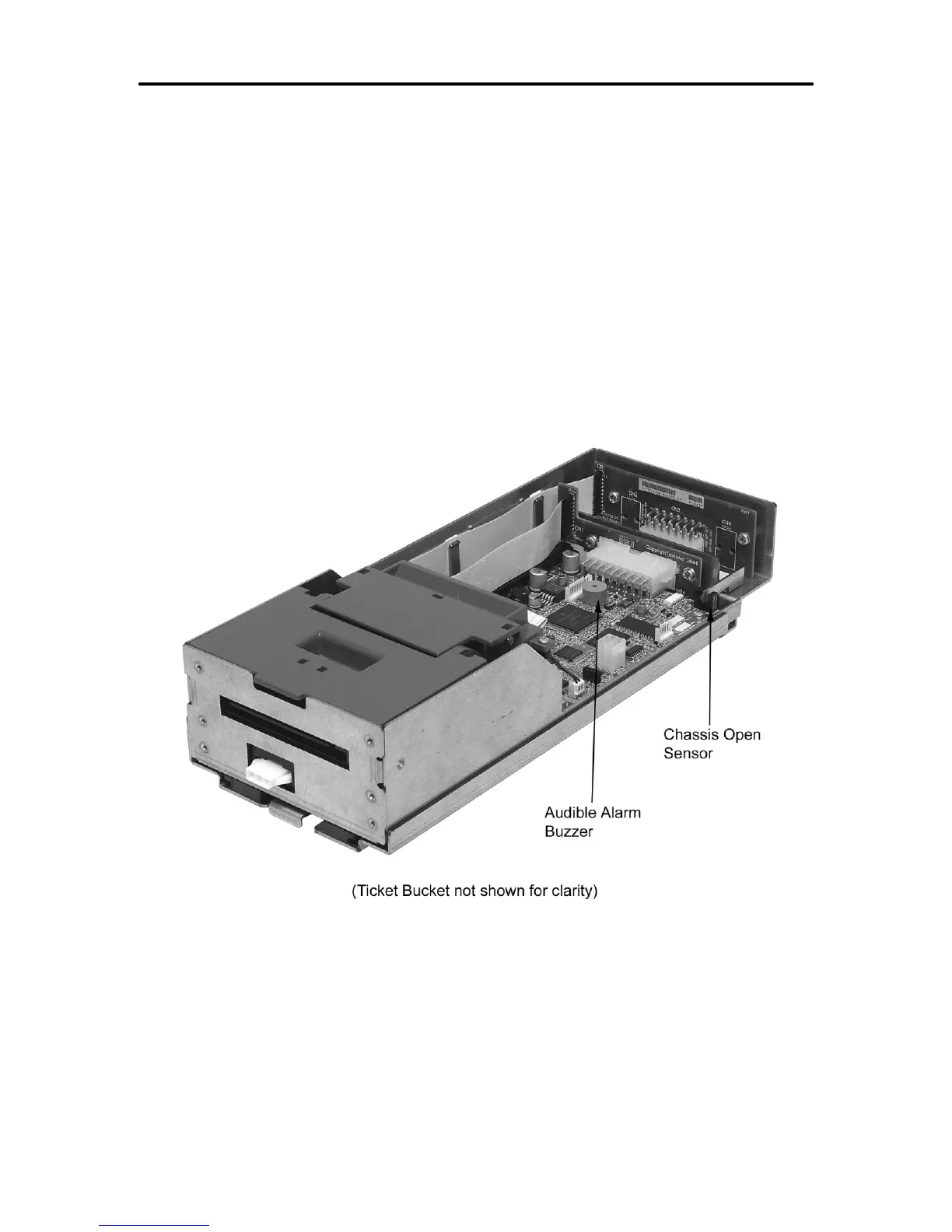
Chassis Open Sensor/Audible Alarm
The printer has a Chassis Open sensor to determine if the Inner Chassis is in the full-
racked position. If the Inner Chassis is not in the fully racked position, then the printer
status LED will blink, indicating the printer is not ready.
1. Chassis Open Sensor (Sliding Module).
2. Audible Alarm Buzzer (PIEZO - game controlled).
(Ticket Bucket not shown for clarity)
Figure 13. Open/Close Position/Audible Alarm
Printer Status LED
The printer has been outfitted with a LED panel system that provides the condition of the
printer by using solid or blinking status LEDs to communicate status information. The
following table lists the different LED states for specific conditions within the printer.



 To Next Page