Scenes EditingandMonitoringScenes
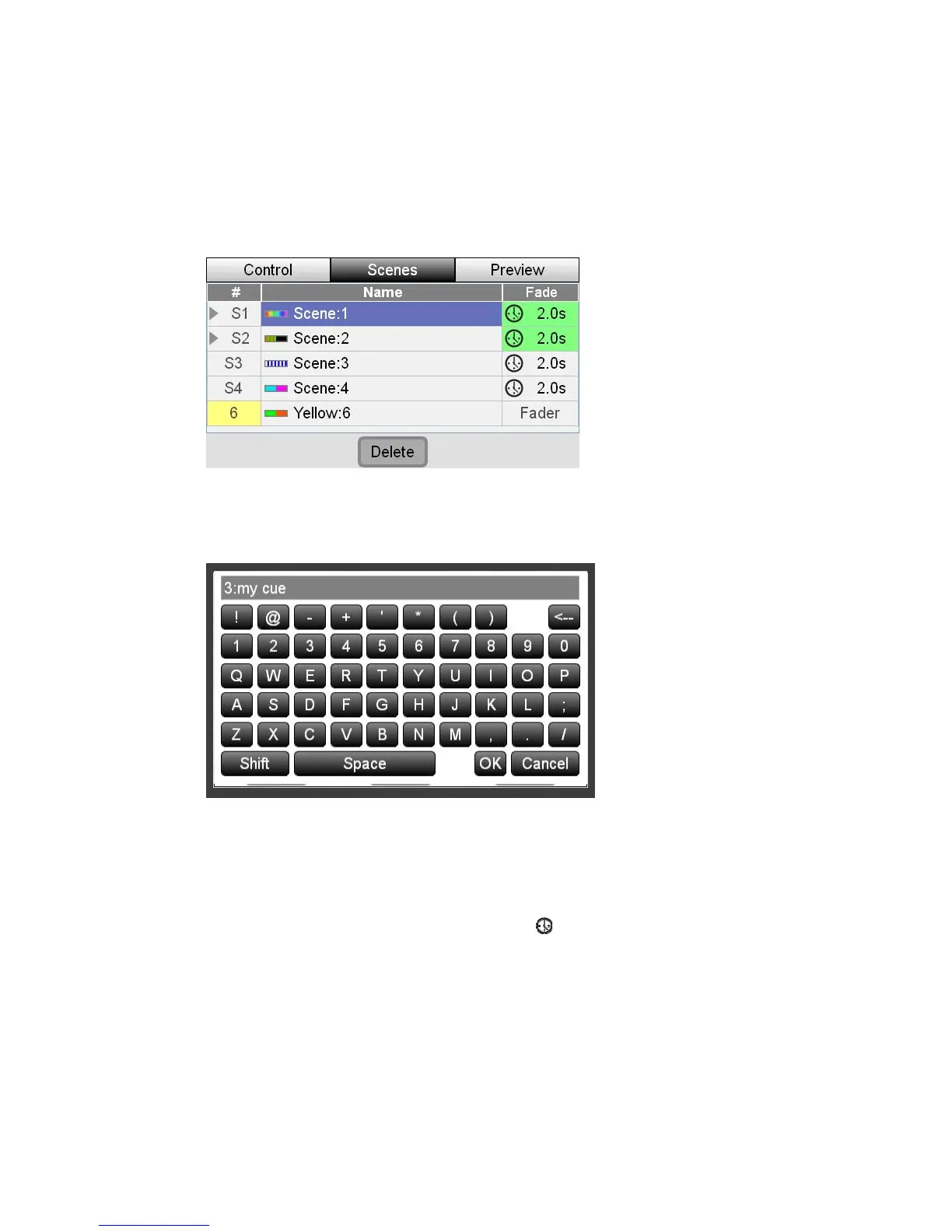
RenamingaScene
When you record a scene it is automatically given a name (i.e. Scene 4). If you’d
u do this:
like to give it a name that’s easier to remember yo
1. Press the middle button above the touchscreen or touch the Scenes tab
2. Stage CL displays the Scenes window with the Scenes tab selected:
3. Touch the name of the Scene you want to change or rotate the dial until the
scene name is highlighted then press down on the touchscreen dial. Stage CL
displays the on screen keyboard window:
e and click the OK button
time
set to follow the fade time set by the
show the
4. Type a name for the scen
SettingtheSceneFade
When you record a scene it is automatically
Stage CL Fade time dial. Scenes that
icon in the fade time column are
for a scene you do this:
ess the Scenes tab button . Stage CL displays the
set this way. If you want to set a fixed fade time
1. In the Scenes window pr
Scenes list:
StageCLUserGuide,Version1.3 7‐3



 To Next Page